
⚡ The key points in 30 seconds
A good ChatGPT prompt to rephrase a text isn’t just “rewrite this”. It specifies the verb (clarify, shorten, paraphrase…), thegoal, the tone, theaudience and the constraints. Below: 35 ready-to-copy prompts, sorted by goal and filterable, the method for adapting them, the 4 rephrasing techniques and a tool comparison. You can try every prompt for free, no sign-up.
You paste your text, you ask it to “rephrase”, and ChatGPT hands back a bland version that sometimes misses the point. The problem rarely comes from the AI: it comes from the prompt. Rephrasing isn’t a single move, it’s a dozen different intentions — making it clearer, shortening it, changing the tone, paraphrasing to avoid copy-pasting, correcting, adapting it for a different audience. Each intention has its own prompt.
This article gathers a library of 35 rephrasing prompts that you can copy in one click, the formula for writing your own, and the techniques the AI applies behind the scenes. The goal: that you leave with the right prompt for your specific need.
The formula for a good rephrasing prompt
The rule fits in one sentence: bad prompt, bad result. A vague request like “rewrite this text” tells the AI nothing about what you expect. An effective prompt stacks five ingredients. You don’t need all five every time, but the more you give, the closer the result lands to what you had in mind.
- The precise verb. “Clarify”, “shorten”, “paraphrase”, “simplify”, “make it more formal”… The verb steers everything. “Rephrase” on its own is too vague: say what you want to change.
- The source text. Paste the text in quotation marks or after a colon, clearly marked off, so the AI knows where it begins and where it ends.
- The goal. Why you’re rephrasing: to gain clarity, to fit in 100 words, to persuade, to avoid duplicate content, to move to professional writing.
- The tone and the audience. “For a client”, “friendly tone”, “for beginners”, “middle-school level”. The AI adapts the vocabulary and register to who you’re talking to.
- The constraints and the format. Length, number of variants, “keep the meaning”, “keep my style”, “list the changes at the end”.
The habit that changes everythingDon’t say “adapt this text”. Say “adapt this text for a 12-year-old reader, replacing technical words with simple images”. The same verb, but a target and a constraint: that’s where 80% of the quality is decided.
Want the AI to build this prompt for you? Nation’s prompt generator turns your need into a detailed instruction. And to go further on method, see our guide to writing effective prompts.
35 ChatGPT prompts to rephrase a text (to copy)
Here’s the library. Every prompt is ready to use: copy it, replace the bracketed passage with your text, paste it into ChatGPT (or into Nation’s chat). Use the search or the filters to find the goal you’re interested in.
Library of rephrasing prompts
35 copyable prompts, sorted by goal. Search or filter, then click “Copy”.
Make it clearer and smoother
Rephrase the text below to make it clearer and smoother. Remove repetitions, break up overly long sentences and strengthen the transitions, without changing the meaning or adding information. Text: “[paste your text here]”
Get straight to the point
Rewrite this passage so it gets straight to the point: one idea per sentence, the fluff cut out, jargon replaced with simple words. Keep all the important ideas. Text: “[paste your text here]”
Structure into readable paragraphs
Improve the readability of this text: break it into short paragraphs, add logical connectors (first, then, finally) where needed and keep my style. Text: “[paste your text here]”
Adjust the tone
Rephrase this text in a [formal / friendly / enthusiastic / neutral] tone, suited to [my audience]. Keep the message and a length close to the original. Text: “[paste your text here]”
Professional yet warm
Rewrite this text in a professional yet warm style, as if I were addressing a client I respect. Avoid jargon and boilerplate phrasing. Text: “[paste your text here]”
3 tones to choose from
Give me 3 rephrasings of this text in 3 different tones (serious, accessible, punchy) so I can choose. Number them and keep the same meaning. Text: “[paste your text here]”
Cut it in half
Shorten this text by about 50% while keeping all the important ideas. Don’t add an introduction or a conclusion. Text: “[paste your text here]”
Summarize in 3 sentences
Summarize this text in 3 sentences maximum, down to the essentials, for someone in a hurry. Text: “[paste your text here]”
Condense into one sentence
Condense this paragraph into a single sentence that keeps the main idea, without distorting it. Text: “[paste your text here]”
Fit within X words
Rewrite this text so it fits within [120] words maximum, without losing the meaning or the important figures. Text: “[paste your text here]”
Expand with examples
Expand this text by adding concrete examples and explanations, without making it wordy. Aim for roughly double the length. Text: “[paste your text here]”
Enrich the style
Enrich this passage with details and a livelier rhythm, while staying credible and faithful to the meaning. Text: “[paste your text here]”
Add a hook and a conclusion
Add an opening hook at the start and a closing sentence to this text, keeping the same tone and without changing the message. Text: “[paste your text here]”
Middle-school level
Rephrase this text so it can be understood by a middle-school student (12 years old). Replace complicated words with simple ones and explain technical concepts. Text: “[paste your text here]”
Make a technical passage accessible
Make this technical passage accessible to a non-specialist reader. Use an everyday analogy if it helps, and keep it accurate. Text: “[paste your text here]”
Plain, easy-to-read English
Rewrite this text in plain, easy-to-read English: short sentences, everyday vocabulary, active voice. Text: “[paste your text here]”
Redirect to a target
Adapt this text for [busy executives / students / non-technical clients]. Adjust the vocabulary, the examples and the level of detail, keeping the same core message. Text: “[paste your text here]”
LinkedIn version
Rewrite this text for a LinkedIn post: a strong hook from the very first line, airy paragraphs, an expert but human tone. Text: “[paste your text here]”
Move it to speech
Turn this content into a script to be read aloud: natural, easy to pronounce, with sentences you can read in one breath. Text: “[paste your text here]”
Paraphrase without copying
Paraphrase this text with different vocabulary and sentence structure, while keeping the meaning exactly. Goal: avoid duplicate content. Text: “[paste your text here]”
Rephrase for quoting
Rewrite this passage in my own words so I can include it without copying the original wording. Also give the key idea in one sentence. Text: “[paste your text here]”
Two distinct variants
Offer 2 distinct rephrasings of this paragraph, different enough from each other in both wording and structure. Text: “[paste your text here]”
Sound human
Rephrase this text so it sounds natural and human: vary the sentence length, remove repetitive turns of phrase and the “robotic” tone, keep the meaning. Text: “[paste your text here]”
Like a real person
Rewrite this text the way a person who writes well would: a direct tone, a few short sentences, no empty phrases or pointless superlatives. Text: “[paste your text here]”
Remove the “AI” style
Strip this text of its “AI-generated” style (catch-all words, endless lists, mechanical transitions) without changing the information or the meaning. Text: “[paste your text here]”
Polish an email
Rephrase this email draft so it’s polite, clear and concise. Keep the urgency but stay courteous, and suggest a suitable subject line. Text: “[paste your email here]”
Decline politely
Rewrite this message to decline politely without causing offence, explaining briefly and offering an alternative. Text: “[paste your text here]”
From notes to an email
Turn these notes into a structured professional email: context, clear request, next step. A courteous and direct tone. Notes: “[paste your notes here]”
Correct without changing the style
Correct the spelling, grammar and punctuation of this text without changing the style or the meaning. List the corrected errors at the end. Text: “[paste your text here]”
Spot the clumsy sentences
Reread this text and flag the poorly built or ambiguous sentences, then propose a corrected version for each. Text: “[paste your text here]”
Correct and rephrase in one go
Correct the errors in this text then rephrase it so it’s clearer and smoother, without changing the meaning. Give only the final version. Text: “[paste your text here]”
Work in a keyword
Rewrite this paragraph to naturally work in the keyword “[keyword]” and its variants, keeping it readable and without keyword stuffing. Text: “[paste your text here]”
Make it scannable
Rephrase this text to make it more engaging and scannable (subheadings, short sentences, highlighted ideas), while respecting the search intent “[intent]”. Text: “[paste your text here]”
Translate then smooth out
Translate this text into [Spanish] then rephrase it so it sounds natural to a native reader, not like a literal translation. Text: “[paste your text here]”
Adapt to a learner’s level
Rephrase this text at a [B1] language level, in English, for a learner: accessible vocabulary, simple sentences, meaning preserved. Text: “[paste your text here]”
Don’t feel like juggling between tabs? Try any of these prompts directly, for free and with no sign-up.
Pro tipChain your prompts. First ask “cut it in half”, then on the result “make it warmer”. Rephrasing in two targeted passes often yields a better text than a single prompt that asks for everything at once.
Rephrasing a text: before / after examples
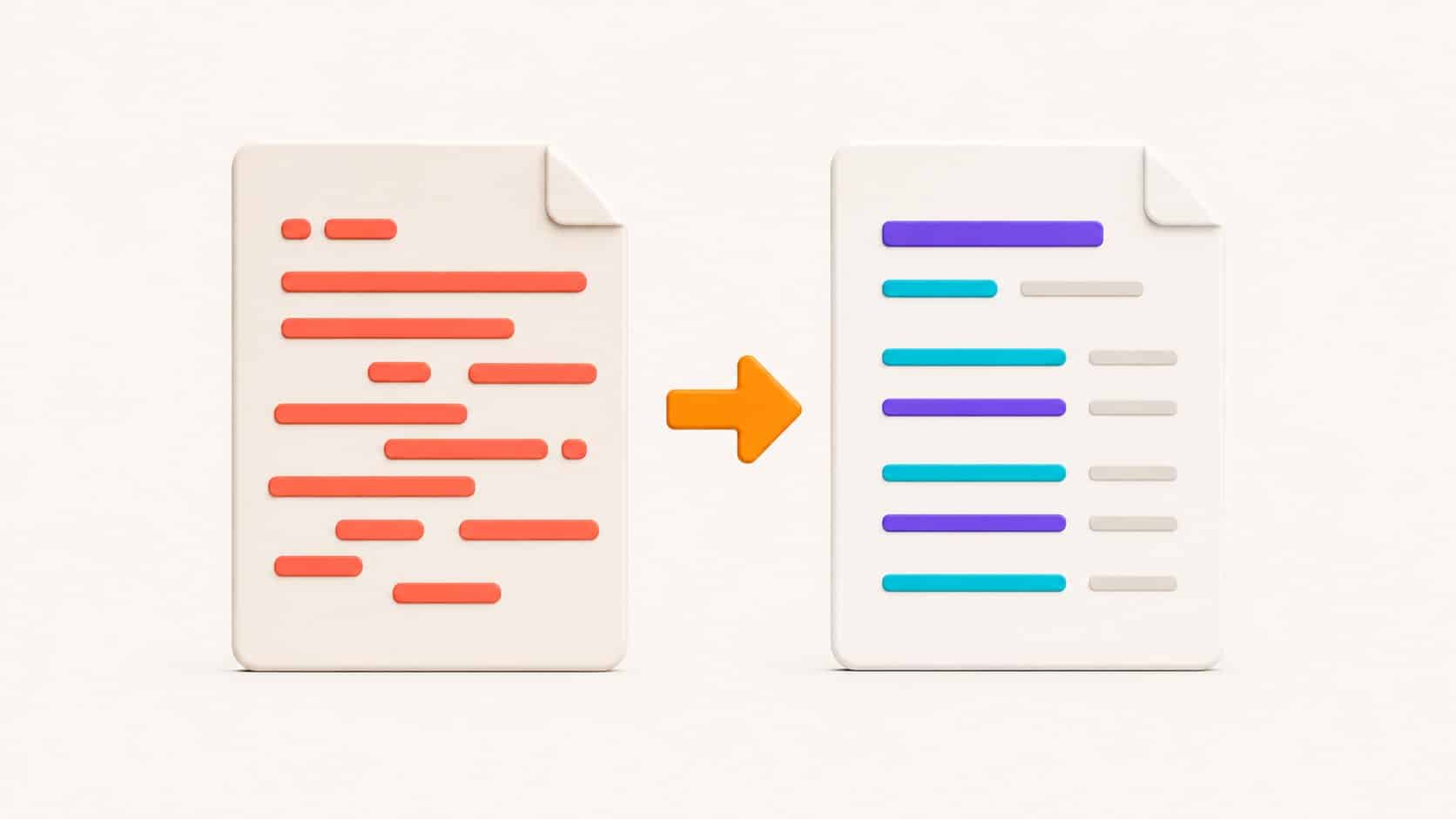
To see the effect of a precise prompt, nothing beats a before/after. Here are three common cases with the prompt used.
1. Simplify technical jargon
Prompt: “Adapt this text for non-technical entrepreneurs, putting the emphasis on concrete benefits.”
Our solution leverages a containerized microservices architecture with an automated CI/CD pipeline, ensuring horizontal scalability and minimal latency.
Our tool is built to grow with your business. Easy to update and highly reliable, it gives you fast service so you can stay focused on what you do.
2. Formalize a casual message
Prompt: “Rephrase this message for a professional email to the team, keeping the urgency but with a formal tone.”
So, the thing is marketing wants us to speed up on the launch. We shouldn’t drag our feet so everything’s spot on in time, ok?
The marketing team stresses how important it is to stick to the launch schedule. It is imperative that we speed up so that everything is finalized before the deadline.
3. Condense an overly long paragraph
Prompt: “Condense this paragraph into a single sentence, keeping only the main idea.”
Faced with the rising volume of data generated every day, developing more efficient and more secure storage solutions has become a priority, since they must offer capacity, integrity and protection against cyberthreats.
The data explosion makes it urgent to develop storage solutions that are both higher-performing and better secured.
Test your rephrasing prompts, for free
Paste your text, pick a prompt above and see the result in a few seconds. No account creation, no credit card.
The 4 rephrasing techniques
Behind every successful rephrasing, the AI applies methods that translators and linguists have used for a long time. Knowing them helps you name precisely what you want. There are four main ones.
Lexical substitution
Replacing words with synonyms or equivalents, without touching the structure.
“replace the words with synonyms”
Transposition
Changing the grammatical construction (active/passive voice, verb to noun…) without altering the meaning.
“put this passage into the active voice”
Modulation
Changing the point of view or the angle to speak better to the audience, with the same message.
“phrase it from the customer’s point of view”
Equivalence
Finding a different expression that says the same thing, useful for idioms and set phrases.
“find a more common equivalent expression”
These four techniques are the classic building blocks of rephrasing and translation (lexical substitution, transposition, modulation, equivalence). In practice, the AI combines them: when you ask it to “simplify for a beginner”, it substitutes vocabulary and transposes structures and modulates the point of view. You can also trigger them one by one when you want a specific effect.
Rephrasing ≠ replacing words at randomThe goal isn’t to change the vocabulary for the sake of it, but to preserve the intent while changing the form. A “rephrased” text that loses a nuance isn’t rephrased: it’s damaged. Always ask it to “keep the exact meaning”.
Rephrasing for a more natural result (and the question of AI detectors)
One request keeps coming up: making a text “sound human”, less polished, less recognizable as AI-generated. That’s a legitimate intention — most AI content sounds off because of writing tics: sentences of identical length, mechanical transitions, empty superlatives, endless lists.
Rephrasing to gain naturalness is useful and honest: a text that’s pleasant to read serves your reader. The “More natural” prompts in the library above are made for that: varying the rhythm, cutting empty phrases, finding a voice.
Be clear-eyed about AI detectorsNo prompt guarantees “getting past” an AI detector: these tools keep evolving, get it wrong both ways, and a human text can be flagged by mistake. In a school or university setting, passing off an AI text as your own can be treated as cheating. Aim for genuine quality, not for getting around the rules.
If your goal is a genuinely natural result, two dedicated tools complement ChatGPT: the tool to humanize AI text, which rewrites for a more human tone, and the free AI detector, to gauge where your text stands before publishing.
Which tool to rephrase a text with?
ChatGPT is excellent at custom rephrasing, as long as you prompt it well. For repetitive or very specific needs, a dedicated tool is faster because it already “knows” the task. Here’s how to choose.
| Your need | The most effective option | Why |
|---|---|---|
| Fine, custom rephrasing | ChatGPT with a good prompt | You control tone, length, audience, constraints. |
| Rephrase quickly, without writing a prompt | Rephrase a text with AI | You paste, the tool rephrases right away. |
| Correct spelling and grammar | AI spell checker | Built to correct without rewriting the whole text. |
| Rephrase / reply to an email | AI for emails | Writes, replies and rephrases in the right professional tone. |
| Make a text more natural | Humanize AI text | Specialized in a human, fluent result. |
| Do everything in one place, for free | Nation’s chat | No sign-up, with the best models. |
Nation’s advantage: all these tools are accessible online, for free and with no account to try them. You can start with the text rephraser or write your prompt directly in the chat. To get the vocabulary down, see also our definition of an AI prompt.
Common mistakes to avoid
- The catch-all prompt. Asking it to “rewrite better” without specifying. Give a verb and a goal.
- Forgetting “keep the meaning”. Without that instruction, the AI can drift and make things up. Lock the meaning down.
- Not proofreading. A rephrasing can lose a nuance, a figure, a name. Compare the before and the after.
- Believing that paraphrasing = original. Rephrasing a protected text doesn’t make it copyright-free. Paraphrasing avoids copy-pasting, not the plagiarism of ideas.
- Rephrasing an overly long text in one go. Break it up: the AI keeps the thread better on short blocks.
FAQ — ChatGPT prompt to rephrase a text
What are the 4 rephrasing techniques?
The four classic techniques are lexical substitution (replacing with synonyms), transposition (changing the grammatical construction, for example moving from the passive to the active voice), modulation (changing the point of view without changing the message) andequivalence (finding another expression that says the same thing). An AI combines them automatically when you ask it to rephrase.
What is the best prompt to rephrase a text?
There isn’t a single one: the right prompt depends on your goal. A solid base: “Rephrase the text below to make it clearer, keeping the meaning and my style. Text: …”. Then add tone, audience and length. Pick from the library above according to your need.
What is the free AI tool to rephrase a text?
Nation’s text rephraser and its AI chat are free and usable without sign-up to try them. You paste your text or your prompt, and the AI hands you back a rephrased version.
Which app can rephrase a text generated by ChatGPT?
To make a text more natural, the Humanize AI text tool is built for that. You can then check the result with the free AI detector. Keep in mind that no tool guarantees fooling a detector.
How do you correct a text with ChatGPT?
Use a correction prompt: “Correct the spelling, grammar and punctuation of this text without changing the style or the meaning, then list the corrected errors.” For recurring use, the AI spell checker is faster.
How do you rephrase a text without changing its meaning?
Always add the instruction “keep the meaning and the information exactly”. Work in small blocks, and compare the before/after to check that no nuance, figure or name has disappeared. It’s the best safeguard against the AI drifting.
Over to you
You have the method, 35 prompts and the right tools. Copy the one you need and rephrase your text for free, with no sign-up.