In short

“Unblur an image with AI for free” means recovering the sharpness of a blurry photo: motion blur, missed focus, or pixelation. The first page of Google is taken over by twelve tool pages, almost all with the word “free” in the title. We opened each one, clicked through their FAQs and pricing pages on October 2, 2026: free does exist, but rarely in the shape advertised. HitPaw displays a “Free to Use” seal while its pricing grid reserves the Free plan to “preview only”. YouCam takes batches of up to 50 images, but saves them “with watermark” until you pay. The most transparent are PicWish (5 downloads per day with no watermark) and Vidmud (no account, files up to 10 MB).
Another truth nobody writes on these pages: an AI does not bring back details the photo never captured. It guesses them, and sometimes invents them. Our 4-question diagnostic tells you what your photo can realistically deliver, and the 4-step method keeps you from burning your free trials. For text or a license plate, remember that a reconstituted string of letters is not evidence, and that removing a blur which protects someone is a legal question, not a technical one.
You searched “unblur image ai free”: the good news is that the tools exist, they run in your browser, and many start without a credit card. The bad news is that “free” does not mean the same thing on twelve different landing pages: here it is a watermark, there a preview you cannot download, elsewhere 5 tries a day or a file size cap. We recorded the advertised promises, then clicked through the official pricing grids and FAQs on October 2, 2026, from a clean browser with no account. Here is what “free” actually gives you, screenshot by screenshot.
“Unblur” covers three different kinds of blur
Before picking a tool, you need to know which enemy you are fighting, because “unblur” is a catch-all for three distinct problems. Motion blur: the camera or the subject moved during the shot, the image smears in one direction. Focus blur: sharpness landed somewhere other than the subject, edges go soft in every direction. Pixelation and compression: the image is small or heavily compressed, you see blocks and artifacts around details. The same “Unblur” button does not handle all three equally well: Nero, for instance, is described by Google’s AI Overview as offering “one-click deep-learning correction to reverse camera shake and blur”, a principle that only means something for the first two.
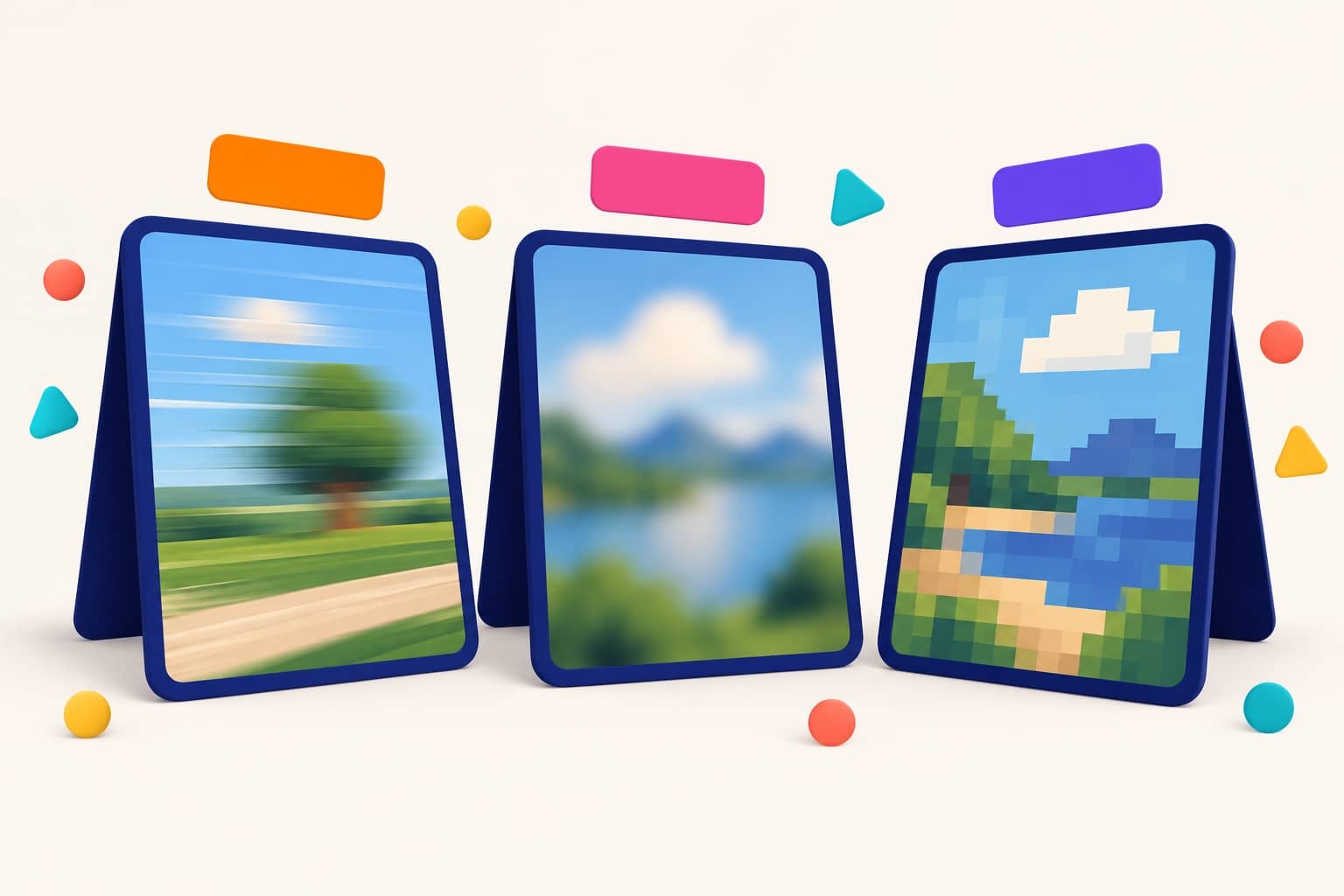
Why this distinction decides everything: each kind of blur destroyed a different amount of information, and a tool can only give back what is still guessable.
| Type of blur | What happened | What an AI tool can hope for |
|---|---|---|
| Motion blur | The camera or the subject moved at capture | A realignment of edges if the blur is light; smoothing if it is heavy |
| Focus blur | Sharpness fell in front of or behind the subject | A reinforcement of existing edges; a very blurry subject stays soft |
| Pixelation, compression | Image too small or over-compressed, visible blocks | A smoother, larger surface with guessed details: manufacturing, not restitution |
Two neighboring Nation guides do not overlap with this one: if the goal is to improve image quality in general (upscaling, denoising, color and light correction), the method and the quotas live there; if the photo is an old damaged photo to restore (scratches, creases, fading), that is a different craft, covered in our dedicated article. Here we only talk about making a blurry photo sharp. And if what you actually want is to edit a photo with AI, the retouching recipe book is over there.
The “free” SERP: twelve tool pages, no method
On the exact query, the organic results of October 2, 2026 are landing pages, in this order in English: UnblurImage, Picsart, imagen-ai, unblur-image.io, Canva, imgupscaler, Nero AI, with Adobe Express further down the page. Not a single guide, not one editorial FAQ: Google sends you straight to the file drop zones. Google’s AI Overview for its part recommends Canva, YouCam, Airbrush, PicWish and Nero; we checked its two most flattering numbers, and they are genuinely on YouCam’s page.
What do these pages promise? UnblurImage, first, shows three badges at the top: “100% Free”, “No Sign-up”, “No Watermark”. Picsart pitches its AI image enhancer to “Unblur Images”. Canva presents its “free AI unblur image tool”. HitPaw displays the seal “Free to Use”. Vidmud goes furthest: “Use Unblur Image AI Free” with no account needed. YouCam highlights its batch: upload “up to 50 blurry images” at once and its “4K” resolution enhancement.
All these sentences are real, recorded today, and all of them are true… on the surface. The rest of the article checks what each one gives you when you click “Download”.
The real free quotas, recorded on October 2, 2026
Here is the table nobody publishes: the advertised promise, and what the same publisher’s pricing grid or FAQ writes right next to it. Everything was recorded on October 2, 2026, with no account logged in, on the English pages.
| Tool (organic position) | The advertised promise | What the grid or the FAQ publishes | Where the free stops |
|---|---|---|---|
| UnblurImage (1st) | Badges “100% Free”, “No Sign-up”, “No Watermark” | The tool zone reads “Log in to get one free use every day”; files “PNG, JPEG, JPG, WEBP (Max 18MB)” | An account for daily use |
| Picsart (2nd) | AI image enhancer page to unblur images | Pricing page: “Remove Background Free” but “Enhance 2 credits/image”; paid plans from $9.16 a month billed yearly | 2 credits per processed image |
| Canva (5th) | “free AI unblur image tool” | FAQ: “Yes, the unblur image tool on our platform is free, and it doesn’t add a watermark to your photos”; the free plan caps AI uses (recorded August 21, 2026: up to 200 Standard AI or 20 Premium AI uses per month) | A monthly AI quota, account required |
| Nero AI (7th) | “You got 5 free images processing” | “Option to sign up for get more free chances”; the free grid credits 10 Nero credits; then 19.95 EUR per month for 300 credits | 5 processings for a visitor |
| Adobe Express (n.c.) | “Unblur an image online for free” | “Adobe Express has a free plan that includes core features like photo editing tools and effects”, through the free app | You have to go through the app |
| YouCam (Perfect Corp, n.c.) | Batches “up to 50 images”, resolution up to 4K | Grid: Free plan “Sign up for free credit” and “Save image with watermark”; watermark-free starts at the paid PLUS plan | The watermark, until you pay |
| HitPaw (n.c.) | “Free to Use” seal on the tool page | Pricing grid Free plan: “AI Photo Enhancer: preview only”, plus “Limited exports” and a limited download file size; paid plans start at $9.99 a week for 300 credits | The preview: the full export is paid |
| PicWish (n.c.) | Unblur portraits automatically, free | FAQ: “PicWish offers 5 free daily downloads, and enhanced images can be saved without watermarks”, free HD uses included | 5 downloads a day |
| Vidmud (n.c.) | “Use Unblur Image AI Free”, no account | Formats “JPG, PNG, and WebP”, “Min image size: 300px (width or height)”, “Max file size: 10MB” | Files under 10 MB |
| Airbrush (n.c.) | “Airbrush free online AI photo blur remover” | Pricing page with no free column: “Credits Pack 10 Credits $9” and a $15.95 monthly subscription; “Photo 1 credit” | The paid credit lands at export |
| Evoto (n.c.) | “Private processing · Preview without signing up” | Recorded September 30, 2026: a 7-day trial and 50 free credits, then a grid from 75 to 1,106 EUR per year | A time-limited trial |
| Media.io (n.c.) | Image sharpener to make a blurry photo readable | The sharpener page and its FAQ stay in English across every localized version of the site (checked October 2, 2026) | Multilingual site, English answers |
Three quick readings of this table. First, the wall is never the unblurring itself: it sits at the download step (HitPaw, YouCam), at the credit step (Airbrush, Picsart, Nero), or at the account step (YouCam, UnblurImage, Canva). Second, the two clearest players are the smallest: PicWish quantifies everything (5 downloads a day, no watermark, HD included) and Vidmud owns a fully free tool with one honest size cap. Finally, one publisher can be generous and misleading at the same time depending on which page you click: that is what the next section is about.
The gaps that matter, screenshot by screenshot
HitPaw: “Free to Use” until you hit the grid
It is the sharpest gap in the panel. The tool page carries its “Free to Use” seal for unblurring photos online.

On the same site’s pricing page, the Free plan at $0.00 says something else: “AI Photo Enhancer: preview only”, completed by “Limited exports” and a limited download file size. The “up to 300 images” of the photo enhancer live in the paid plan at $9.99 a week. In practice: without paying you will see your unblurred photo, but you will not bring the whole file home.

YouCam: 50 images per batch, a watermark on arrival
The number highlighted by Google’s AI Overview is exact: the page lets you upload “up to 50 blurry images” at once. But the same page runs a banner pushing a subscription for watermark-free images, and the grid formalizes it: on the Free plan you must “Save image with watermark”; the watermark-free line arrives with the paid PLUS plan.
Airbrush: the pricing page does not start at zero
The tool page sells its “Airbrush free online AI photo blur remover”. The pricing page shows no $0 plan at all: it starts with a “Credits Pack” of “10 Credits $9” and a $15.95 monthly subscription, and it states plainly that credits are used “when generating or exporting content”, with the deciding line anchored in its table: “Photo 1 credit”.

Nero: two numbers for one and the same free tier
Nero’s page tells the anonymous visitor: “You got 5 free images processing”, with an “Option to sign up for get more free chances”. The free grid for its part credits 10 Nero credits, and the first paid tier climbs to 300 credits at 19.95 EUR per month. The double message is not a lie: it is an invitation to create an account to go from 5 to 10.

UnblurImage: “No Sign-up” and “Log in” on the same page
The badges at the top (“100% Free”, “No Sign-up”, “No Watermark”) coexist with the upload zone that reads: “Log in to get one free use every day”. The tool is free and watermark-free, but daily use asks for an account, and files cap at 18 MB. The badge is not false: it is optimistic.

The two with no catch: PicWish and Vidmud
PicWish is the only one in the panel that quantifies its free tier with no ambiguity, in its own FAQ: “PicWish offers 5 free daily downloads, and enhanced images can be saved without watermarks.” Rare enough to underline: the quota, the watermark and the export quality are all written in black and white.

Vidmud, on its side, owns a fully free tool with no account, with a single limit displayed next to the upload zone: “JPG, PNG, and WebP; Min image size: 300px (width or height). Max file size: 10MB.” For a recent phone photo, which often tops 10 MB, the limit is real: that is the price of generosity.

Canva: no watermark, yes; unlimited, no
Canva’s FAQ answers the watermark question in black and white: “Yes, the unblur image tool on our platform is free, and it doesn’t add a watermark to your photos.” It is exact, and it is the best watermark-free offer in the panel. The nuance lives elsewhere: unblurring goes through the resolution enhancer app, an AI tool that consumes credits; Canva’s free plan caps those credits (recorded August 21, 2026 on the pricing page: up to 200 Standard AI or 20 Premium AI uses per month, account required). You will not pay, but you will count.

Two mentions to finish the tour. Adobe Express unblurs through its app, and its FAQ confirms “a free plan that includes core features like photo editing tools and effects”. Evoto promises “Private processing · Preview without signing up”: the preview is open, but the full trial is limited (7 days, 50 credits, then a grid from 75 to 1,106 EUR per year, recorded September 30, 2026).

The honest physics of unblurring: what no tool page writes
An AI unblurring tool does not “recover” your details: it guesses them. The blur destroyed information at capture time; no software, however expensive, puts back into the image what the sensor never recorded. What the AI does is look at the edges that remain and compute the most plausible version of what could be there: the texture of skin, the letters of a plate, the weave of a fabric. On light blur, the guess is usually right and the result stunning. On heavy blur, it still looks plausible to the eye, but part of what you will see was manufactured.
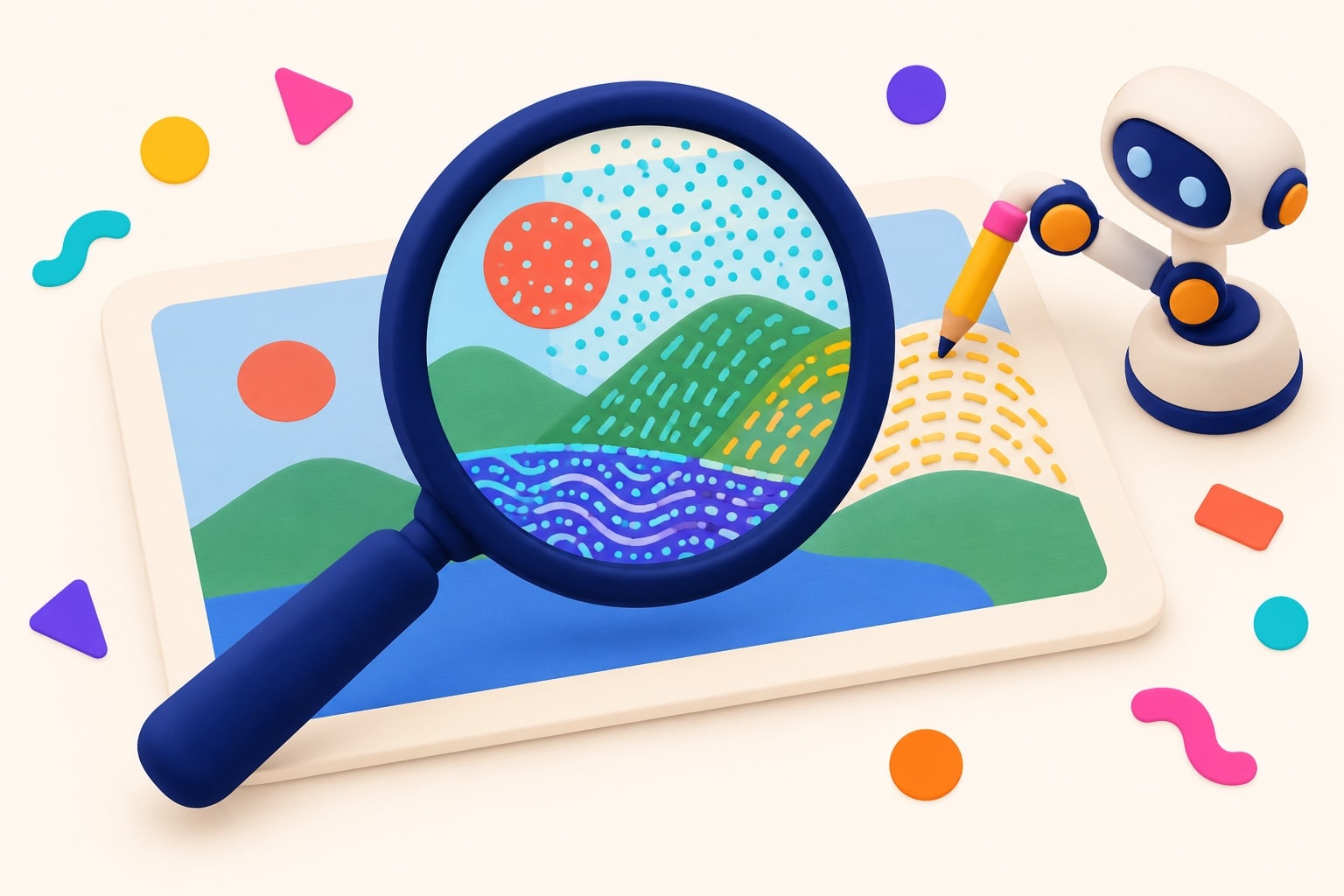
The rule of the trade. The blurrier the starting photo, the larger the invented share of the result. The “before / after” demos on tool pages always start from light or medium blur, never from a genuinely lost photo: compare them to your own photo, not to theirs.
Three practical consequences. First: always work on a copy, never on the original. Second, the most useful one: have two different tools process the same photo and compare one precise detail at the same zoom level (an eye, a piece of text, an edge); where the two results agree, the information was probably in the file; where they diverge, each is inventing its own version. Third: a 4K or 4x upscale of a blurry photo manufactures material, it does not reveal it; view the result at 100% before believing it sharp. If your real need is rather to describe the image you want to obtain, our image prompt guide covers the topic.
Is your photo unblurbable? The 4-question diagnostic
Answer the four questions: the diagnostic copies the card of the profile that matches your situation, with the tools to try first and the realistic expectation. It does not replace the trial, it tells you where to start so you do not burn your free credits.
The unblur prognosis in 4 questions
Your prognosis
Waiting: answer the four questions then click Show my prognosis.
At least one answer is missing: complete the four questions to get your prognosis.
A light blur often sorts itself out in one try. For the overall retouch, drop the blurry photo into Nation AI’s image generator: it takes an image as input and reworks it. Nation AI is not a credit-based unblurrer: it is a full image editor, free trial with no sign-up.
The prognosis leans on four profiles, whose card it copies to the screen. Each one describes a real situation and the honest expectation that goes with it:
Easy profile: free is more than enough
Your blur is light, your use is the screen and your file is good: this is the configuration where free tools deliver their best, because a lot of information is left to reinforce.
- Start with: PicWish (5 downloads a day with no watermark, HD included, recorded October 2, 2026), then Vidmud if the file runs past limits elsewhere.
- Keep in mind: on screen, a light sharpness boost is often enough; upscaling adds nothing more.
- The right reflex: try two tools and compare the same detail at the same zoom before downloading.
Realistic profile: it will improve, not transform
Medium blur or an already compressed file: the edges exist but they are soft. The AI will usefully reinforce them, with no miracle on fine details.
- Start with: Nero AI’s 5 free processings for a visitor (recorded today on its page), then PicWish’s 5 daily downloads.
- Honest expectation: a sharper, more presentable render, not a photo as sharp as if the blur had never existed.
- The right reflex: process the best file available (the original, not the messaging JPEG) and finish with a light crop.
Reserved profile: the AI will manufacture part of the result
Heavy blur, pixelation, a screenshot or a requested enlargement: the remaining information is scarce, so the share invented by the AI will be high.
- Start with: the free trials before any payment, keeping your originals intact; compare two engines on the same detail.
- Watch out: “4K” and “4x” promises manufacture pixels, they do not retrieve them; view the result at 100% before believing it sharp.
- The right reflex: distrust the publishers’ before / after demos, they rarely start from a photo as lost as yours.
Sensitive profile: technique is no longer the only subject
Your photo shows strangers, a plate, a document or a piece of data that the blur protects: removing it changes in nature, it is no longer a question of credits.
- Reliability first: text or a plate reconstituted by AI contains plausible errors; do not turn the result into evidence.
- Legal frame: in the United States, privacy and publicity rights vary by state; removing a blur that protects someone else’s identity without permission is a legal risk, not a retouch.
- The right reflex: if the blur was applied to anonymize, ask for permission before trying to lift it; and blur your own shares rather than the opposite.
Text, plate, face: when unblurring gets delicate
Reading the text of a blurred image is one of the classic follow-up needs on this query, and several tools of the SERP, Airbrush among them with its dedicated text feature, offer it explicitly. Two precautions apply. The first is technical: on blurry text, an AI produces plausible letters, not exact letters; the reconstitution of a plate number, a name or an amount can be wrong while looking perfectly readable. A document, a meter, a label: use the result as a lead, never as evidence.
The second is legal, and it only concerns the case where the blur protects someone other than you. Privacy and publicity rights in the United States vary by state, and capturing or publishing someone’s image without consent, notably in private settings, is exactly the family of situations un-blurring a face or a plate falls into: it is a decision that engages you, not an innocent retouch. To frame the question properly, our legal AI page walks you through it: legal AI in US law.
The 4-step method to unblur for free
The following protocol spares your free credits and your originals; it works for the twelve tools of the table, and for all the others.
- Start from the best file. The original out of the camera, in PNG or full-quality JPEG; never a phone screenshot, never the file recompressed by a messaging app. Every recompression worsens the starting blur.
- Run two free trials, not one. PicWish for 5 daily downloads with no watermark, Vidmud for files up to 10 MB with no account, Nero for 5 visitor processings: the quotas recorded today let you combine several tools without paying.
- Compare at the same zoom on one detail. An eye, an edge, a piece of text: it is the only place where the truth reads. Two identical results signal information genuinely present; two different results signal two inventions.
- Finish with retouching, then export clean. Light crop, brightness, and a PNG export so you do not recreate the compression you just fought.
FAQ: unblurring an image with AI
Is unblurring an image with AI really free?
Yes for the trial, rarely for regular use. The October 2, 2026 readings give three families: the complete, quantified free tiers (PicWish: 5 downloads a day with no watermark; Vidmud: no account, files up to 10 MB), the conditional free tiers (Nero: limited credits for the visitor; Canva: a monthly AI quota on the free plan; UnblurImage: an account for daily use), and the display-only free tiers (HitPaw: “preview only” on the Free plan; YouCam: watermarked export; Airbrush: credits from the export on).
How do I unblur a photo on iPhone or Android?
Before an AI tool, two native reflexes. On iPhone, the Photos app offers a sharpness adjustment in its editing controls, enough for very light blur; on Android, Google Photos and most gallery apps include enhancement options. For real blur, go through the web tools of the table from your phone’s browser: PicWish works from mobile, its FAQ says so, and Vidmud announces the same behavior. Adobe Express’s app, finally, claims mobile unblurring in its free plan of “core features”.
Can you unblur an image with Photoshop?
Photoshop has offered sharpening filters for a long time, including a motion-blur reduction that analyzes the direction of the smear. These filters reinforce existing edges, like any tool, but without the guessed reconstruction of recent generative AIs: on light blur they are enough, on heavy blur they give a hard, noisy render. It is an option if you already have the subscription; it is not a reason to subscribe just to unblur.
Can you read blurry text in an image (plate, document, screenshot)?
Technically yes, several tools of the SERP offer it explicitly, and lightly blurred text often becomes readable again. But the result is a reconstruction: the AI writes the most plausible letters, not necessarily the right ones. To re-read an invoice, an old sign or a screenshot, use the result as a lead and double-check the reading character by character. Never use it as evidence: one invented letter changes a name, an amount or a plate.
Can you unblur a photo someone blurred on purpose?
If the blur was applied to anonymize a face, a plate or a document, lifting it without the consent of the person concerned is no longer retouching: it is a potential violation of their privacy and publicity rights, which vary by state in the United States. The simple rule: a blur that protects someone other than you does not get lifted without authorization. The other way around, blurring your own shares before posting remains the safest reflex.
What maximum resolution can you get for free?
From most to least generous, per the official pages of October 2, 2026: PicWish includes free HD enhancement in its 5 daily downloads; YouCam advertises “4K” enhancement but behind its watermark-free subscription; Vidmud promises outputs up to 4K and 8K for files under 10 MB; Nero shows a sample output at 960 by 960 pixels. No advertised number tells you whether the added pixels are real or computed: always view the result at 100%.
Does unblurring damage the original photo?
No, if you work on a copy, which is rule number one. Online tools upload a file, process it and return a result: your original stays on your disk. The real risk is cascading degradation: recompressing the result, re-uploading it, re-processing it. Keep the original, export in PNG, and if the first try disappoints, start again from the original, not from the result.
In conclusion: free exists, read the grid before the promise
Unblurring an image with AI for free works, and it happens without a credit card: PicWish and Vidmud prove it with written limits. But the “free” SERP is also a museum of double-bottomed promises: “Free to Use” that turns into “preview only”, batches of “up to 50 images” that end in a watermark, “No Sign-up” that asks for an account. The method stays the same in every case: the original, two trials, the comparison at the same zoom, and a clean export. And if your photo is truly lost, the best AI will be the one that tells you so: everything sharp it displays will not necessarily have existed.
For the overall retouch after unblurring, or to start from a cleanly generated image instead of saving a lost file: Drop my photo into the Nation AI image generator
Sources: official pages of the cited publishers (UnblurImage, Picsart, Canva, Nero AI, Adobe Express, YouCam by Perfect Corp, HitPaw, PicWish, Vidmud, Airbrush, Evoto, Media.io), recorded October 2, 2026 with no account logged in, FAQs opened and grids screenshotted as proof; Canva’s Standard AI and Premium AI quota recorded August 21, 2026 on its pricing page; Evoto grid recorded September 30, 2026; organic positions: October 2, 2026 SERP, “n.c.” = outside the measured top; privacy and publicity rights: state-by-state in the US. The tools cited are in plain text, with no outbound link to their publishers.