
In short

AI meeting minutes are now possible for free, but “free” is decided on three fine lines: transcription minutes, duration per meeting, and the number of AI notes. Checked on the official pricing pages on August 24, 2026: Fathom is the only one announcing unlimited recordings, tl;dv caps AI notes at 10 meetings, Otter at 300 minutes a month, MeetGeek at 3 hours a month and Fireflies at 400 minutes of storage.
Two good pieces of news when meetings run in French or Spanish: MeetGeek, tl;dv, HappyScribe and Fireflies cover multilingual transcription, with over 100 languages for MeetGeek and Fireflies, over 30 for tl;dv and over 150 for HappyScribe, and European players such as Noota (300 minutes a month, EU hosting) cover most small teams.
Keep this in mind: always announce the recording before the meeting, validate the output yourself, and if all you have are your notes, an AI assistant like Nation AI produces the minutes without recording anything.
Writing the minutes after a one-hour meeting often takes longer than the meeting itself. Automatic transcription, decision summaries and action plans have become free, or almost, as long as you know the exact limits of each offer. Here is the August 24, 2026 check, tool by tool.
The classic “meeting minutes” task breaks down into four parts: transcribing the exchanges, spotting the decisions, listing the actions, then writing a readable document. Meeting AI tools automate all four, but their free plan rarely matches what their marketing pages promise. That gap is in your favor here: a “free” offer almost always hides a limit on minutes, duration or storage.
This article compares eight services on their official pricing pages, records the exact numbers on August 24, 2026, and adds two things competitors barely cover: real French and Spanish quality, and the consent question that comes before any recording.
How an AI meeting summary works
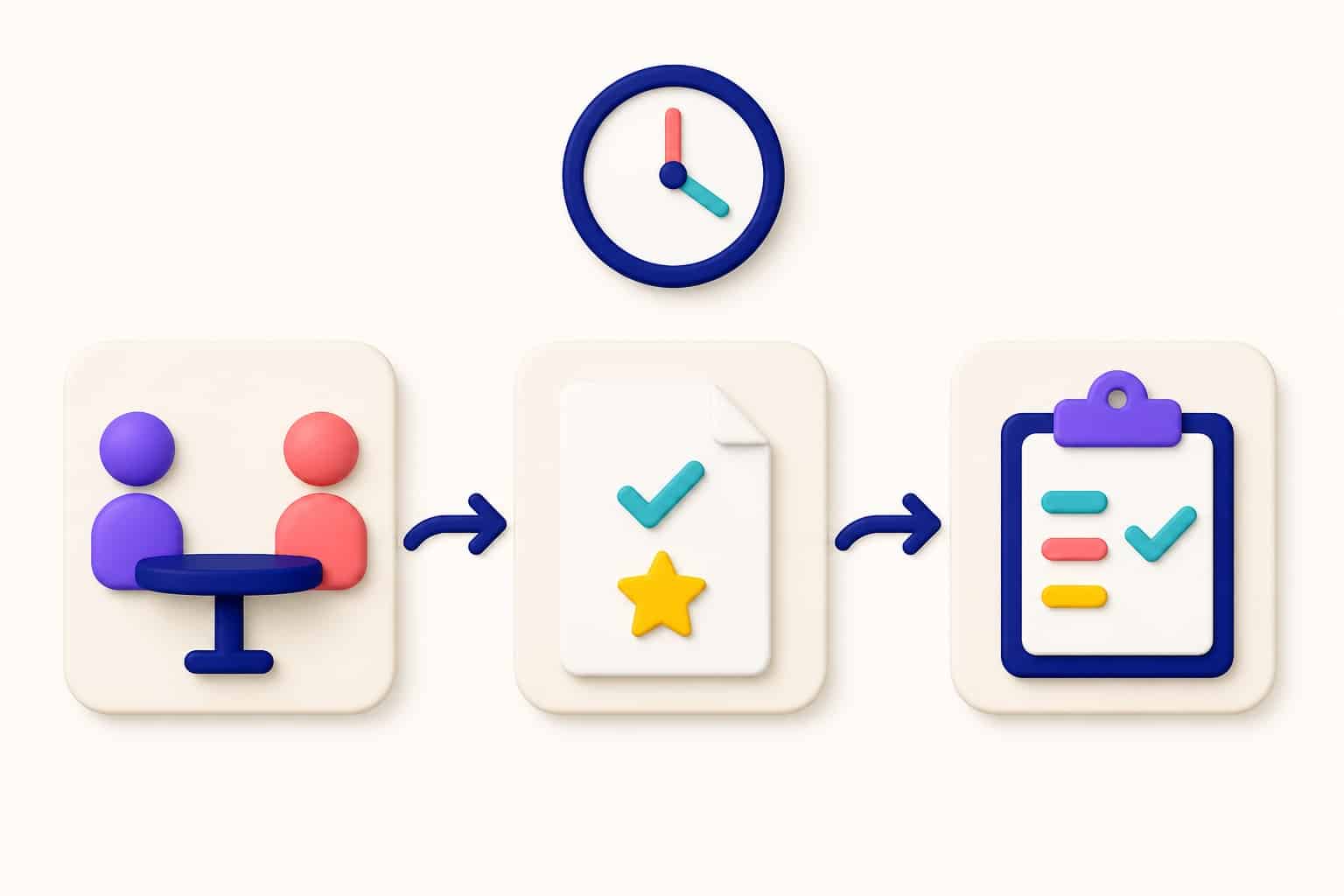
A meeting minutes tool always follows the same circuit, whether it is called Fathom, Otter or Noota: it joins the meeting (or imports the audio), transcribes with speech recognition, identifies speakers when quality allows, then generates the structured document you share.
Transcript and minutes: two different jobsA transcript is a word-for-word reproduction of what was said, often approximate on proper names and acronyms. Minutes are an organized synthesis: decisions, actions, owners, deadlines. A perfect transcript without a synthesis is useless in a meeting; quality minutes can be built from simple notes.
The circuit runs in three steps, and each one can be automated separately:
- Capture. Either a bot joins your Teams, Zoom or Meet meeting from your calendar, or you record with the native video-conferencing tool, or you drop an audio file afterward.
- Structure. The AI splits the exchanges, spots decisions and tasks, and writes a summary in the language of the meeting.
- Validate. You review, fix names and figures, then share. This human step is never optional: models sometimes invent an action or a figure, and nobody but you can catch it.
The point sales pages never spell out: the border between “unlimited recording” and “capped AI notes”. At tl;dv, recordings and transcripts are unlimited, but the free plan says “10 meetings with AI notes included”. At Fireflies, transcription is unlimited while storage is capped at 400 minutes per team. That second line is the one to read before committing, and it is what the next table puts on display.
The real limits of free plans, checked August 24, 2026
| Tool | Free plan (what is written) | The limit that counts | Languages | Best for |
|---|---|---|---|---|
| Fathom | “Unlimited recordings, instant call summaries”, free forever | No minute limit announced | Multilingual summaries, English UI | Freelancers and teams that want unlimited |
| tl;dv | €0: unlimited video recordings, transcripts in 30+ languages | 10 meetings with AI notes, 10 Ask AI queries | 30+ languages, localized UI | European SMBs, multilingual exchanges |
| Otter | 300 transcription minutes per month | 3 lifetime audio/video file imports | Multilingual, English UI | Low volume, classes and team meetings |
| Fireflies | Unlimited transcription and summaries | 400 minutes of storage per team, 20 AI credits | 100+ languages, English UI | Sales and customer success |
| MeetGeek | 3 hours of transcription per month | 3 months of transcript storage, 1 month for audio | 100+ languages, auto detection | Small cross-platform teams |
| Noota | 300 minutes per month, 1 month storage | Moving to 1,000 minutes costs €29 a month | English and French UI | European teams watching GDPR |
| HappyScribe | Unlimited meeting recordings | 45 minutes per recording, 10 minutes of AI for imported files | 150+ languages, English and French UI | Multilingual interviews and conferences |
| Leexi | No free plan | Starter at €12 per user per month (billed annually) | 100+ languages, French and English UI | Teams that want an owned European solution |
Two lessons come out of this table. First, “unlimited” does exist: Fathom writes it in black and white for recordings and transcripts alike, and tl;dv for capture. Second, the real ceiling of free is almost never transcription: it is the AI note (tl;dv), storage (Fireflies), the duration of one session (HappyScribe, 45 minutes per recording) or retention (MeetGeek, 3 months). Paid plans start at $9.99 at MeetGeek, €8.50 at HappyScribe or €12 at Leexi, with European vendors billing in euros.
Language deserves its own line. Transcription quality for French and Spanish varies a lot from one engine to another, and some tools localize the interface without the recognition engine following. Noota and Leexi offer Spanish and French interfaces; tl;dv and HappyScribe localize theirs; Fathom, Otter, Fireflies and MeetGeek stay in English. For a meeting with proper names, the 5-minute test makes the difference: transcribe a real extract and compare it with the actual sentence.
Which profile are you? The meeting minutes selector
Instead of a ranking out of nowhere, start from your real situation. Answer the four questions and the selector points you to the profile that matches, with the figures from the table above.
The meeting minutes selector
Four questions, one recommendation. The figures quoted are the ones from the August 24, 2026 check.
Your recommendation
Pending: answer the four questions, then click Show my recommendation.
At least one answer is missing: complete all four questions to get a recommendation.
The selector grounds its answer in four profiles, whose card it copies on screen. Each one is a real use case, not a ranking:
The no-limit profile: Fathom
Your volume beats the monthly quotas of the other offers. Fathom announces “Unlimited recordings + transcriptions” on its free plan, with instant summaries included.
- Best part: nothing is counted per minute, the only tool in this check that can say so.
- Honest limit: English interface, and advanced CRM and playbook features are paid.
- Alternative: tl;dv if you hold 10 meetings or fewer with AI notes, keeping unlimited capture and transcription.
The privacy profile: Noota and HappyScribe
Your exchanges contain sensitive or commercial data. Noota (French, 300 minutes a month, 1-month storage) and HappyScribe (150+ languages, 45 minutes per session, EU hosting) cover the need at zero cost.
- Best part: strong GDPR posture, with hosting in the European Union.
- Honest limit: the quotas are real, 300 minutes at Noota.
- Alternative: Leexi for a team ready to pay, from €12 per user per month, ISO 27001 certified.
The straightforward profile: MeetGeek or Otter
A few meetings a month, a synthesis at the end. MeetGeek gives 3 hours of transcription a month with unlimited summaries and 100+ languages; Otter matches 300 minutes and 3 lifetime file imports.
- Best part: up and running in minutes on Zoom, Meet and Teams.
- Honest limit: storage turns over, 3 months of transcripts at MeetGeek.
- Tip: time two meetings, and if your volume exceeds 3 hours, look at the no-limit profile above.
The Microsoft profile: Teams plus Word
You live in Teams and want to avoid one more account. Meeting transcription is built in (available if your administrator allows it, in English by default) and Word online offers a free “meeting minutes” generator.
- Best part: zero extra tools, your notes stay inside Microsoft 365.
- Honest limit: French or Spanish means changing the transcription language by hand, and Word’s Copilot requires a Microsoft 365 subscription.
- Good reflex: proofread the transcript, the spoken language is not detected automatically.
Eight tools, section by section
Each entry reproduces exactly what the official page displays on August 24, 2026, with the limit that drives real usage.
Fathom: the only “truly unlimited” one in this check
Fathom’s pricing page leads the free plan with: “Unlimited recordings, instant call summaries, integrations with LLMs & more. Sign up. Free forever.”. The details confirm “Unlimited recordings + transcriptions”, with one novelty: bot capture or bot-free capture, in beta.
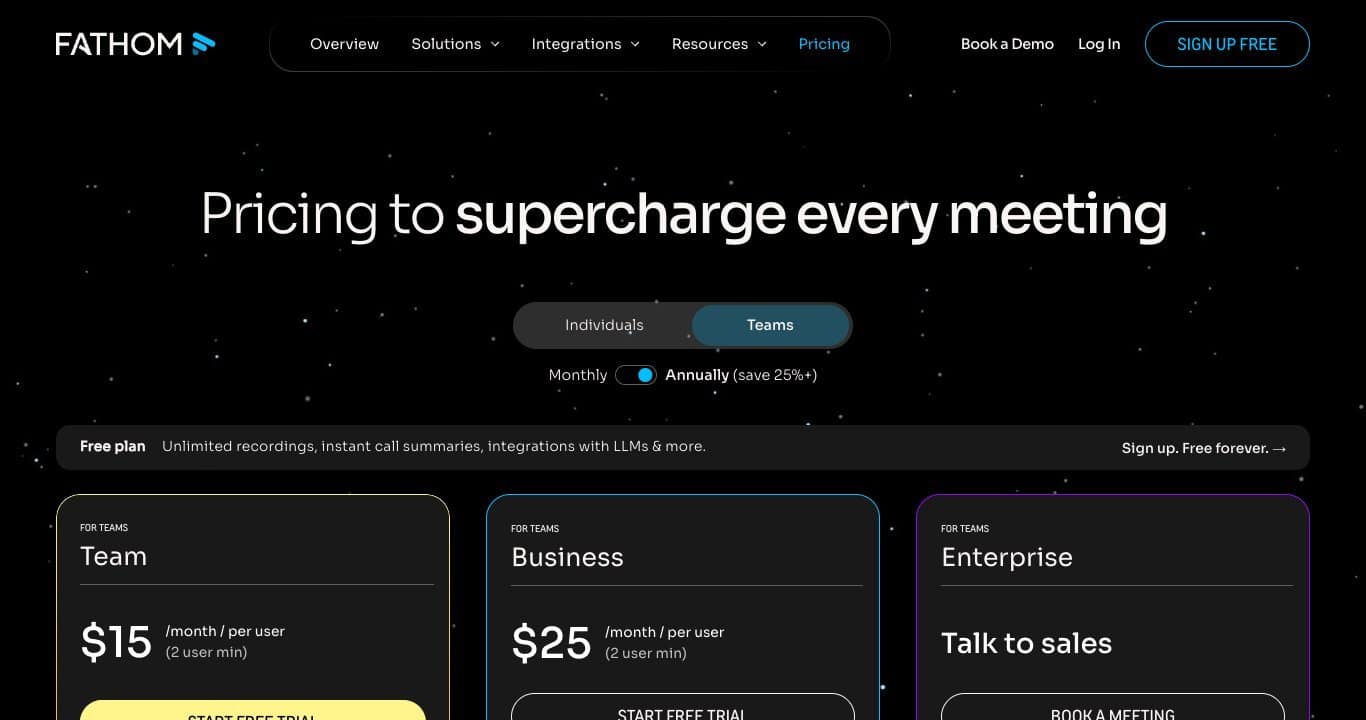
The flip side is elsewhere: the interface stays in English, and sales coaching and CRM sync features sit in the Team and Business plans. For a sales team it is a real tracking tool; for a weekly project meeting, it is the simplest of the eight.
tl;dv: unlimited capture, capped notes
The tl;dv page is clear: “unlimited video recordings”, “unlimited transcripts in 30+ languages”, then the line everyone skips: “10 meetings with AI notes included” and “10 Ask AI queries included”. The Pro plan, at €18 per seat per month billed annually, removes the cap.
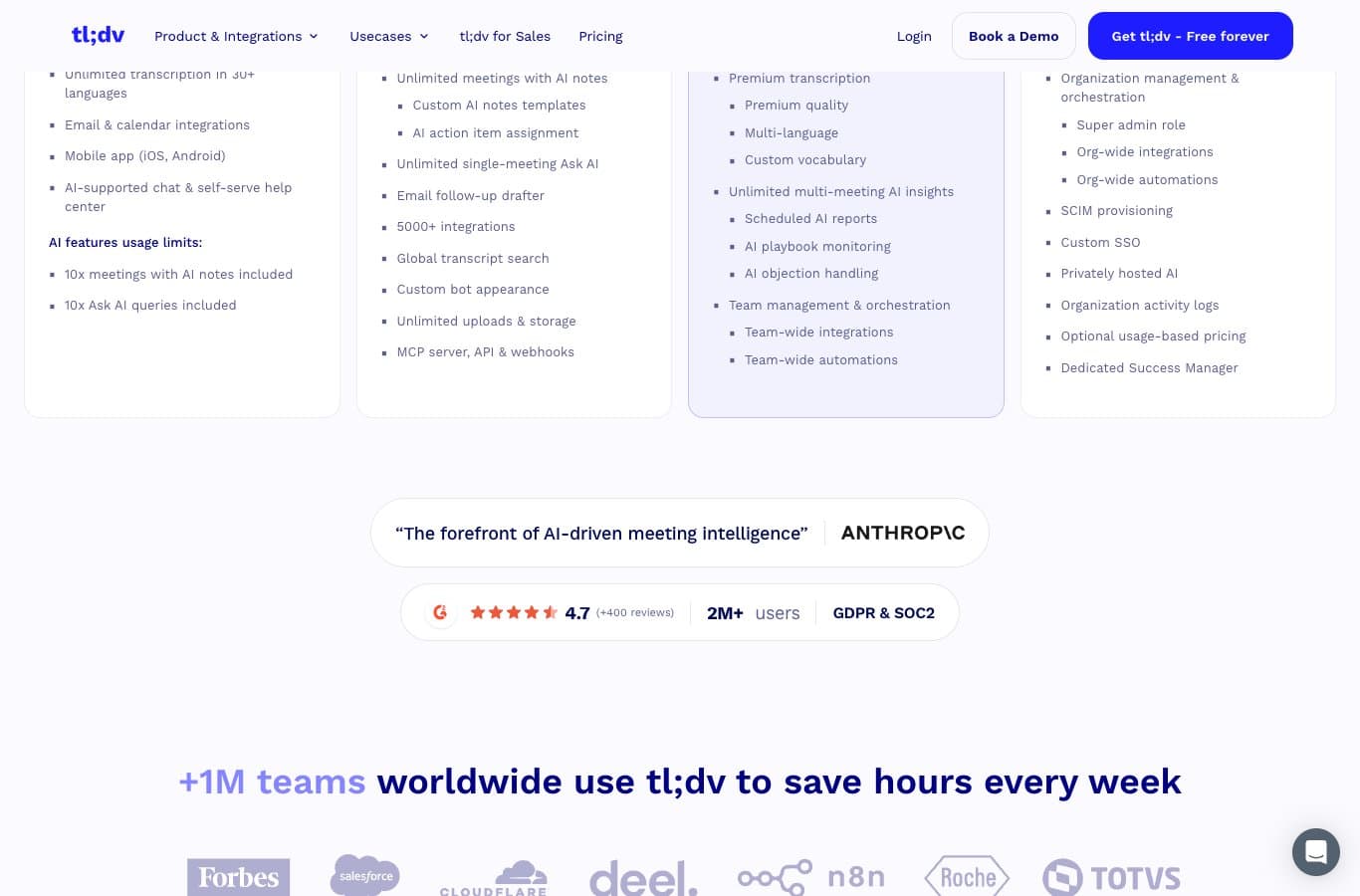
The right usage: record everything that leaves the meeting, and save the AI notes for the 10 meetings that really count. The rest is summarized on your own, or with a separate assistant.
Otter: 300 minutes a month, 3 lifetime imports
Otter shows on its Basic plan: “300 monthly transcription minutes” and “3 lifetime audio/video file imports”, with live transcription, speaker identification and multilingual support. The Pro plan goes to 1,200 in-app minutes and 10 monthly file imports, at $16.99 per user.
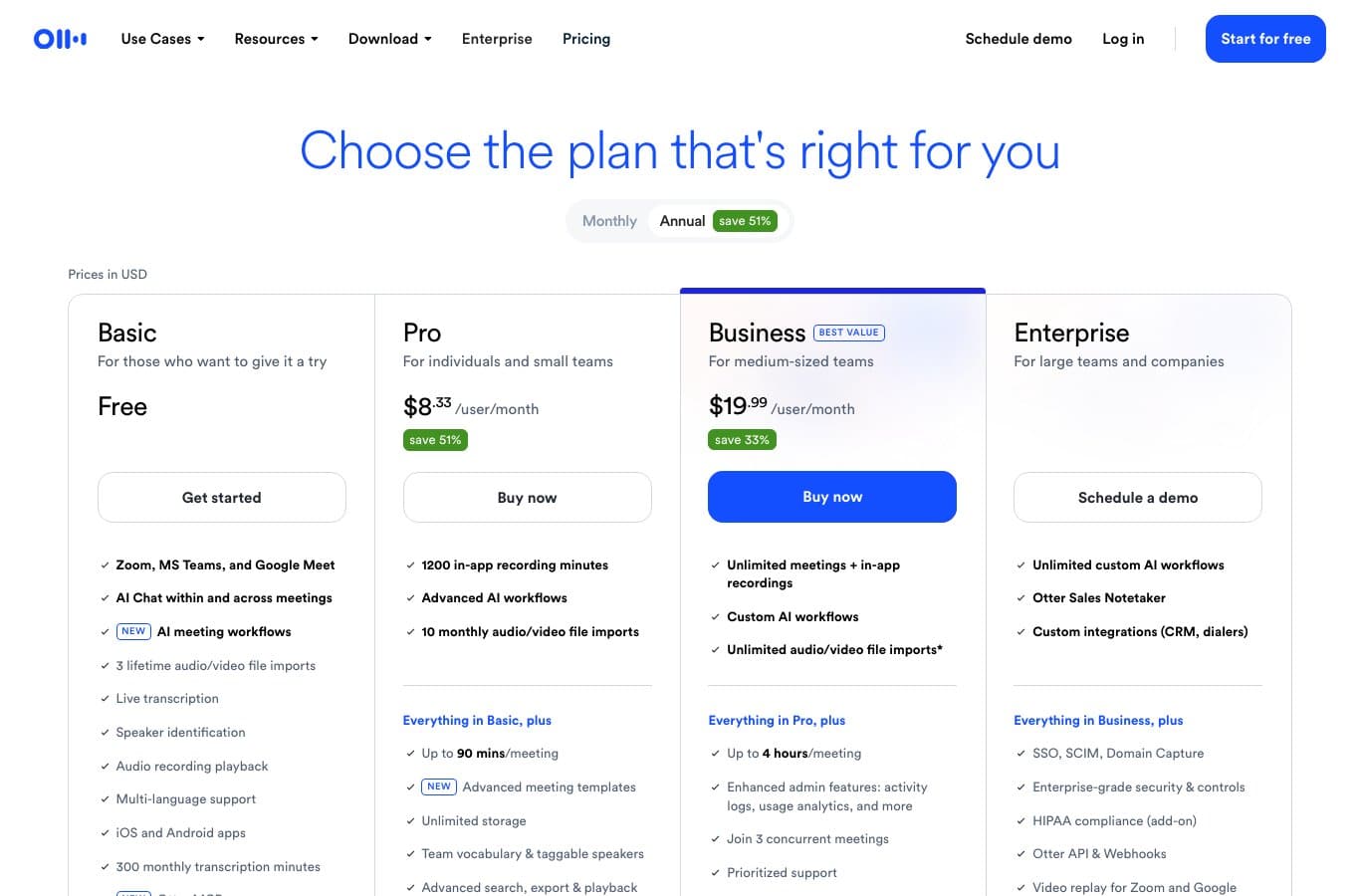
Otter is particularly strong for classes and English-speaking team meetings. For regular use in French or Spanish, the 5-minute test is still the right habit, as with every engine in this table.
Fireflies: unlimited transcription, metered storage
Fireflies announces on its Free plan: “Unlimited transcription”, “Unlimited AI summaries”, but also “400 mins of storage/team” and “20 AI credits”. That is the distinction readable in the first column: nothing is billed per minute, everything is billed per storage.
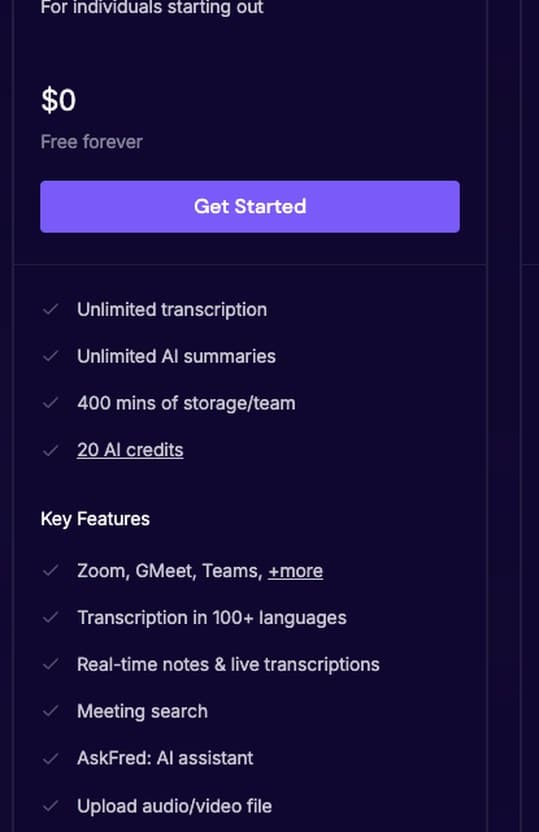
The bot joins Zoom, Meet and Teams, and the AskFred assistant queries the transcripts. At 400 minutes of storage per team, you archive little: export the minutes to your shared document.
MeetGeek: 3 hours a month, everything else included
MeetGeek writes on its Basic plan: “3 hours of transcription / mo”, “3 months transcript storage”, “1 month audio storage”, with “Unlimited AI summaries” on top and transcription in 100+ languages with automatic language detection.
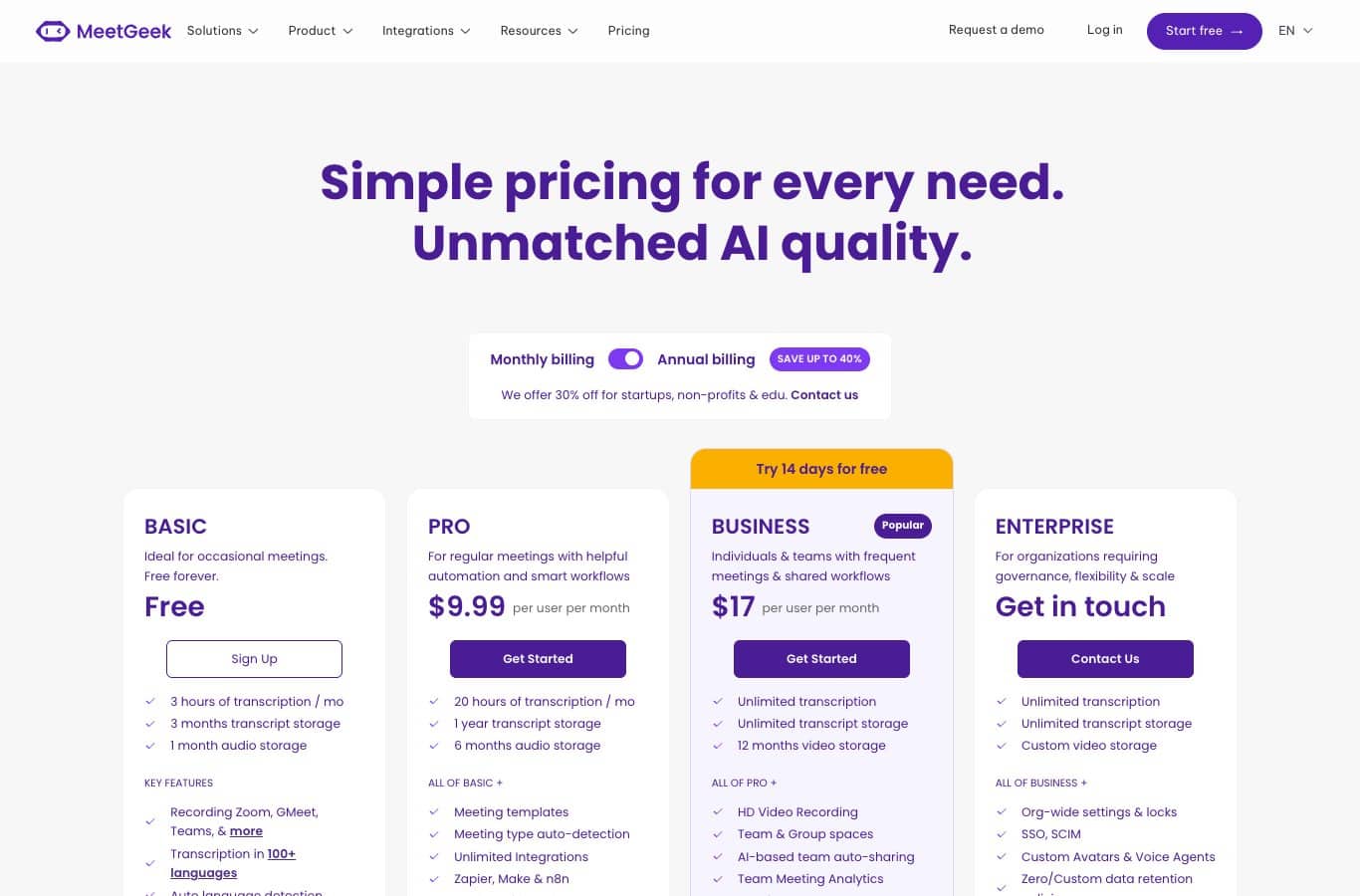
It is the best gateway for a small cross-platform team: the scope is clear, retention limited to 3 months, and moving to Pro happens without switching tools.
Noota: French built and EU hosted, at 300 minutes a month
Noota, a French vendor, offers “300 minutes per month”, “1 month storage” and custom summaries, with Chrome and mobile integration. The €29-a-month Pro plan goes to 1,000 minutes and adds team space for up to 10 users.
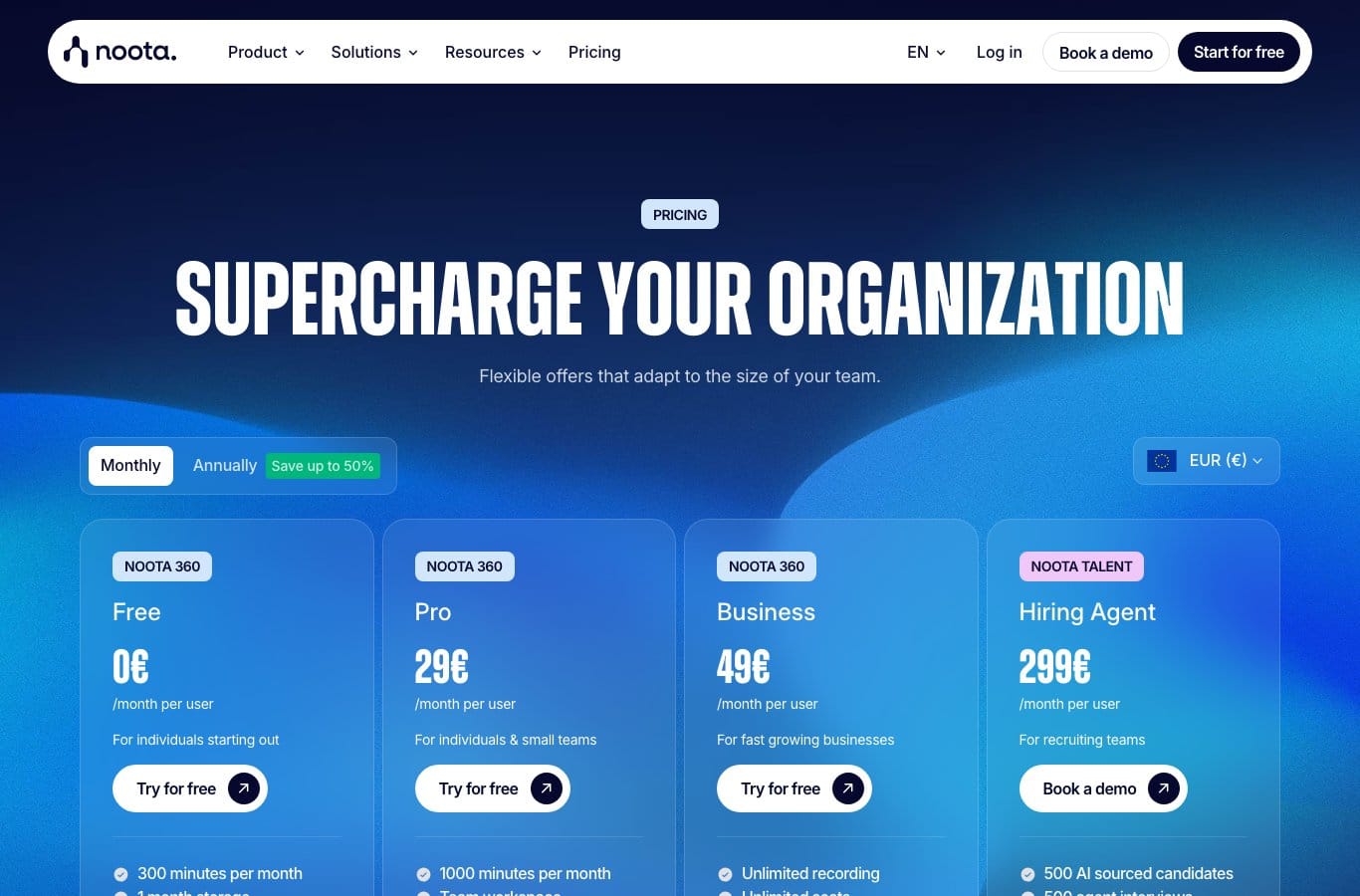
For a European team handling client data, it is the default candidate: multilingual interface, GDPR signals upfront, and a 300-minute ceiling that matches about five hours of meetings, a good month of team meetings.
HappyScribe: 45 minutes per session, 150+ languages
HappyScribe’s free plan piles up two promises: “Unlimited meeting recordings” and “45 minutes per recording”, with AI transcription and translation in 150+ languages. Imported files, however, only get 10 minutes of AI trial, and video exports carry a watermark.
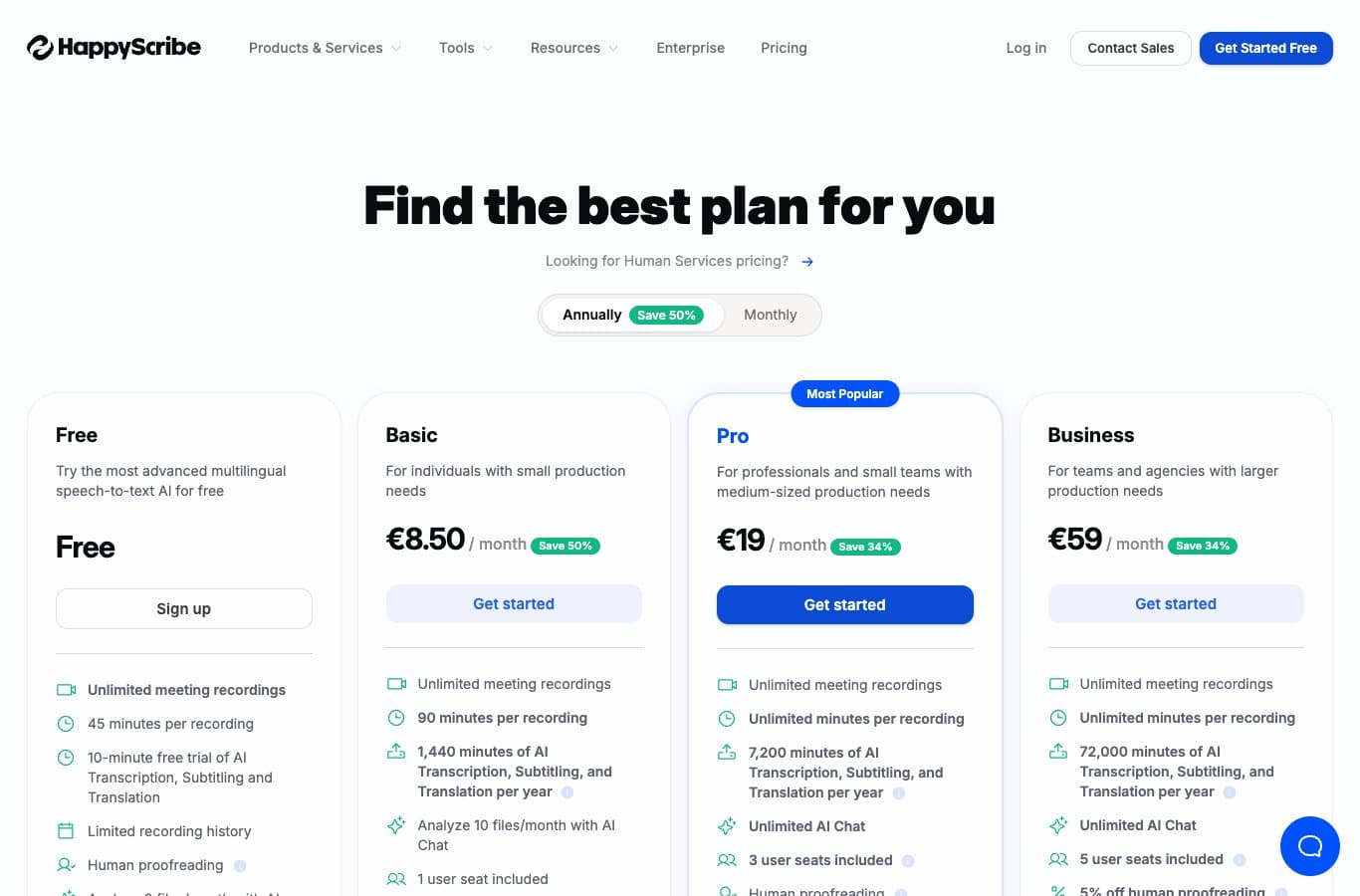
Ideal for interviews and multilingual conferences where each session stays under three quarters of an hour. Beyond that, the €8.50 Basic plan is one of the most accessible entry points on the market.
Leexi: no free plan, and it owns it
Leexi does not offer a 0 € plan: its pricing page shows three formulas, all starting with “Free trial”: Starter at €12, AI-Meeting at €23 and Business at €39 per user per month billed annually. Its selling point lies elsewhere: GDPR, ISO 27001 certification and hosting in France.
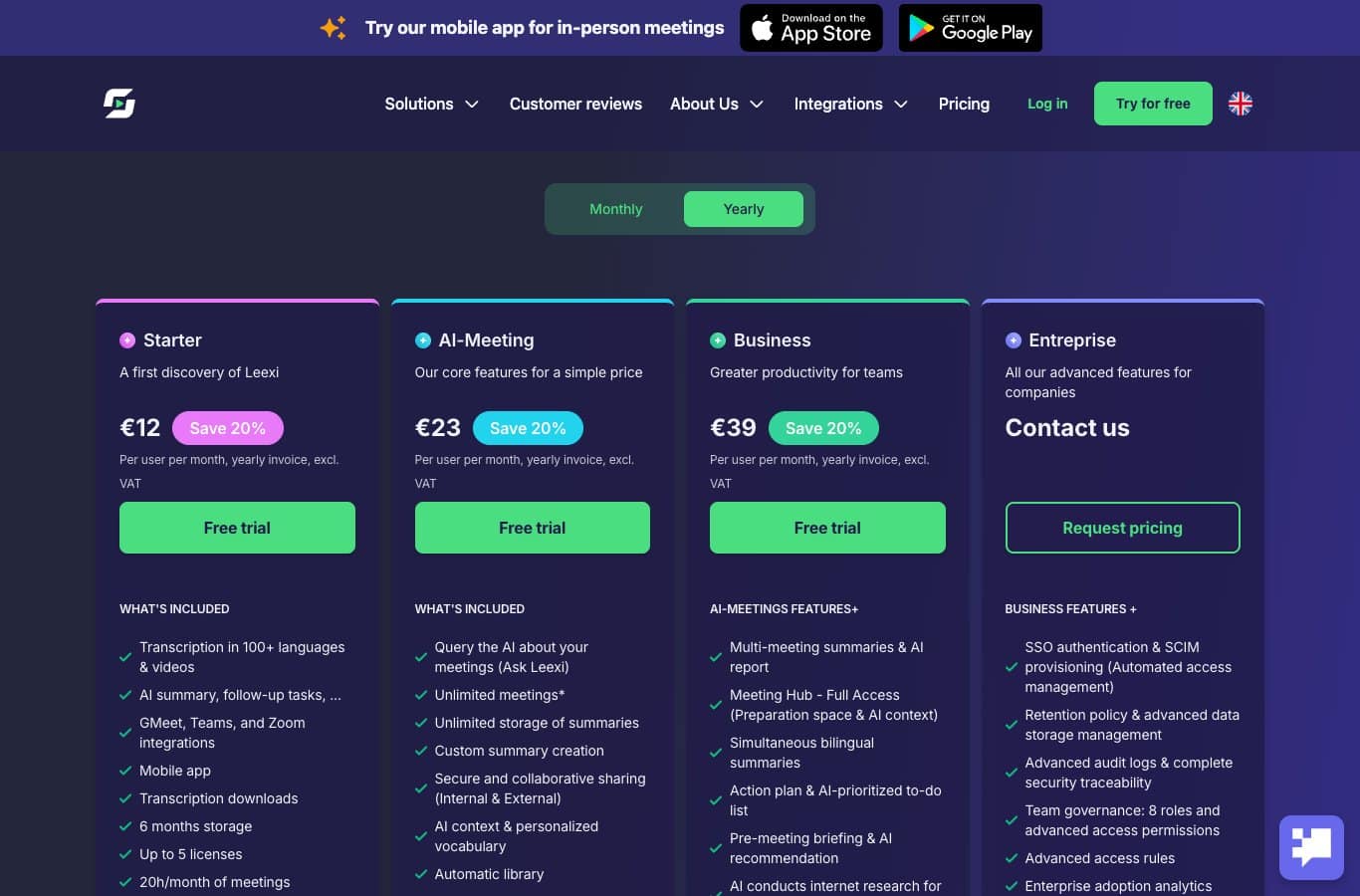
Words for your budget: Leexi’s “free” is a trial, not a plan. If your criterion is the zero price, the six offers above cover it better.
Teams and Microsoft Word: the no-extra-account route
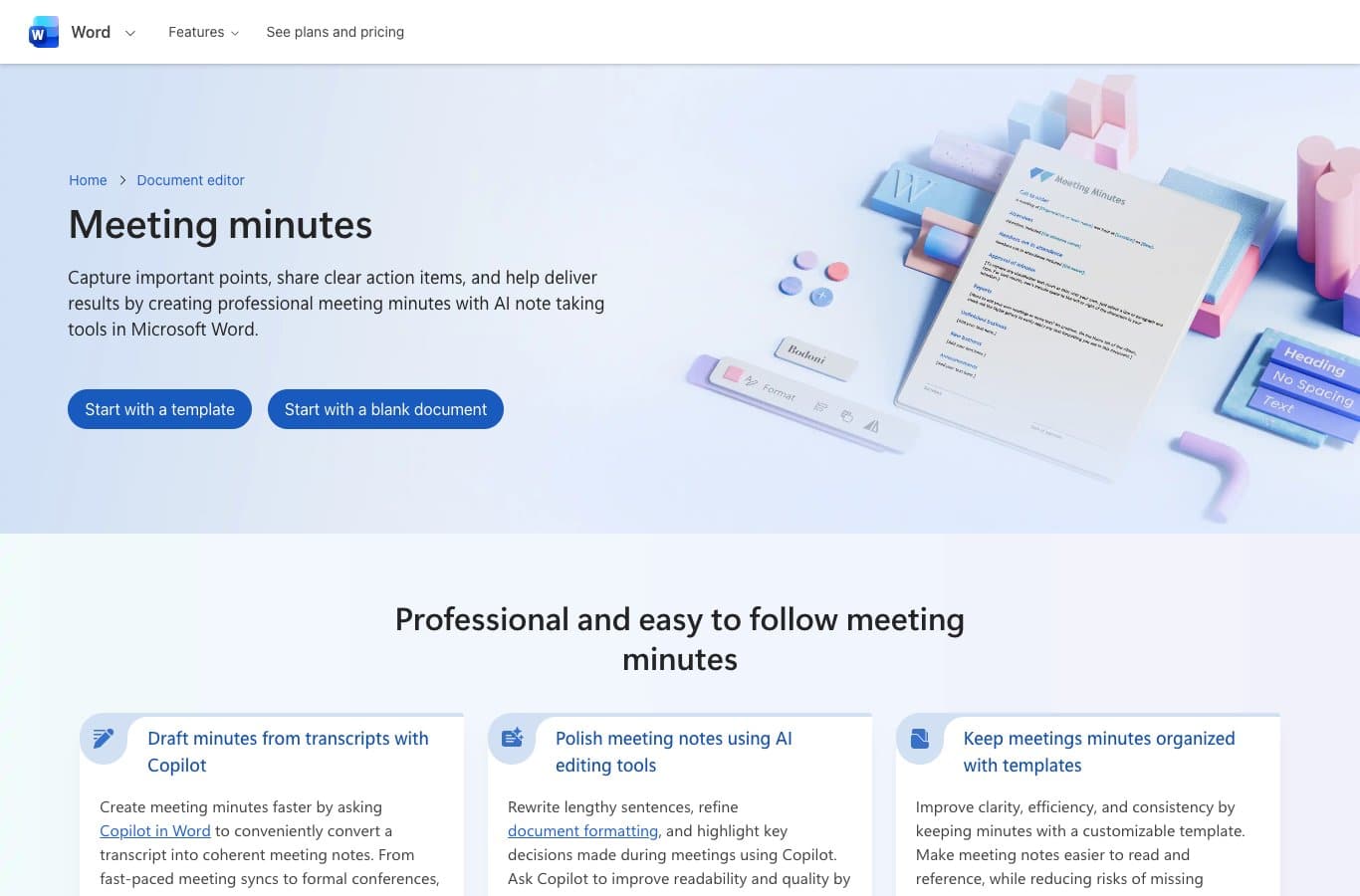
A notable share of searches complete the query with “Teams”, and that makes sense: if your meeting already has a recording and a transcript, the minutes do not need a second service. Microsoft combines two pieces: the native meeting transcription in Teams, and the “meeting minutes” generator in Word online.
Two watchpoints from Microsoft’s documentation: the live transcript starts “if your Teams administrator has transcription allowed”, and “by default, transcription is available in English”, with the spoken language not auto-detected. In other words: for a meeting in French or Spanish, pick the language before you start.
The Word online generator, in turn, relies on Copilot to turn a transcript into “coherent” notes with participants, agenda and follow-up action sections. The limit: you must reference the recordings or transcripts stored on OneDrive, and Copilot for Word requires a Microsoft 365 subscription. The document template, meanwhile, is free and lightweight.
The bot-free method: your notes, an AI, zero quota
The most common case is also the simplest: you have notes, or you have a raw transcript exported from Zoom, Meet or Teams, and you want clean minutes. None of the eight tools in the table is needed here, and the quota disappears.
- Export the transcript from your video call, or take a 10-minute pause right after the meeting to write down decisions and actions.
- Give the AI context: meeting type, participants, goal, and output language. Without context, the summary stays generic.
- Ask for a decisions, actions, deadlines structure, in one list per element type.
- Proofread: fix proper names, check every figure, remove what the AI invented.
- Share alongside the minutes: the attached transcript is the proof everyone can check.
This template fits in one message, and you can refine it with the AI prompt generator if you want to tune it:
You are a writing assistant. Turn the following notes into meeting minutes in English. Structure: meeting title, date, attendees, decisions made, actions to take (with owner and deadline when mentioned), open questions. Stay factual, do not add any decision that does not appear in the notes. End with a "Key takeaways" paragraph of three sentences maximum.
Notes: [paste your notes or transcript here]
The beauty of the method: no account, no quota, no consent to manage for an automatic recording, and total control over the final text. It builds on the part that the best prompt libraries work on anyway: information order. If you want to push the logic further, document summarization and the rephrasing method cover the other two halves of the job: condensing a long minutes file and rewriting it for a different audience.
For this method, Nation AI plays the exact role the transcription tools do not: turning raw notes into structured minutes, with no sign-up.
The good reflexOnce the minutes are generated, ask the AI to list only the items that are not in your notes: you get a second hallucination sweep in ten seconds.
Recording a meeting: the rules to know
The first flaw of comparison pages: they mention privacy as a criterion, rarely as an obligation. In the United States, the legal baseline is a state patchwork plus federal rules, and it boils down to four points.
1. Recording without notice can be illegal. Federal law allows interception with one-party consent (18 U.S.C. § 2511(2)(d)), but several states require the consent of all parties. California Penal Code § 632 punishes recording a confidential communication “without the consent of all parties” with a fine of up to $2,500 per violation, plus possible jail time.
2. Announcing is therefore the practical rule. The same California section excludes “an individual known by all parties to a confidential communication to be overhearing or recording the communication”. A bot joining a meeting without anyone knowing, a “recording is on” banner at the start, and your position is solid. A hidden recording is not.
3. The workplace version is even stricter, in the US. No single federal authority sets one rule: state wiretap law applies to business calls, several states (California included) require all-party consent, and employers must inform staff before recording under state law and common practice. And if any participant is in the European Union, the GDPR applies in full: purpose and minimization (Article 5(1)(c)), prior information of employees. In practice: record only what is necessary, never permanently, and delete the audio once the minutes are validated.
4. Collected data has a shelf life. Minimize: delete the recording when the minutes are validated, keep the minutes, not the audio. And if exchanges touch sensitive data (clients, health, litigation), EU hosting is not a marketing bonus, it is a serious argument.
Heads upThis section is general information about the applicable rules (18 U.S.C. § 2511, California Penal Code § 632, GDPR for EU-based participants), not legal advice. For sensitive professional use, have your procedure validated by a lawyer, especially on how long recordings are kept.
The mistakes that ruin AI meeting minutes
- Confusing “unlimited transcription” and “unlimited notes”. tl;dv is the perfect trap: unlimited capture, AI notes capped at 10 meetings.
- Forgetting the language. Teams transcription starts in English by default, and the spoken language is not auto-detected. Result: minutes in French or Spanish full of English words.
- Leaving French and Spanish to engines tuned for English. Acronyms, proper names and figures of a European meeting break on untested engines. The five-minute test is free.
- Publishing without proofreading. Models invent complete decisions. Reviewing is not a precaution, it is the step that makes the output reliable.
- Keeping the audio forever. The pairing of HappyScribe’s “45 minutes per recording” and Noota’s “1 month storage” shows the vendors’ real logic: free keeps little, which is good news for data minimization.
- Assuming a $0 plan never uses your data for training. Read the privacy policy, especially for meetings with clients.
FAQ: AI and free meeting minutes
How do I create meeting minutes with AI for free?
Three routes: an assistant that joins the meeting (Fathom is the only one in this check announcing unlimited recordings and transcripts), an audio transcriber with summary (Otter 300 minutes a month, MeetGeek 3 hours a month), or your notes plus a writing AI: the no-quota method described above.
Which free AI tool for meeting minutes on Teams?
First the native one: the Teams meeting transcript, if your administrator enabled it, and change the default language. Second, the “meeting minutes” generator in Word online, free, with Copilot to convert a transcript into structured notes.
What is the real free limit in minutes?
Checked August 24, 2026: Fathom no announced limit, tl;dv unlimited capture but 10 meetings with AI notes, MeetGeek 3 hours a month, Otter and Noota 300 minutes a month, Fireflies unlimited transcription but 400 minutes of storage, HappyScribe 45 minutes per session.
Can I record a meeting without telling participants?
In the US, federal law allows one-party consent, but several states require all-party consent, and California Penal Code § 632 excludes from the definition anyone known to be recording. The practical rule: announce at the start of the meeting, and if any participant is in the EU, apply the GDPR information principles as well.
Is AI meeting minutes reliable in French or Spanish?
Transcription keeps improving but stays sensitive to proper names, acronyms and overlapping speech. Always proofread, and test your language and vocabulary on a real extract before committing to a tool for the long run.
Do you need a subscription for good minutes?
Not for a moderate volume: the free plans of MeetGeek, Otter, Noota or Fireflies cover several meetings a month. Yes as soon as frequency rises: caps quickly turn into math, with Fathom remaining the exception announced as unlimited at $0.
Put it into practice: the minutes, without recording
Nation AI turns your notes, raw minutes or an exported transcript into a structured document, with decisions, actions and next steps. No sign-up to test, in English.
Sources and check : official pricing pages of Fathom (fathom.ai/pricing), tl;dv (tldv.io/app/pricing), Otter (otter.ai/pricing), Fireflies (fireflies.ai/pricing), MeetGeek (meetgeek.ai/pricing), Noota (noota.io/pricing), HappyScribe (happyscribe.com/pricing) and Leexi (leexi.ai/en/pricing), consulted on August 24, 2026; 18 U.S.C. § 2511 on Cornell Law School; California Penal Code § 632 on the California official code; official page Microsoft Word: meeting minutes; documentation Microsoft Support: live transcription in a Teams meeting. General information, not legal advice.