
The short version
Fourteen AI interior design tools are fighting over the word “free” at the top of Google. We opened their pricing pages on August 4, 2026: only five publish an actual number, and three pricing tables contain no $0 plan at all.
Styly, the best positioned of the European tools, gives you 3 image credits total, not per day and not per month, with a watermark and personal use only. The most generous on a daily basis is still MyEdit, with 3 credits per day.
Two families coexist and do very different jobs: the ones that repaint a photo of your room, and the ones that start from a 2D floor plan and rebuild the room in 3D.
What really decides the result is not the tool: it is the prompt. A prompt that locks the walls, the window and the radiator keeps you from burning your free tries in three clicks. You can draft it first in a free ChatGPT online alternative, without touching your credits.
- What “free” means on Google’s first page
- The promise on display versus the published pricing
- The filter: check your conditions, watch what survives
- Photo or floor plan: two families, two jobs
- The prompt that keeps you from wasting your tries
- Prepping the room photo in five minutes
- What an AI render is not
- Frequently asked questions
You photograph your living room, you search for “free AI interior design”, and Google’s first page promises an instant makeover, no signup, no money. The promise is real. What sits behind it, much less so: under the same word, one vendor gives you three images for life, another three a day, and a third one none at all until you pay.
On August 4, 2026 we opened the pricing pages of the fourteen tools that hold the first page on this query and its variants. Here is what they publish, in their own words, and how to get a usable render without spending your free tries for nothing.
What “free” means on Google’s first page
The query barely returns any articles: it returns tool pages. Of the first twenty results, seventeen are software landing pages, one is a video and two are forum threads. In other words, nobody is comparing: everybody is selling.
And everybody sells with the same word. “Free AI decoration, no signup” for the first result, “Free AI Interior Design, No Sign Up” for the next one, “Free AI Interior Design Generator, No Login” a little further down. Three titles, three identical promises, three different realities as soon as you open the pricing page.
The promise on display versus the published pricing
The table below puts side by side what each tool says about itself in search results and what its own pricing page states. Both columns come from the same websites, seconds apart.
| Tool | What it advertises | What its pricing page publishes |
|---|---|---|
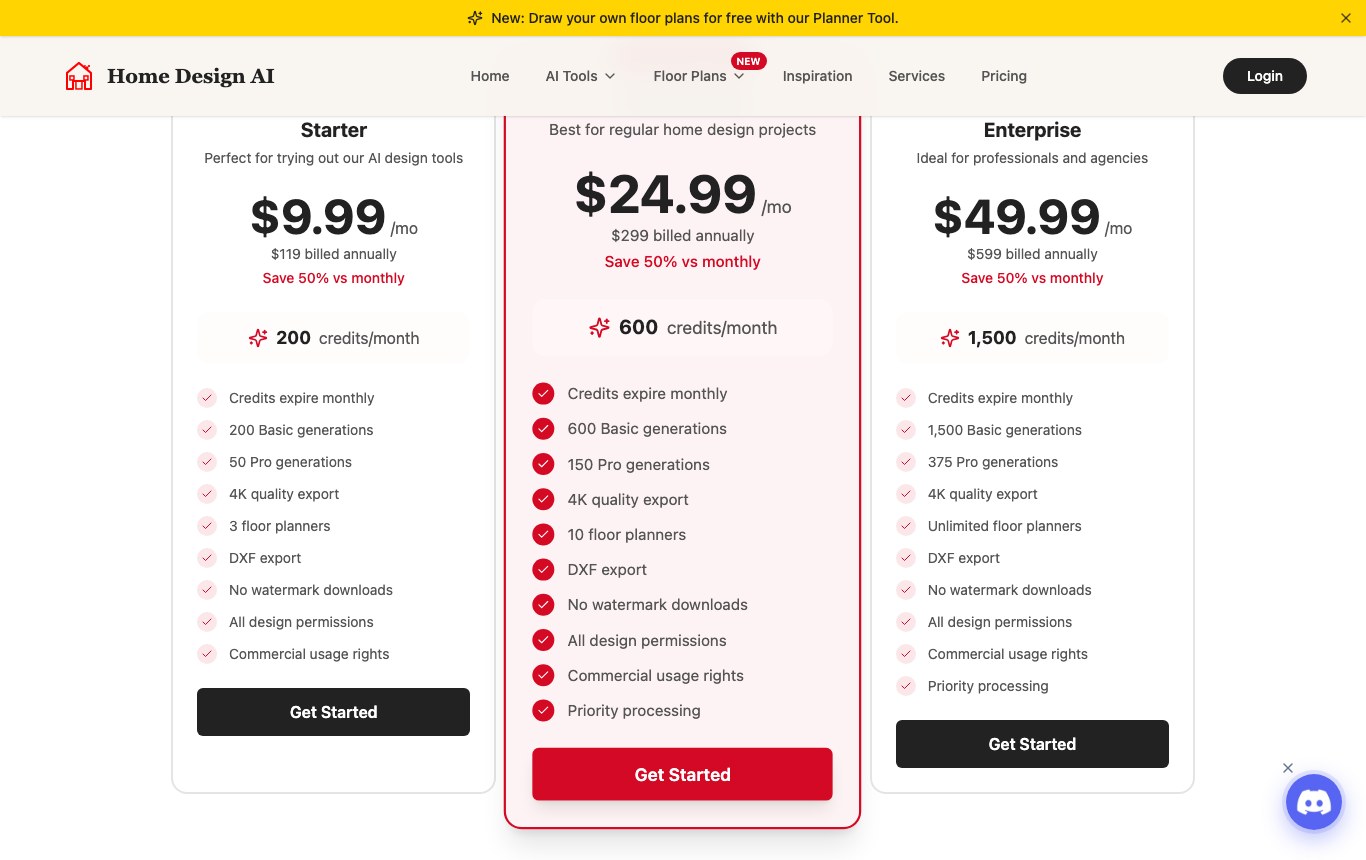
| Home Design AI | “Free AI decoration, no signup, for your interior projects” | Three plans, at $9.99, $24.99 and $49.99 per month. No $0 plan. “No watermark downloads” and “Commercial usage rights” are paid lines. |
| Styly | “Free AI Interior Design, No Sign Up” | The $0 plan: “3 image credits total”, a “Styled by STYLY” watermark, “personal use only”, three basic styles out of eighteen. |
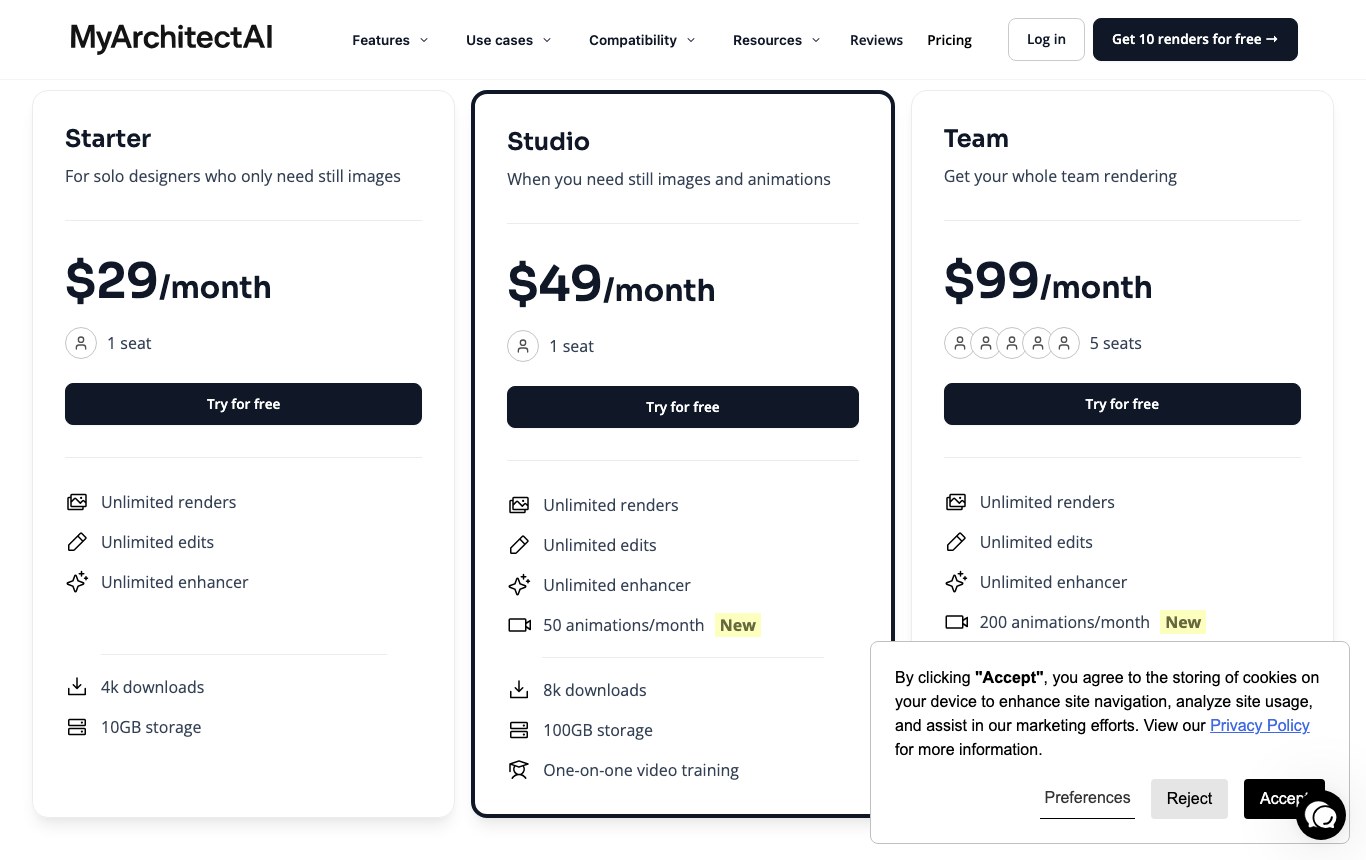
| MyArchitectAI | “Free AI interior design generator, no login” | “Get 10 renders for free”, then $29 per month for the entry plan on the English pricing page (25 € on the Spanish one). The commercial license ships with the paid plans. |
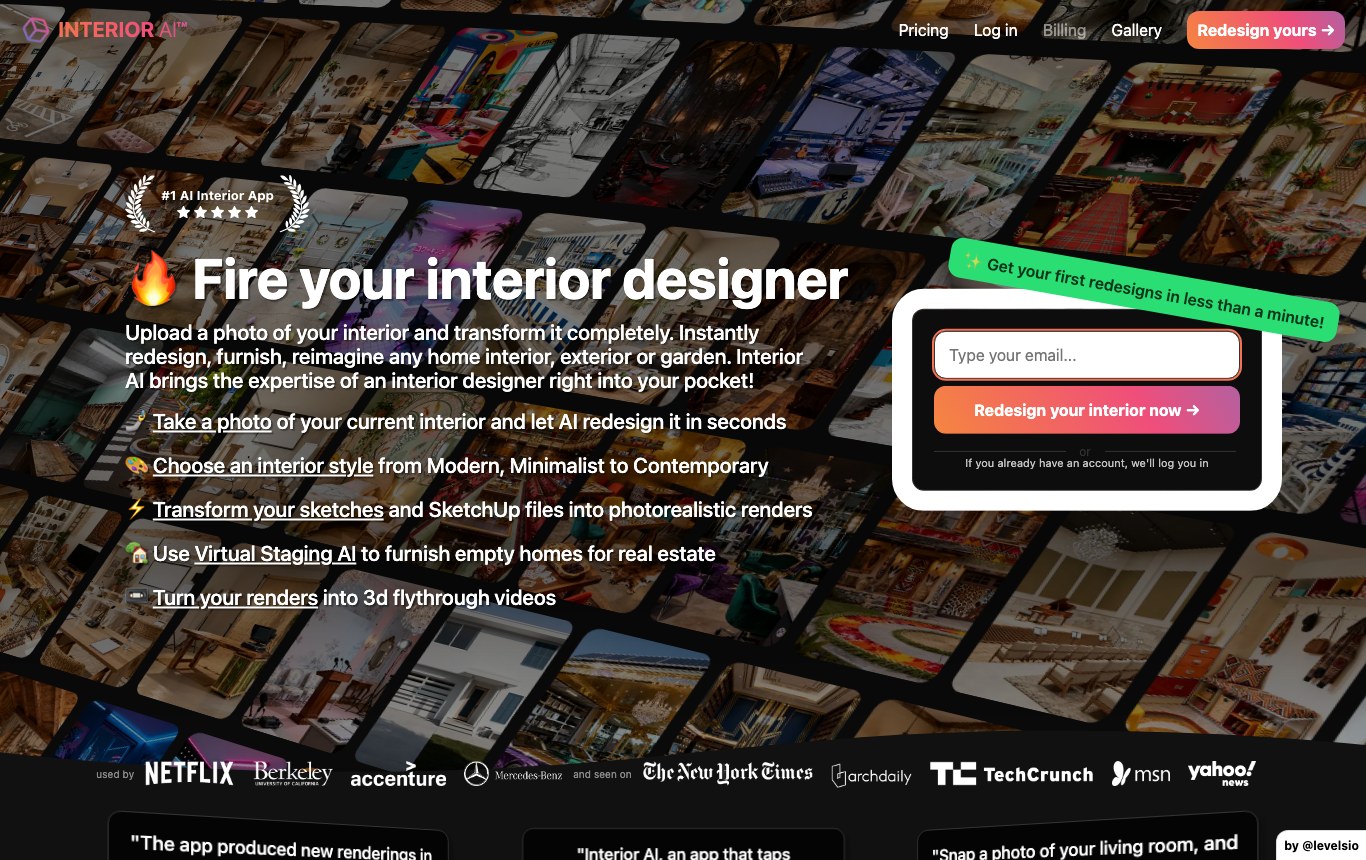
| Interior AI | “#1 AI Interior App”, your room photo redesigned in seconds | No free plan at all. Entry price $29 per month billed yearly, and an email address requested right on the homepage. |
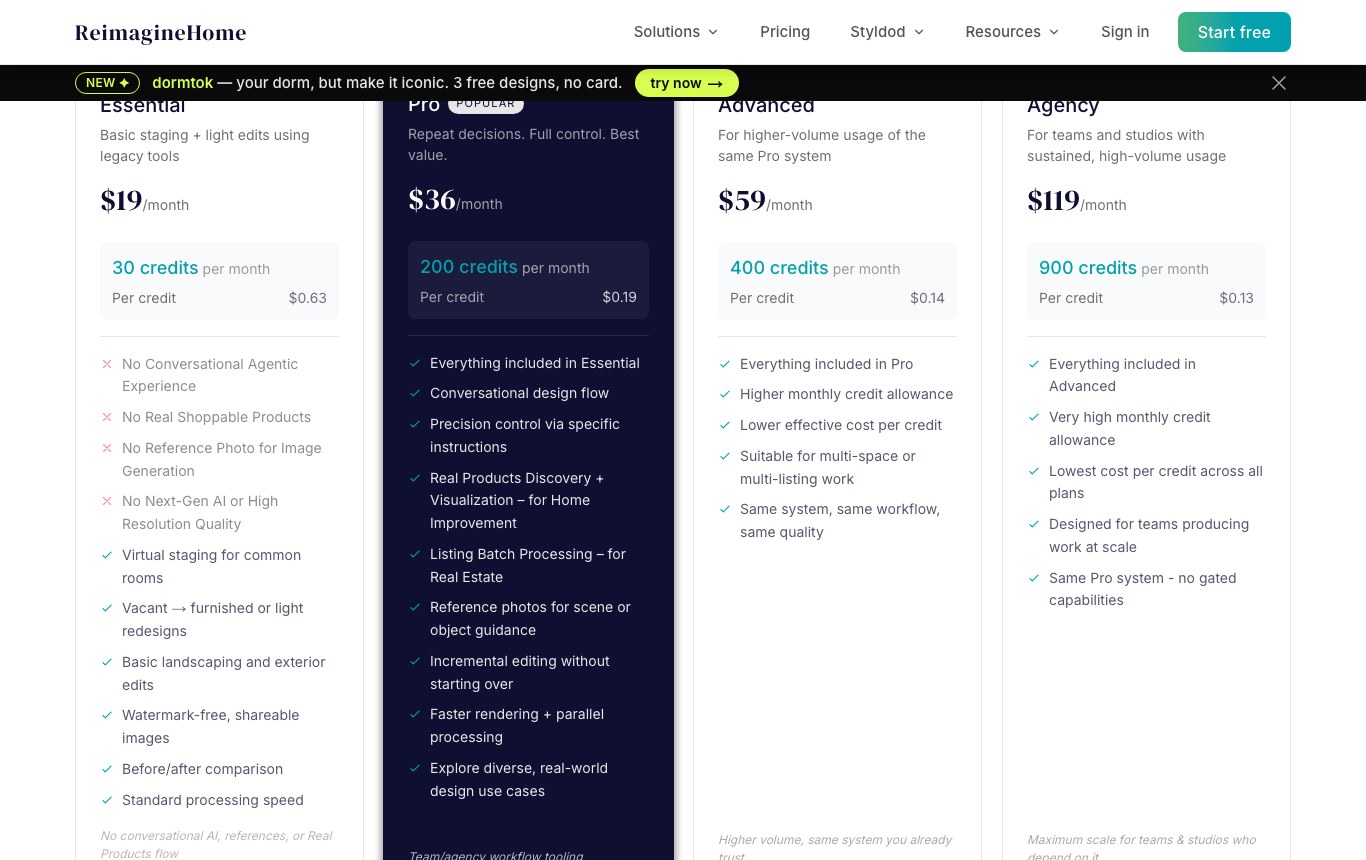
| ReimagineHome | “All new users get 5 free designs, same AI, same quality as paid plans” | Five free designs with no credit card, then $19 per month for 30 credits, i.e. $0.63 per credit. One of the few that actually publishes its number. |
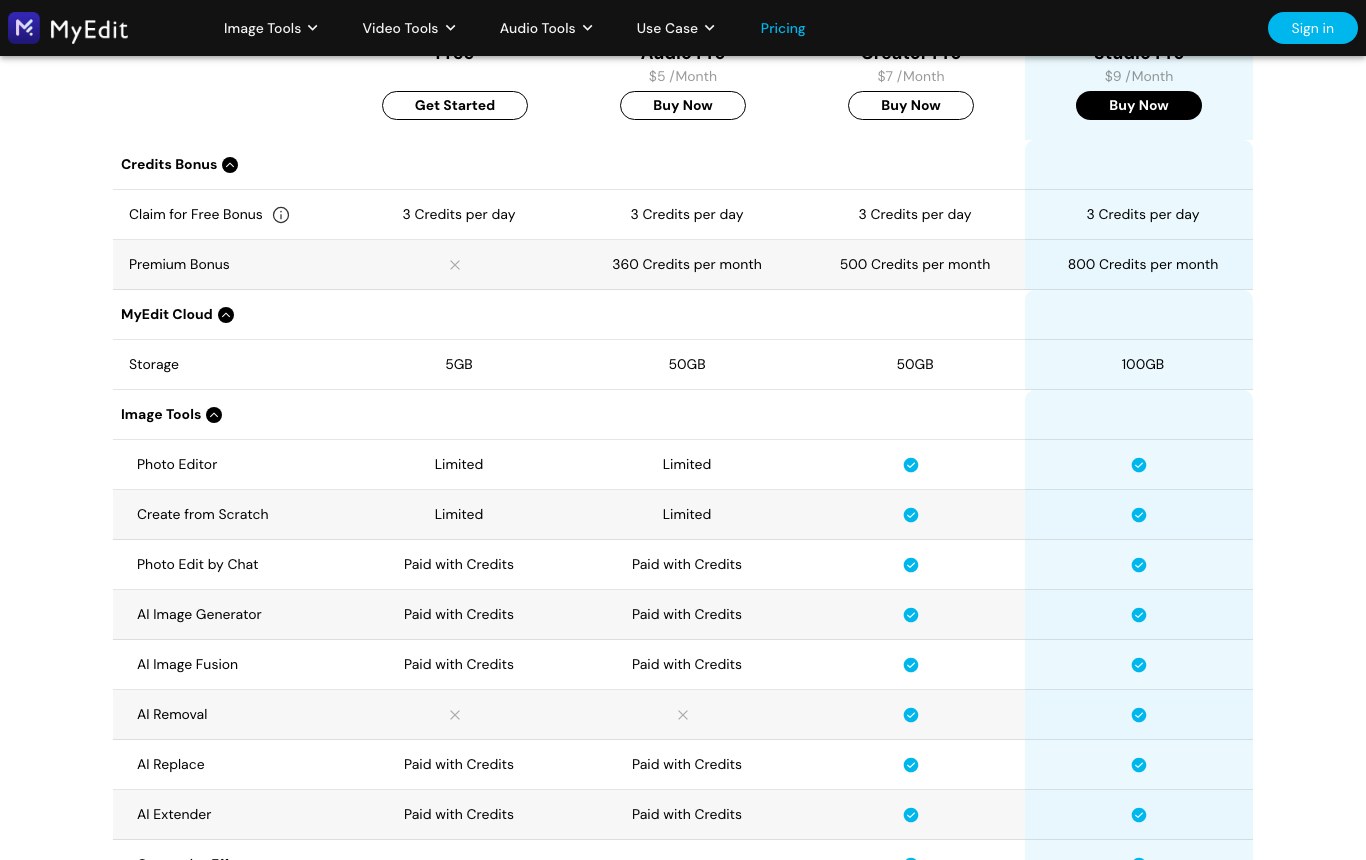
| MyEdit (CyberLink) | A photo tool suite that includes an “AI Interior Design” feature | “3 Credits per day” on the free account, and the “AI Interior Design” row is marked “Limited”. Entry photo plan at $7 per month. |
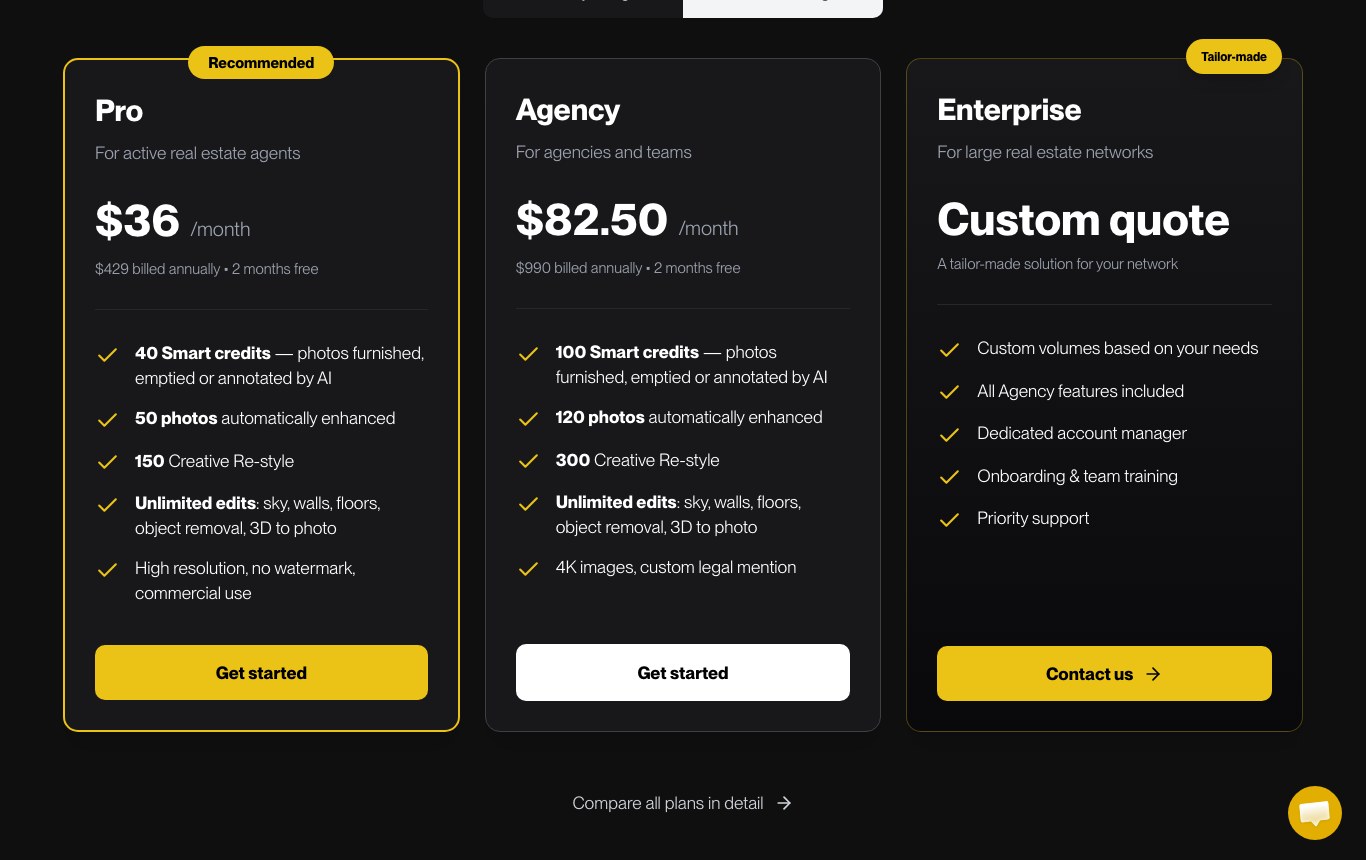
| Gepetto | “Virtual home staging with AI online”: furnish, empty, renovate | No free plan. Entry offer at $36 per month on the English site, aimed at working real estate agents. |
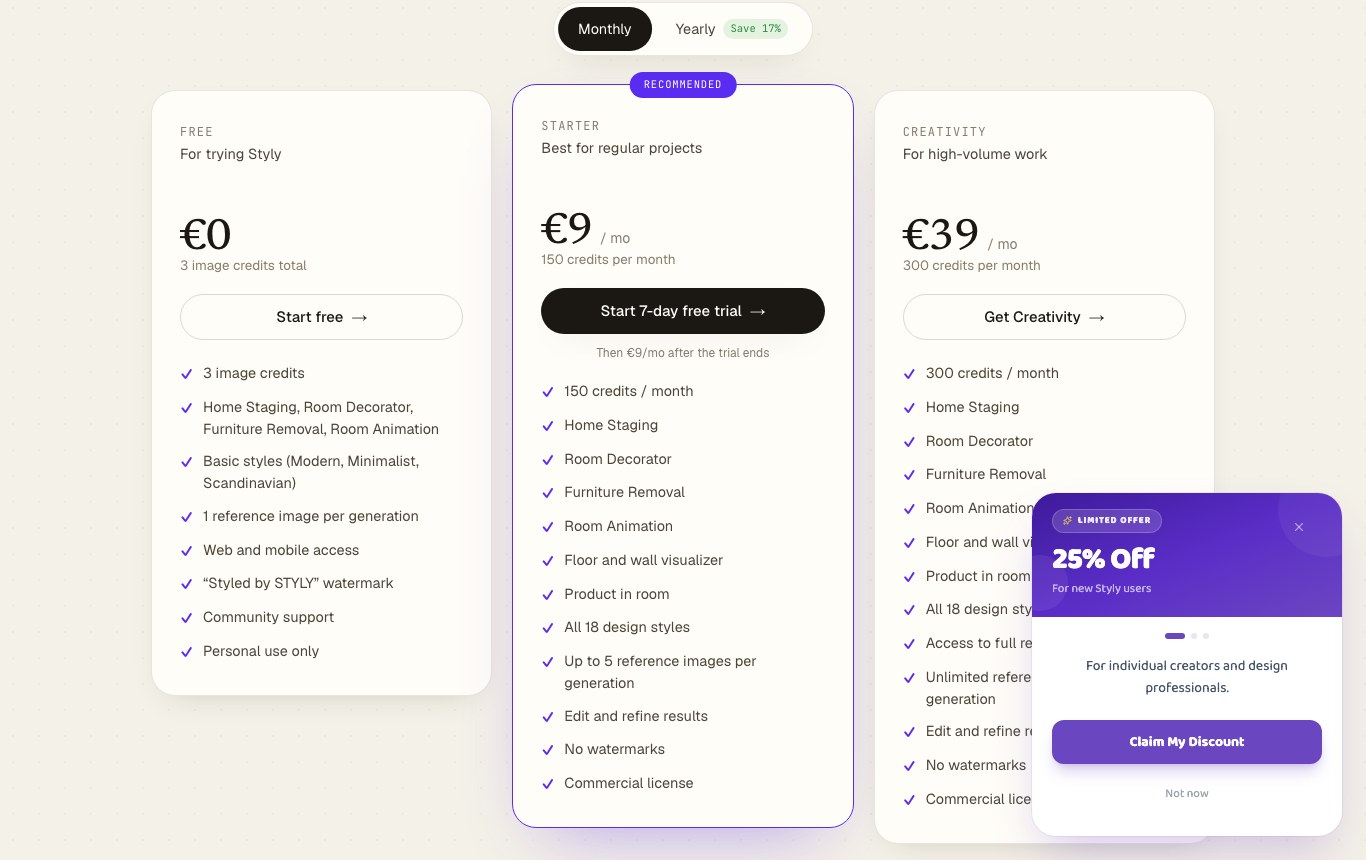
That figure of 3 credits total deserves a pause. It is not three a day, and not three a month: it is three images, once, permanently. One generation costs one credit. In practice you get one attempt, one correction and one last shot. The pricing page says so plainly in its own FAQ: “The free version gives you 3 credits to try.”
The same gap shows up at MyArchitectAI, whose Google title promises a generator that is “free, no login”. The header button on the pricing page still reads “Get 10 renders for free”, the plan buttons read “Try for free”, and the cheapest plan costs $29 per month. Ten free renders is not nothing: it is simply something other than a free tool.
The two that do not pretend
Two vendors own the fact that they give nothing away. Interior AI, the historical reference in the category, no longer shows any free plan: the homepage asks for an email address before it even shows the tool, and the first price point is $29 per month billed yearly. Gepetto, squarely aimed at real estate, starts at $36 per month. Neither claims to be free, which is more honest than the average of the page.
The ReimagineHome case: the one that publishes its number
ReimagineHome deserves a separate mention, in the opposite direction. Instead of repeating the word “free”, it writes the number: “All new users get 5 free designs, same AI, same quality as paid plans”, and it adds “No card required for free trial”. After that the table is just as clear: $19 per month for 30 credits, i.e. $0.63 per credit, up to $119 per month for agencies. You know exactly what you get and what continuing will cost.
The most generous on a daily basis
If what you want is room to test many ideas without paying, MyEdit, the online suite from CyberLink, publishes the best deal: 3 credits per day, renewed, on a free account. Its comparison table does mark the “AI Interior Design” row as “Limited” outside a subscription, though, and the entry photo plan costs $7 per month.
The filter: check your conditions, watch what survives
Four conditions keep coming back in the related searches: no account to create, knowing how many images you get, starting from a floor plan rather than a photo, and simply having a free offer at all. Check the ones that matter to you. Tools that fail them disappear, and the counter tells you how many are left.
The really-free filter
Fourteen tools, four conditions. A condition is only ticked “yes” when the vendor writes it on its own site: what nobody promises, nobody owes.
Tools left: 14 of 14
Styly
3 image credits total, a “Styled by STYLY” watermark, personal use only and three basic styles. Paid from 9 € per month.
Free: yes. Number: yes. No account: yes. From a plan: no.
Home Design AI
No $0 plan on the grid, but a floor plan generator advertised as free. Every design burns a credit. Subscriptions from $9.99 per month.
Free: yes. Number: no. No account: yes. From a plan: yes.
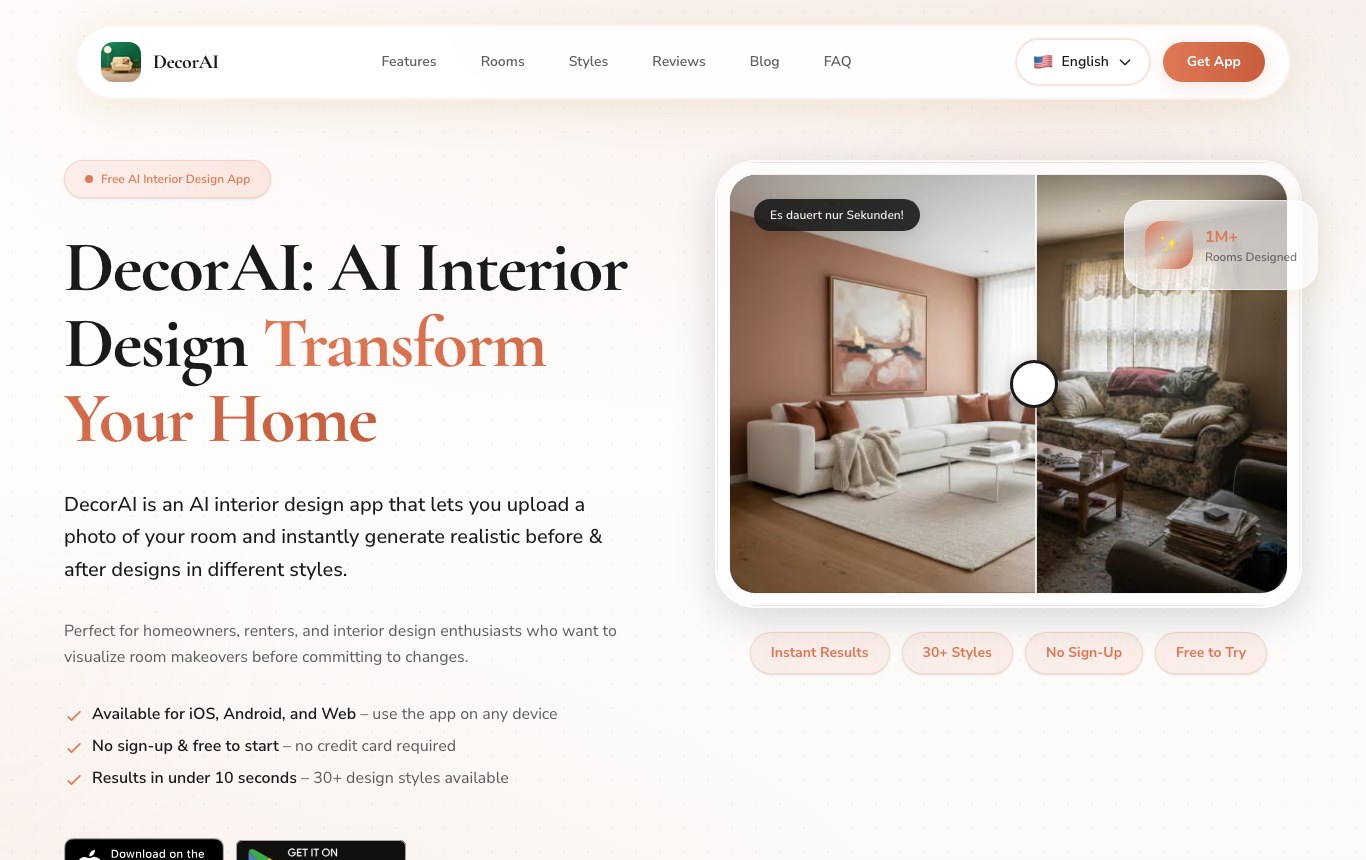
DecorAI
“No sign-up and free to start, no credit card required”, more than thirty styles, iOS and Android apps. No published quota.
Free: yes. Number: no. No account: yes. From a plan: no.
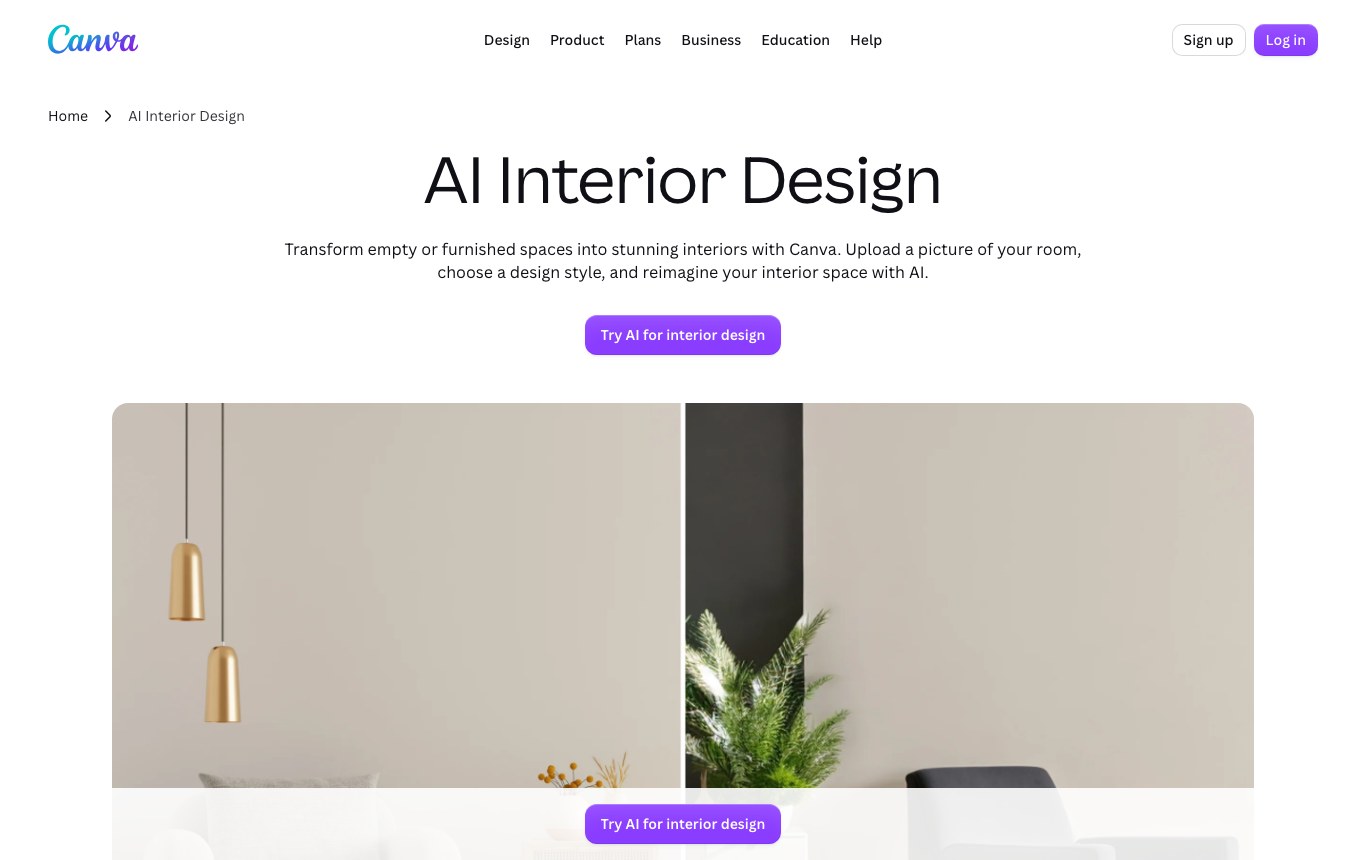
Canva
A decorating tool built into the editor, more than thirty styles. The free account’s AI quota is spelled out on the plans page, not on the product page. Magic Edit is reserved for Canva Pro.
Free: yes. Number: yes. No account: no. From a plan: no.
MyEdit
3 credits per day on the free account, the most generous daily offer here. The “AI Interior Design” row is marked “Limited”. Paid from $7 per month.
Free: yes. Number: yes. No account: no. From a plan: no.
MyArchitectAI
Ten free renders on signup, then $29 per month. Takes sketches and SketchUp screenshots, not only photos. Commercial license included with the paid plans.
Free: yes. Number: yes. No account: no. From a plan: yes.
Homestyler
Free Basic plan: a 3D floor planner in the browser and unlimited 1K renders, but with a watermark, 4K renders bought one at a time, and AI credits reserved for paid plans (from $6.80 per month).
Free: yes. Number: yes. No account: no. From a plan: yes.
HomeByMe
A 2D and 3D floor plan tool published by Dassault Systèmes, with an entry-level free offer that is not quantified on the plans page. Removing the HomeByMe logo is reserved for the Pro plan at 49 € per month.
Free: yes. Number: no. No account: no. From a plan: yes.
ChatGPT
The Free plan advertises “limited and slower image generation”, without ever putting a number on that limit. An account is required, and the model knows no furniture catalog: it follows your prompt.
Free: yes. Number: no. No account: no. From a plan: no.
Gemini
Google’s no-cost plan includes image generation and editing: send the photo of your room and ask for the makeover. No published quota, a Google account is enough.
Free: yes. Number: no. No account: no. From a plan: no.
VisualGPT
A room planner advertised as “completely free, no signup”, with 3D renders from a photo. Its pricing page, however, lists no free plan at all: it starts at $10 per month.
Free: yes. Number: no. No account: yes. From a plan: no.
Interior AI
The historical reference, fifty-five styles, a Virtual Staging mode and sketch conversion. No free plan: $29 per month billed yearly, email required on the homepage.
Free: no. Number: no. No account: no. From a plan: yes.
Gepetto
Virtual home staging for real estate professionals: furnish, empty, redo floors, swap the sky. No free offer, from $36 per month.
Free: no. Number: no. No account: no. From a plan: no.
Nation AI
A general purpose image generator, not a decorating simulator: it takes your room photo and edits it on request. Free trial with no signup, then 50 images a month on the 19 € subscription.
Free: yes. Number: no. No account: yes. From a plan: no.
Tick “has a number” and “no account” together: exactly one tool out of fourteen survives, and that free offer is worth three images for life.
Just want to see your room differently? The Nation AI image generator takes your photo as input and edits it on request, with nothing to install.
Photo or floor plan: two families, two jobs
The related searches make it obvious: half the searchers type “from a photo”, the other half “from a floor plan”. These are two different pieces of software, and mixing them up wastes time.

Starting from a photo
An image model redraws your shot while roughly keeping the geometry. Fast, spectacular, perfect for picking a mood, a palette or a style of sofa.
Styly, DecorAI, Canva, MyEdit, Interior AI, Gemini, Nation AI.
Starting from a 2D plan
A 3D engine rebuilds the volumes from your walls, and then you furnish them. Slower and less pretty at first glance, but the dimensions are right and the result can be edited.
HomeByMe, Homestyler, Home Design AI, MyArchitectAI, Interior AI.
The photo trap
An image model invents. It widens the room, deletes a door, moves a window, makes a radiator disappear because it got in the way of the composition. The render is beautiful and wrong.
Hence the locking prompt further down.
The right order
Find the mood with an image AI, free and fast. Only move to a 3D plan once the style is settled and you need to check that a piece of furniture actually fits.
Photo to decide, plan to validate.
The prompt that keeps you from wasting your tries
This is the part none of the ranking pages covers, and it is the one that decides everything. With three credits for life, or ten trial renders, you cannot afford vagueness. A precise prompt turns an average tool into a useful one, and a vague prompt ruins the best engine on the market.

The five ingredients of a prompt that holds
- The room and the expected move. Say what we are looking at and what you want: “This is a photo of my living room, redraw the decoration and the furniture only.” Without the word “only”, the model assumes it is allowed to redo the architecture.
- The locks. Everything that must not move, named one by one: the walls, the partitions, the window, the door, the radiator, the outlet, the ceiling height, the viewpoint. This is the most profitable line in the whole prompt.
- The style, in three layers. A style name, a mood, a dominant set of materials, then a single accent color. Stacking five colors produces a saturated image you can do nothing with.
- Your real constraints. The sofa you are keeping, the budget, the fact that you rent and cannot drill anything. A render that ignores your constraints is a pretty, unusable image.
- The output you want. Photographic or illustrated, daylight or evening light, and an explicit ban on text and on burned-in watermarks.
“Decorate my living room in a Scandinavian style.” Result: a catalog room, bigger than yours, with a bay window you do not have and a stove where your door is.
“Redraw the decoration only. Do not move any wall, keep the window, the door and the radiator where they are, keep the same viewpoint.” Result: your room, better, and you know what to buy.
The template to copy
Replace what sits between brackets and paste the whole thing into the tool of your choice along with your photo. It works just as well in a dedicated simulator as in a general purpose image AI.
This is a photo of my [living room]. Redraw the decoration and the furniture only.
Do not move any wall, any partition, any opening. Keep the window, the door, the radiator and the outlets exactly where they are and at their current size.
Keep the same viewpoint, the same perspective and the same ceiling height.
Style: [light Scandinavian]. Mood: [warm and calm]. Dominant materials: [pale wood and off-white]. One single accent color: [terracotta].
Real constraints: [I am keeping the current sofa], [modest budget, mass-market furniture], [I rent, no drilling allowed].
Return a photographic image, natural daylight, with no text and no watermark.
Prepping the room photo in five minutes
Half of all failed renders come from the input photo, not from the model. The vendors half admit it: Styly notes that the best results come from “well-lit photos”. Five minutes of prep beat one burned credit.
- Shoot the whole room, from a corner, backing up as far as you can. A photo framed on one wall gives the model no information about the volumes.
- Hold the phone straight, at chest height. A low angle distorts the perspective, and the render inherits the distortion.
- Open the curtains, turn everything on, and avoid shooting straight into the window. The soft light of an overcast day is ideal.
- Clear the visible clutter, but leave the fixed elements clearly in frame: those are what stop the model from inventing.
- Take two or three angles of the same room. The first attempt usually reveals that your chosen angle was hiding the important part.
If your photo is dark or blurry, fix it before submitting it rather than spending a credit on a mediocre image. Our guide to editing a photo with AI for free covers the tools that do that job without an account.

What an AI render is not
Renders are now good-looking enough to be taken seriously. Three reminders will save you expensive surprises.
It is not a quote. A render prices nothing, and it cheerfully drops designer furniture into a big-box budget. Use it as a mood board to show a contractor or a salesperson, not as a purchase order.
It is not always yours. Two things to watch. First the license: several free offers explicitly forbid commercial use, Styly writes “personal use only” in plain sight and Home Design AI files “Commercial usage rights” under the paid lines. Then the photos: do not upload the interior of a home that is not yours without the occupant’s consent, and check what the vendor does with your images before sending a room where you can be recognized.
Frequently asked questions
Which free AI is best for interior design?
If you want a real quota that renews, MyEdit and its 3 credits per day is the most generous in this set. If you refuse to create an account, Styly is still the clearest, provided you accept its three images for life and its watermark. And if you already have a Google account, Gemini’s no-cost plan includes image editing: send your room photo with the locked prompt above, that is usually the shortest path.
Is there a free AI interior design tool with no signup?
Four tools in this set advertise it: Styly, DecorAI, VisualGPT and the Nation AI image generator. Watch the nuance: “no signup” describes the first try, not regular use. Styly, the only one that puts a number on the promise, gives three credits, after which an account and a subscription are required. No tool in this set offers unlimited use without an account.
Can you design from a floor plan instead of a photo?
Yes, and it is in fact a different family of software. HomeByMe and Homestyler draw the plan in 2D and rebuild it in 3D, with correct dimensions and furniture you can move around. Home Design AI offers a floor plan generator advertised as free, and MyArchitectAI accepts sketches and SketchUp screenshots. All of them require an account, and their raw render is less seductive than a repainted photo: that is the price of accuracy.
Does a room simulator using your own photo really exist?
Yes, that is the standard workflow: you upload the photo, you pick a room type and a style, and the engine returns a redecorated version in ten to thirty seconds. The real question is not whether it exists, but how many times you can do it for free, and whether the result will keep your room’s geometry. Those two answers live in the pricing page and in your prompt, respectively.
Can you use ChatGPT or Gemini to decorate a room?
Yes. Gemini’s no-cost plan includes “image generation and editing”, and the ChatGPT Free plan advertises “limited and slower image generation”. These general purpose models know nothing about furniture catalogs, but they follow a detailed prompt very well, which more than makes up for it. That is also the principle behind the Nation AI image generator, which takes your photo as input.
Do free renders carry a watermark?
Often, and the honest vendors say so. Styly lists a “Styled by STYLY watermark” among the features of its $0 plan. Homestyler sells “Homestyler watermark removal” with its Pro+ subscription. Home Design AI puts “No watermark downloads” in the paid lines of all three plans. HomeByMe reserves logo removal for its Pro plan. When a vendor says nothing, assume the question is unsettled.
Can you sell or publish a render obtained for free?
Rarely, and never by default. Styly writes “personal use only” on its free plan and reserves the “commercial license” for subscriptions. Home Design AI files “Commercial usage rights” under the paid lines. MyArchitectAI includes the commercial license with its plans, which means not with its ten trial renders. If your project is professional, staging a real estate listing for instance, the subscription is not a comfort option: it is the licensing condition.
How long does a render take?
Between ten and thirty seconds at most vendors in this set. Styly advertises roughly ten seconds per generation on its pricing page, DecorAI says “results in under 10 seconds”, and Interior AI says about twenty-five seconds per interior. Time is no longer the limiting factor: the quota is.
Your room, reimagined, with no account to create
The Nation AI image generator takes the photo of your living room and edits it on request, using the locked prompt from this article. Try it for free without signing up, then move to the 50 images a month plan if the tool earns its place.
Sources: pricing and product pages checked on August 4, 2026 on styly.io, home-design.ai, myarchitectai.com, interiorai.com, myedit.online, gepettoapp.com, decoraiapp.com, canva.com, homestyler.com, home.by.me, reimaginehome.ai and visualgpt.io; Google’s Gemini plans page and the ChatGPT pricing page for the no-cost tiers. For more on quotas and watermarks in image generators, see our investigation into the free AI headshot generators, and the prompt generator to sharpen your instructions. All our AI tools sit on a single page.