To get straight to the point: while completely disabling Pinterest’s AI remains impossible, reclaiming control over personal data is achievable. Accessing the Privacy and Data settings allows users to opt out of training the Pinterest Canvas model, effectively preventing personal content from feeding the generator and ensuring a more curated, organic browsing experience without contributing to the machine.

Is your feed flooded with uncanny robot art, leaving you wondering how to turn off AI on Pinterest to get back to real human creativity? While there isn’t a single magic button, we will show you exactly how to stop feeding their machine with your data and manually filter your recommendations. Reclaim your inspiration board by tweaking the specific privacy settings that most users completely overlook.
Control Your Data and Stop Feeding the AI
Want to turn off AI on Pinterest? Start by locking down your data so you stop feeding their machine immediately.
Your First Move: The Data Privacy Setting
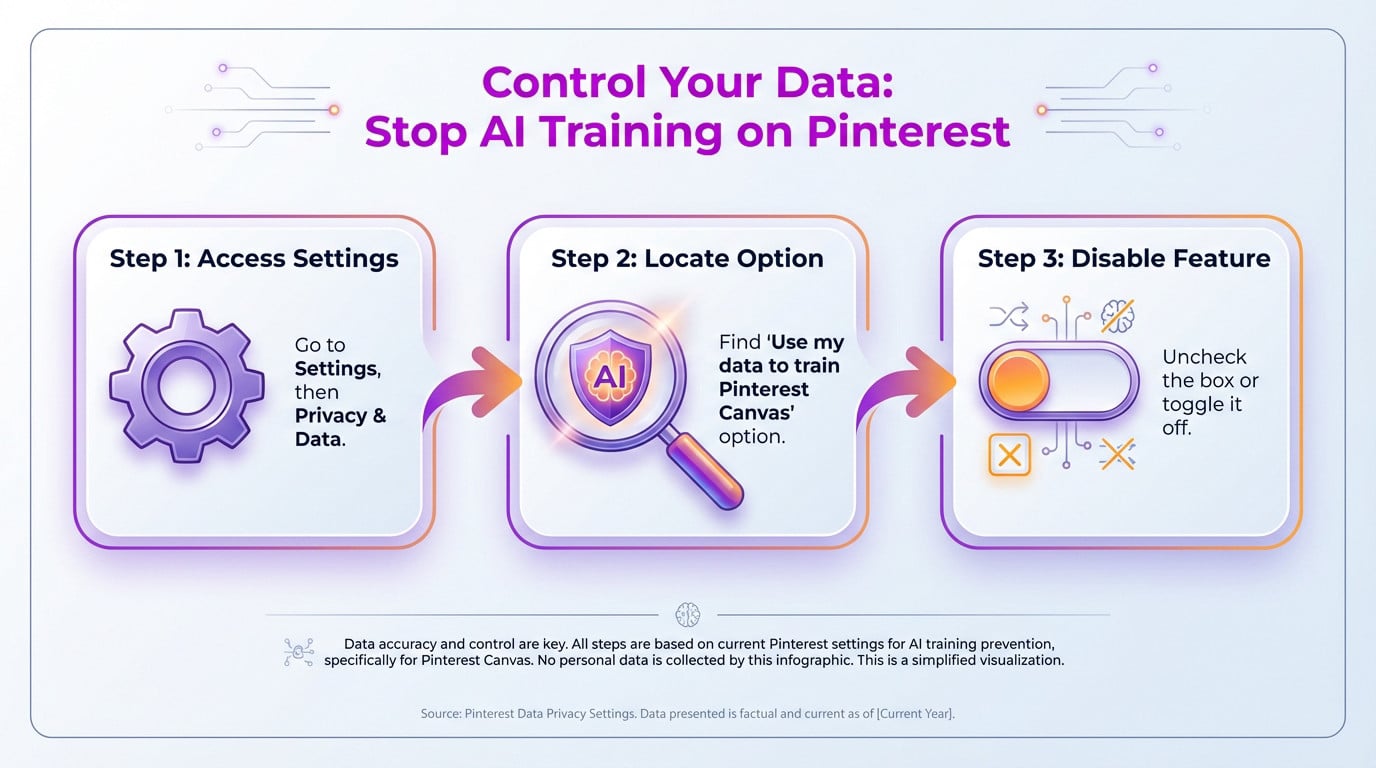
Head to privacy settings to block Pinterest Canvas, another one of those AI photo generators. It’s the quickest way to opt out.
- Settings, then Privacy and data.
- Find the “Use my data to train Pinterest Canvas” option.
- Uncheck the box or toggle it off.
Curate Your Feed to See Less AI Content
Now that your data is protected, let’s see how to clean up your feed. It’s time to take control.
Telling the Algorithm What You Dislike
To turn off ai pinterest clutter, click the three dots on the image. Simply select Show fewer AI Pins.
You can’t completely disable Pinterest’s recommendation AI, but you can actively teach it to show you less of the content you don’t want to see.
The Reality Check: What You Can and Can’t Do
Filtering your feed is useful, but we need to be brutally honest about what is actually possible right now.
Understanding the Limits
You cannot totally turn off AI, yet users under 18 are exempt. It is like trying to disable Meta AI on WhatsApp—you control it, not kill it.
Ultimately, you can’t fully unplug Pinterest’s AI, but you can certainly keep it on a leash. By protecting your data and actively curating your feed, you ensure your inspiration remains human-centric. It’s not a magic button, but it beats letting the robots take over your mood board entirely.