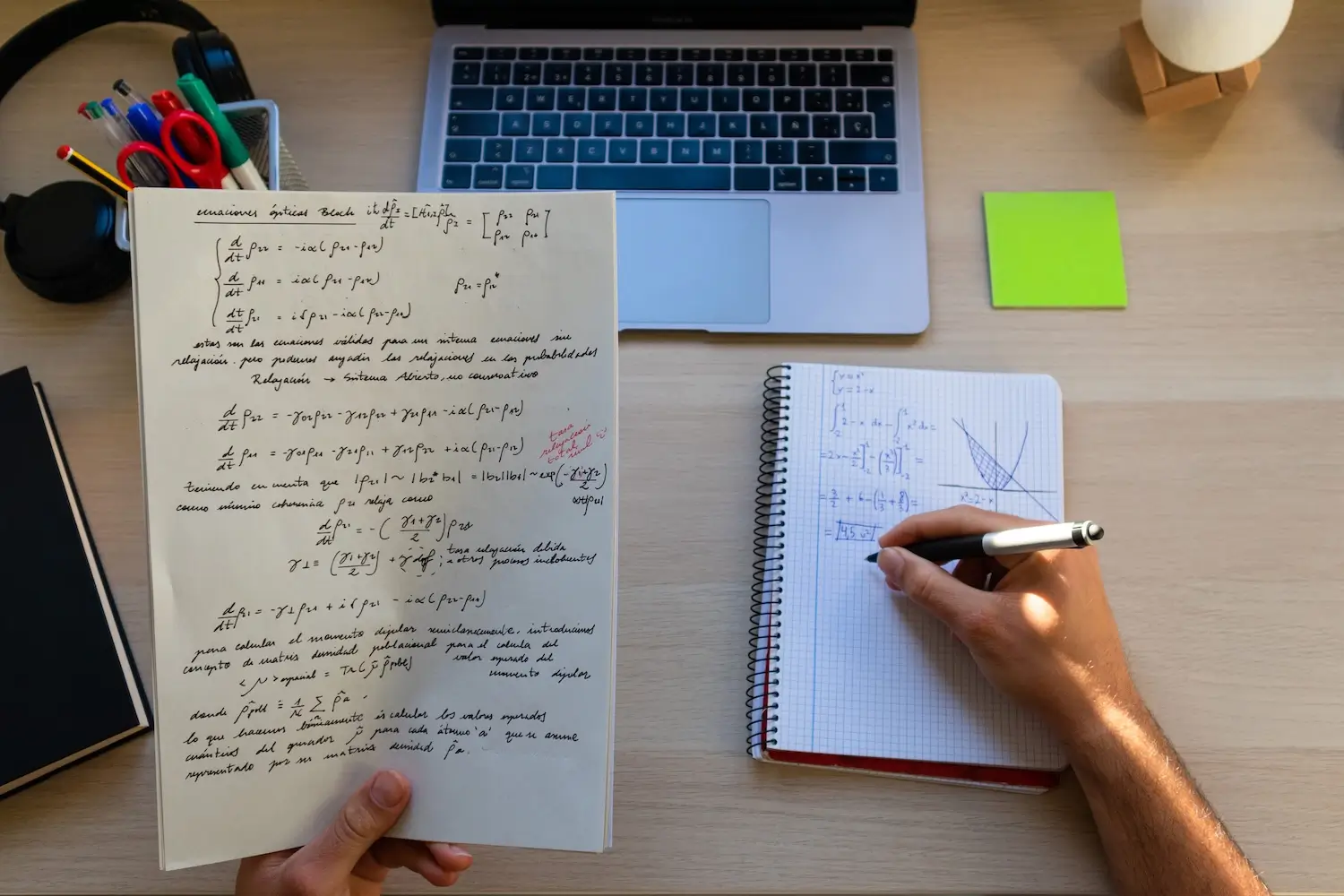

Are you looking for a math solver that can do more than just display a dry result? Here’s a useful, readable, and frankly, practical ranking. You’ll see which tools explain well, which ones accept photos, which are better for quick equations, and why Nation AI’s math solver deserves the top spot for simple, modern, and truly educational use.

A good math tool doesn’t leave you alone with an answer that seemingly appeared out of nowhere. It shows you the way. Sometimes slowly. Sometimes with multiple methods. And that’s precisely what users want today when they type “math solver” into Google.
The Different Math Solvers
The keyword “math solver” hides several expectations at once. Some people want to solve an equation in thirty seconds. Others want to understand a derivative before a test. Still others are looking for a tool that can read a blurry photo taken between two subway stations (yes, this happens more often than you’d think).
The problem is that many tools promise the same thing. Quick resolution, detailed steps, photo, AI, free, all levels. On the homepage, everyone looks brilliant. In use, the difference is obvious. Some tools truly explain. Others merely dress up a result. Some are very good at algebra but become stiff as soon as you give them a written problem. And then there’s the practical question, often forgotten in overly cautious comparisons: does the tool help you when you have an exercise in a PDF, a screenshot, or a handwritten copy with signs that are a bit off?
For this ranking, I focused on what matters daily: clarity of explanations, ease of problem input, versatility, speed, educational value, and real usefulness when you’re truly stuck (not just for a clean demo example).
Top 5 Math Solvers
1. Nation AI, the best choice if you want to solve, understand, and verify in one place
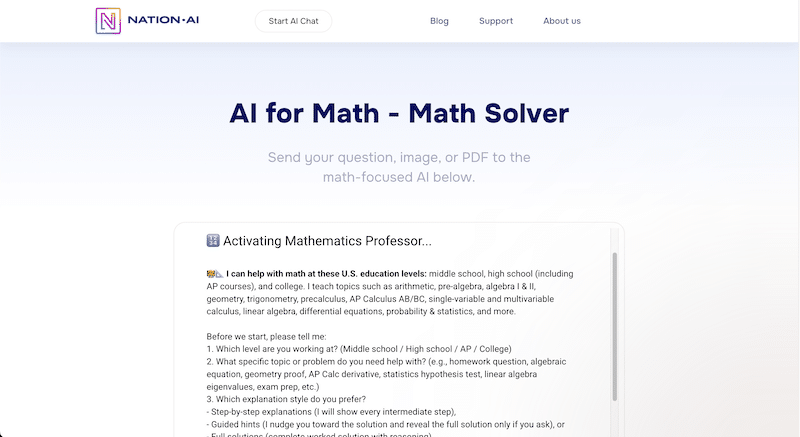
At the top, I place Nation AI. Of course, we’re preaching to the choir. But we cite it as #1 because our tool checks the boxes that users are truly looking for today: you can send a problem as text, a photo of your handwritten notes, or a PDF, ask for an explanation adapted to your level, then have it rephrased, verified, or redo the exercise with another method.
In other words, it’s not just a simple “solver.” It’s an AI-assisted mathematical workspace. It’s more comfortable. It’s more flexible. And, a very important detail, it’s closer to the real life of a student, a college student, or a parent helping out in the evening. On Nation AI’s Math AI page, our approach is clear: you ask the question as it comes, without unnecessary gymnastics, then you delve deeper until you understand.
What makes the difference isn’t just the answer. It’s the conversation around the answer. You can ask “explain more simply,” “show the verification,” “start from the beginning,” “do it at a high school level,” “why are you dividing here,” or “give me a shorter method.” Few tools offer this level of flexibility without forcing you to change interfaces or start from scratch.
5 Interesting Situations for Nation AI Math:
- The problem is in a photo
- The exercise is in a PDF
- You want to send your handwritten notes
- You want a clear explanation, at your level
- You need to check and correct reasoning you’ve already started.
This is the kind of tool that prevents you from wasting twenty minutes on a misplaced parenthesis (which happens, even to good students).
2. Symbolab, very strong for steps and classic calculus topics
Symbolab remains a solid reference. If you’re looking for a very structured math solver, with step-by-step logic and a good level of detail on algebra, calculus, trigonometry, or integrals, it’s a safe bet. Its real strength is its ability to methodically unfold a procedure. The tool has a patient teacher side. It moves line by line. It doesn’t jump to conclusions too quickly.
It’s well suited for those who want to see the mechanics of a solution. For an equation, a derivative, a factorization, or an expression simplification, it often does the job thoroughly. However, the experience can seem more rigid than a conversational assistant. You follow the path it has planned. If you want to discuss the problem, ask a comprehension question, or give it a specific academic context, the flexibility is less.
In short, Symbolab is excellent when you have a fairly clear mathematical object in front of you. If your need is like “I have an expression, help me solve it properly,” it delivers.
3. MathsGPT, interesting for photos, handwriting, and accessible explanations
MathsGPT holds a logical place in this top list. The tool highlights photo input, handwritten support, and an explanation designed for learning. It’s practical. It’s reassuring. And for an audience that wants immediate use, without a ten-page manual, that’s a real quality.
Its positioning resonates with many users: you write or photograph your exercise, the tool analyzes, then details the reasoning. This works well for middle school, high school, and college students who want to unblock an exercise without going through an overly technical interface. The tone is direct, simple, almost familiar at times, which can help when you’re already stressed by the problem.
I place it behind Nation AI and Symbolab because the overall user experience seems a bit less broad. Very good for getting started quickly. Less comprehensive when you want to chain several subtle comprehension questions or mix photos, rephrasing, verification, and pedagogical review in the same dynamic.
4. Photomath, formidable for quick scanning and step-by-step learning on mobile
Photomath is a classic, and it has earned its reputation. If your natural reflex is to pull out your phone, scan the problem, and get a visual explanation, the app remains very strong. It is particularly suitable for students who work from a textbook, a sheet, or a screen, and then want a step-by-step solution.
Its advantage is mobile fluidity. You scan, you read, you go back through the steps, sometimes comparing several methods. The format speaks well to quick uses. For many, it’s the right backup tool when they get stuck. The downside is that it feels more like an app-centric product than a flexible conversational space. If you want to push the exchange, nuance a question, or ask for a very precise adaptation of the explanation level, other tools are more natural.
Photomath therefore remains a very good entry point. Especially on smartphones. Especially for users who like to learn by following a very structured path.
5. dCode, excellent for targeted equations, less good for comprehensive pedagogy
dCode deserves its place, but for a different reason. It’s not the most conversational. Nor is it the warmest. However, for certain calculations and equations, it gets straight to the point with very appreciable precision. It’s a technical, almost austere, resolution tool that appeals precisely because it doesn’t chatter.
Its limit is clear: it’s not designed as a tutor. Moreover, for equation solving, it displays the result without detailing the intermediate steps. If you’re looking for an exact answer, a solution domain, or a more formal treatment, it can be very useful. If you want to understand the reasoning like with a teacher who comments on every move, it will be less satisfying.
I recommend it more for autonomous profiles, those who already know where they’re going and want a clear, precise, almost dry tool (sometimes, that’s exactly what’s needed).
Comparative Table of the Best Math Solvers
| Tool | Ideal for | Problem Input | Step-by-step explanations | Strong Point | Main Limitation |
|---|---|---|---|---|---|
| AI Nation | Solve, understand, verify, and review an exercise | Text, photo, PDF | Yes | Flexible dialogue and true mixed use | Less known to the general public than some giants |
| Symbolab | Algebra, calculus, methodical resolution | Text | Yes | Very good level of detail | More rigid experience |
| MathsGPT | Photo, handwriting, quick help | Text, photo | Yes | Immediate Usability | Less comprehensive for long exchanges |
| Photomath | Mobile use and quick scan | Photo, scan, calculator | Yes | Excellent smartphone experience | Less flexible for nuanced discussion |
| dCode | Targeted equations and formal calculation | Text | No, or very little depending on the tool | Technical precision | Weak pedagogical support |
How to choose the right math solver
Don’t just choose “the most famous.” Choose the one that suits your way of working. A good ranking doesn’t just rely on marketing promises; it also compares the most useful daily details.
- Choose a tool with photo input if you primarily work from a sheet or a textbook.
- Choose a conversational tool if you need to ask questions after the first answer.
- Choose a very procedural tool if your priority is to review the steps one by one.
- Choose a formal calculation tool if you want an exact result more than a lengthy explanation.
- Always check if the tool can verify a result, rephrase a method, and adapt to the required academic level.
In practice, many users implicitly seek three things: saving time, avoiding silly mistakes, and gaining a true understanding. This is why Nation AI has an advantage. It effectively connects these three needs in the same session.
What a good math solver should do in 2026
A good tool should no longer just “solve.” That level is no longer enough. Today, we expect it to at least be able to read multiple formats, break down reasoning, adapt the explanation level, and accept natural follow-up questions. Otherwise, you get an answer, then leave frustrated.
The best test is very simple. Take a slightly messy exercise. A problem with text. An average photo. A follow-up question like “why are you doing that here?” If the tool performs well in this scenario, it becomes truly useful. If it collapses as soon as the problem deviates from the perfect academic case, you’ll mostly have a shiny gadget.
With this type of tool, students save time when checking an exercise, but the real benefit is elsewhere. They regain control over the method. And that changes a lot of things.
Concrete Examples of Use
Solve a simple equation without getting stuck on the first step
You have “3x + 5 = 20” and you don’t know what to do next. A good math solver shouldn’t just answer “x = 5.” It should show the subtraction of 5, then the division by 3, then the verification. This small verification seems trivial. In reality, it prevents an absurd amount of copying errors.
Understand a function exercise from a photo
You photograph a variation table or a curve. The tool should read the image, rephrase the problem, then explain what needs to be observed. Maximum, minimum, interval of increase, sign of the derivative if necessary. Here, Nation AI is particularly comfortable, as you can chain questions without breaking the rhythm of understanding.
Verify an exercise already started
Typical case. You’ve done three lines. You’re not sure about the second one. You don’t want a tool to redo everything on its own. You want to know where your reasoning deviates. This is exactly the kind of situation where an assistant capable of commenting on your approach is worth more than a closed solver.
Work from a course or exercise PDF
This point is underestimated. Yet, many assignments circulate as PDFs. Being able to directly send the document, request a solution, then target a specific question in the exercise, is a real convenience. It’s not a luxury. It’s simply closer to daily life.
Limitations to know before trusting a math tool
No math solver is magic. Even the best can misread a photo, misinterpret a notation, or give too quick an explanation. So, you need to maintain a simple reflex: check the symbols, reread the instructions, and ask for a rephrasing when a passage sounds wrong.
Another point needs to be stated frankly. A detailed solution is not always a good pedagogical solution. Some tools talk a lot and explain poorly. Others talk little but hit the mark. What matters is not the length of the answer. It’s the quality of the guidance.
Finally, a useful tool is not intended to replace the course. It serves to unblock, to clarify, to bring sharpness to reasoning. That’s already huge.
Our Verdict
If you want the best math solver for current, concrete, and versatile use, our Nation AI Math tool is the most compelling choice. It adapts to the reality of modern homework, mixes text, photo, and PDF, allows dialogue with the solution, and doesn’t confine you to an overly mechanical logic.
Symbolab remains a very strong reference for steps and structured problem-solving. MathsGPT is a good ally for photos and quick use. Photomath still dominates the mobile reflex. dCode, for its part, retains real value for formal and targeted needs.
The best tool is therefore not the one that shouts the loudest. It’s the one that takes you from mathematical fog to a clear method (and if possible, without losing your patience in the process).
FAQ on Math Solvers
What exactly is a math solver?
A math solver is a tool capable of processing a math problem and providing an answer, often with steps. The best tools are not limited to the final result. They also explain the reasoning, verify consistency, and accept multiple input forms such as text, photo, or PDF.
What is the best free math solver?
For overall use, our Nation AI tool is, in my opinion, the most interesting, as it combines flexibility, clarity, and varied input formats. If you want a very procedural use, Symbolab is also a very good option. For mobile, Photomath remains a strong choice.
Can a math solver be used with a photo?
Yes, and it has even become a central criterion. Nation AI, MathsGPT, and Photomath are particularly useful on this point. This function changes everything when the exercise comes from a notebook, a textbook, or a screenshot.
Can a math solver read a PDF?
Some can. This is a real advantage for working from an exercise sheet, a topic sent by a teacher, or a document shared online. Nation AI stands out here, as this format aligns well with real academic uses.
Are these tools reliable?
They are useful, often very useful, but they are not infallible. You need to verify the reading of the problem, reread the symbols, and ask for a rephrasing if in doubt. A good tool accepts contradiction and can re-explain differently.
Which tool to choose to understand a method, not just get the answer?
If your absolute priority is pedagogy, first look at Nation AI and Symbolab. The first is more flexible in conversation. The second is more structured in its process. The best choice therefore depends on your learning style.
Photomath or Symbolab, which to choose?
Photomath is very well suited for smartphone use with quick scanning. Symbolab is excellent when you want to follow a very methodical resolution for well-defined mathematical objects. One is very fluid on mobile, the other very strong on reasoning structure.
Does a math solver replace a teacher?
No. It can unblock an exercise, clarify a method, save time, and sometimes save a homework evening. But it replaces neither the pedagogical insight of a teacher nor regular work. However, used well, it can truly help you progress.