The essential takeaway: Free users can only temporarily hide My AI by unpinning it, while permanent removal is strictly reserved for Snapchat+ subscribers. This crucial distinction prevents wasted time searching for a delete button. However, every user—paying or not—retains the power to permanently wipe their data history through the app’s privacy settings menu.

Does the constant presence of that uninvited digital guest pinned to the top of your feed trigger a frantic search to remove Snapchat My AI immediately? We strip away the marketing fluff to show you exactly how to reclaim your personal interface, clarifying the confusing gap between temporary hiding tricks and true account modification. You are about to learn precisely which users hold the power to delete this feature and the specific privacy setting required to wipe your data history clean.
Making My AI Disappear: The Temporary Fixes
How to Unpin My AI From Your Chat Feed
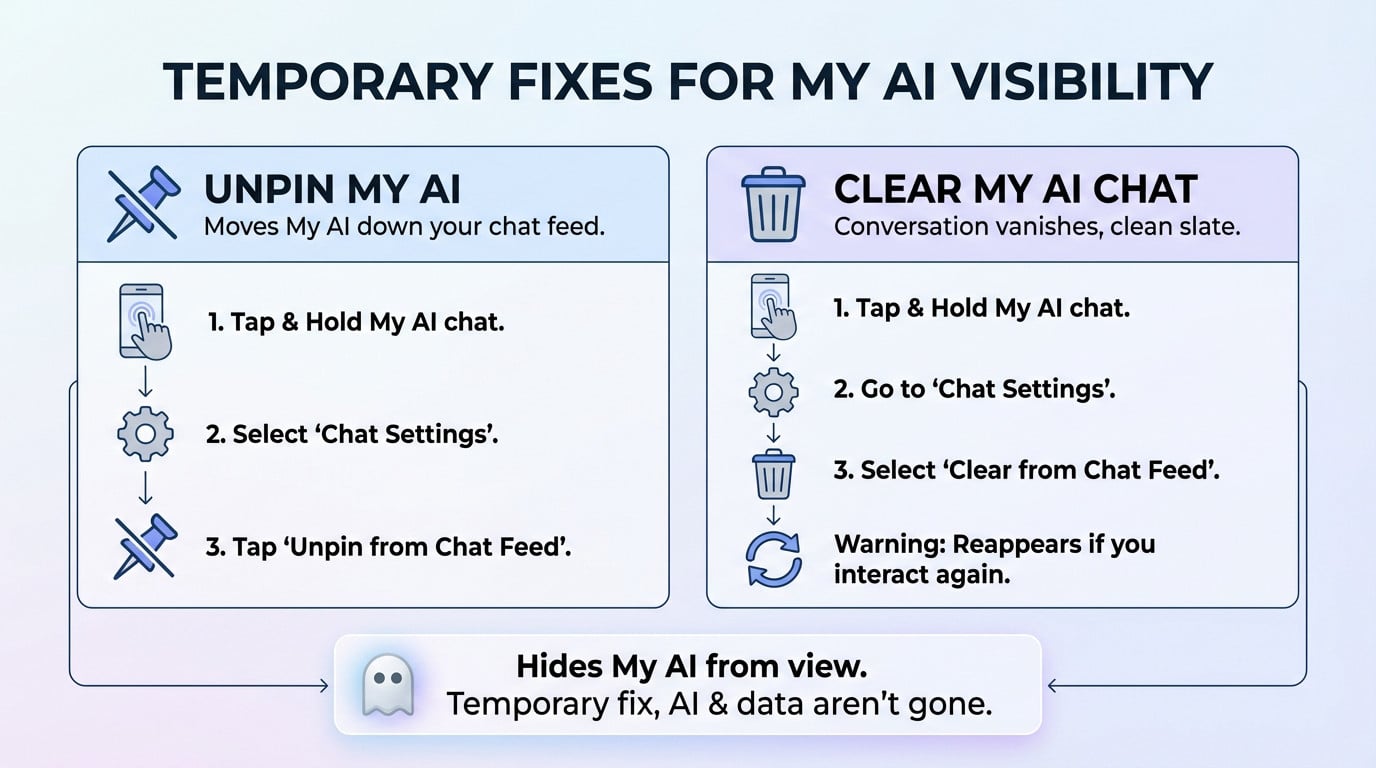
The quickest way to deal with this bot is simply unpinning it. It doesn’t actually remove snapchat my ai, but it stops it from staring at you from the top. It just pushes it down the feed.
Ready to reclaim that prime screen real estate? Tap and hold directly on the My AI conversation. Select ‘Chat Settings’ from the menu that pops up. Then, simply tap ‘Unpin from Chat Feed‘.
Clearing the Conversation for a Fresh Start
If you want a cleaner look, clearing the chat is your next best option. This makes the conversation vanish from your feed entirely, giving you a clean slate. It feels like a deletion, but it’s not.
Here is exactly how to wipe it from view. Tap and hold on the My AI chat again. Go to ‘Chat Settings’. This time, select ‘Clear from Chat Feed‘. Just know the chat will reappear if you interact with My AI again.
Think of unpinning and clearing as just hiding My AI from view. It’s a temporary fix, but the AI itself — and your data — isn’t actually gone.
The Real Deal: Can You Actually Remove My AI?
Hiding the AI is easy, but getting rid of it for good depends entirely on whether you pay for Snapchat.
The Hard Truth for Most Users
Let’s be direct: if you aren’t a Snapchat+ subscriber, you cannot permanently remove My AI.
Free users can only unpin or clear the chat. It is frustrating for those who feel the feature was forced on them, but you can’t kill it completely.
The Snapchat+ Subscriber Privilege
The ability to completely delete My AI is strictly reserved for Snapchat+ subscribers.
Paying unlocks the “magic button” to wipe the bot. It feels like holding a feature hostage, but if you want to remove snapchat my ai entirely, upgrading is the only path.
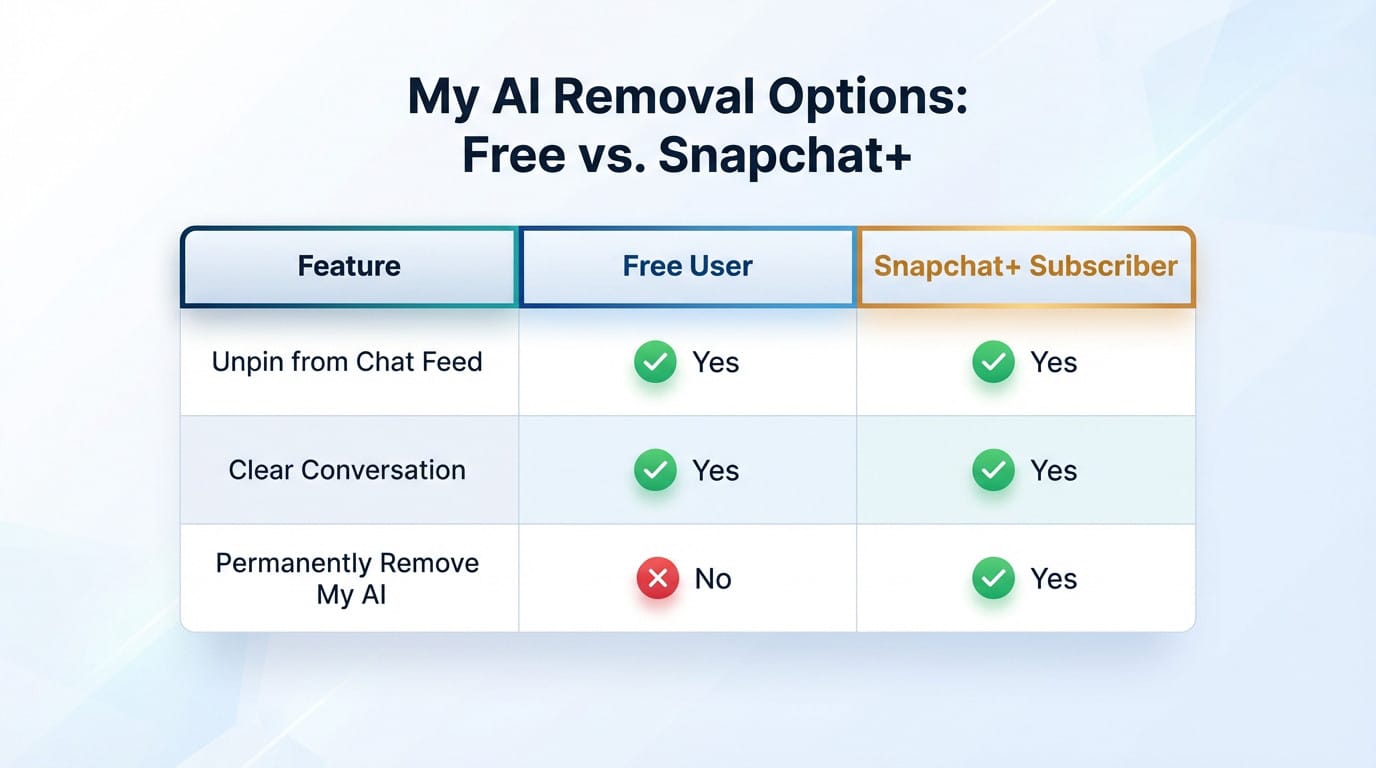
| Feature | Free User | Snapchat+ Subscriber |
|---|---|---|
| Unpin from Chat Feed | Yes | Yes |
| Clear Conversation | Yes | Yes |
| Permanently Remove My AI | No | Yes |
Beyond the Chat Screen: Erasing Your Data History
Whether you manage to unpin the bot or not, there’s a much bigger issue at play here: controlling your personal data.
The Difference Between Chat and Data
Let’s be real for a second. Trying to remove snapchat my ai from your feed is often just a cosmetic fix.
Snapchat actually stores your My AI chats on their servers to train the bot. It’s not just on your phone. So, simply hiding the thread does nothing to the backend. Clearing the chat does not delete this saved data.
How to Delete Your My AI Data for Good
Thankfully, you don’t need a paid subscription to nuke this backend info. This is the one privacy control they actually give everyone freely.
- Go to your Profile and tap the Settings icon (the gear).
- Scroll down to ‘Privacy Controls’ and select ‘Clear Data’.
- Tap ‘Clear My AI Data‘ and confirm your choice.
Be aware, this action is final. Once you confirm, your entire conversation history with My AI is permanently erased from Snapchat’s systems, and it cannot be recovered.
Ultimately, managing My AI comes down to your patience and your wallet. While free users can only hide the bot, Snapchat+ subscribers hold the key to permanent eviction. Regardless of your choice, don’t forget to clear your data history—because keeping your digital secrets safe is the real victory here.