AI Spelling and Grammar Checker
Paste your text into the AI chatbot below and get your corrected text!
Summary: You’re looking for an AI spelling checker because you want a tool that corrects in English, quickly, and without hassle. A good AI checker doesn’t just remove errors: it also helps clarify a sentence, smooth out the grammar, and suggest rephrasing when the text sounds “off” (even if, on paper, everything seems correct). In this guide, you’ll understand what an AI checker actually corrects, how to use it simply, and why Nation AI relies on pre-prompt buttons to guide those who find traditional AI tools too complex (yes, when you don’t like “prompting”).
A mistake in a professional email, cover letter, assignment, or even a LinkedIn message can be costly (credibility, trust, wasted time). A traditional spell checker already catches a lot. But an AI checker goes further, because it looks at context and can also rephrase (when your idea is good, but your sentence is tangled).
Why typing “ai spelling checker” has become a reflex
When you write in English, traps come quickly: agreements, homophones, accents, wandering commas. And, let’s be honest, you don’t always feel like opening a grammar book or replaying a grade-school dictation. An AI checker meets a simple expectation: correct quickly, correct well, and let you move forward (without interrupting you every two lines).
There’s also a very concrete reason: today we write everywhere. In a browser, in a CRM, on a phone, in a shared document. Text travels, and so do your mistakes. An AI assistant that corrects your errors does you a favor, especially when your brain is already busy with something else (like not missing your train, or not forgetting to buy bread).
What an AI checker corrects (and what it sometimes misses)
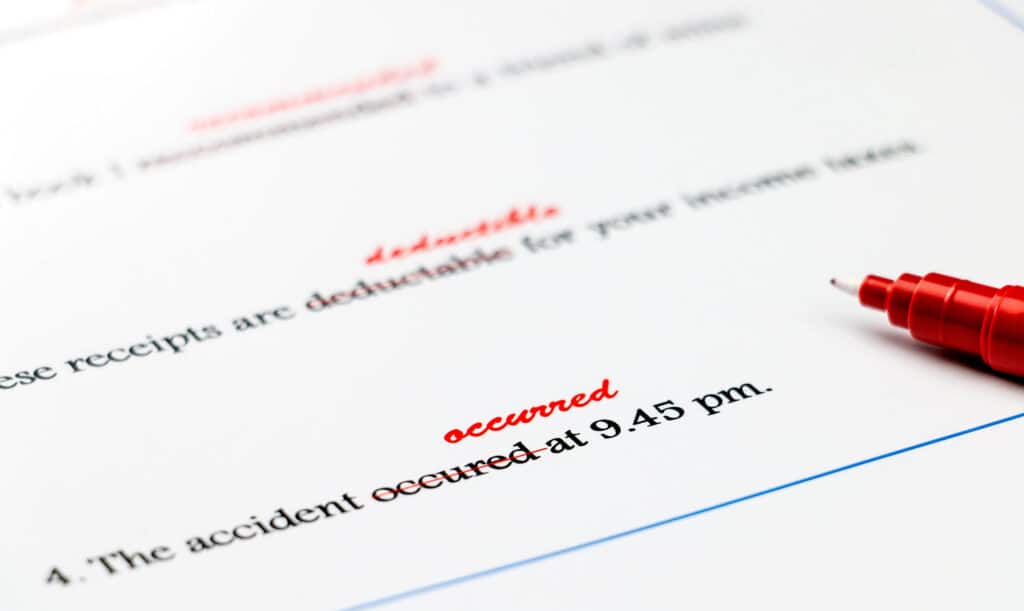
A good AI checker targets visible errors, but also “logical” errors that depend on meaning. It spots improbable agreements, confused words, heavy phrasing. AI checkers correct spelling, grammar, and punctuation in seconds.
- Spelling: typos, missing accents, double consonants, misspelled words.
- Grammar: subject-verb agreement, noun phrase agreement, past participles, misplaced pronouns.
- Conjugation: inconsistent tenses, endings, confusion between conditional and future.
- Punctuation and typography: commas, capitals, spaces before/after marks, quotation marks, hyphens in compound words.
- Vocabulary: similar but not interchangeable words (bring and take), anglicisms, false friends.
- Style: repetitions, overly long sentences, awkwardness, inappropriate register (too casual, too dry, too pompous).
In real life, this means it helps you with known traps: “a” and “à”, “ou” and “où”, “sa” and “ça”, “censé” and “sensé”. It also catches agreements that slip when a sentence gets longer.
What it can miss is often what goes beyond language: false information, awkward tone, a sentence that says the opposite of what you meant. Think of an AI checker as a lighthouse. It lights the way, but it doesn’t drive for you (and it doesn’t know your recipient).
Rephrasing in English: when correction isn’t enough
Correcting means removing errors. Rephrasing means changing the form so the message comes across better. It’s useful when you’ve written too quickly, when you’re looking for a more professional tone, or when you feel it “stings” when reading. With a rephrasing tool, you can request a shorter, more polite, more persuasive, simpler, or warmer version (depending on context).
On nation.ai, you can also explore rephrasing with the Rephrase a text page, or work on a more natural style via Humanize AI text (useful when text seems too mechanical, too smooth, too “copy-pasted from a robot”).
A sentence can be correct and yet tiring. A bit like a straight wooden chair: it stands up, but after ten minutes, you’re looking for another solution (and so is your reader). Rephrasing adds cushions (without changing the meaning, without betraying the idea).
Simple instructions (copy, paste, correct, rephrase)
You don’t need to be a linguist, or know the jargon of language models. You follow simple, almost mechanical logic (and that’s a good thing). Copy. Paste. Breathe.
- Paste your text (email, paragraph, assignment, post).
- Request a correction (spelling, grammar, punctuation).
- Add context: who you’re writing for, what tone you want, what format you’re aiming for.
- Request rephrasing if the text needs to gain clarity or impact.
- Proofread and validate (you always have the final word).
Copy-paste or extension: which to choose?
Copy-paste works for 90% of needs, especially if you’re correcting a paragraph or an email. An extension (when you use one) becomes useful if you write all day in the browser, because it saves you back-and-forth. In both cases, look for simplicity: the fewer manipulations, the more you actually correct your texts (instead of postponing proofreading to “later”).
Small appreciated detail: if you often write without accents (foreign keyboard, temperamental phone), request a pass for “accents and capitals”. The AI tidies up, as if it were re-sticking labels on jars (and you find your words faster).
Simple tip: if you want to improve, also ask for a brief explanation of the most important corrections (not everything, or you’ll be there all night). The goal isn’t to collect rules, it’s to write better tomorrow (and write quickly today).
If your text were a suitcase, correction removes prohibited items. Rephrasing arranges the clothes so everything closes (without the zipper screaming). And you decide what you’re taking (it’s your message).
Traditional checker vs AI checker: comparison table
The two approaches don’t necessarily oppose each other. The traditional checker is very strong on fixed rules. The AI checker is very useful when context matters and when you need rephrasing. Here’s a simple comparison (not a lecture).
| Criteria | Traditional checker | AI checker | Nation AI (guided approach) |
|---|---|---|---|
| Basic corrections | Very good (spelling, simple agreements) | Very good (and more contextual) | Very good (with quick access) |
| Confused words | Sometimes limited | Often better (depending on context) | Good (with clear instructions) |
| Rephrasing | Rare | Yes (multiple versions possible) | Yes (via button and simple instructions) |
| Ease for beginners | Average | Variable (can seem complex) | Very strong (pre-prompt buttons) |
| Learning | Rules and dictionary | Explanations possible (if requested) | Accessible explanations (simple format) |
| Daily use | Often integrated into software | Often online or via extension | In Nation AI chat (frictionless) |
In practice, many people use both. The traditional checker does the first layer. AI adds the “meaning and style” layer. It’s like ironing a garment then trying it on in front of a mirror (you immediately see what’s wrong).
Nation AI: the guided checker for those who want buttons, not prompts
Nation AI has a simple stance: remove the stress of the blank page and the perfect prompt. Instead of asking you to “write a prompt”, the interface offers pre-prompt buttons, including an error correction button. You click, you paste, you get a correction (and you can request rephrasing in the same go).
If you want to test right away, open Nation AI chat and choose the “Correct errors” option in the buttons. You can start without creating an account (handy when you just want to correct text quickly). It’s particularly useful for people who want a clear, direct tool without hidden menus (elderly people, for example, or anyone who prefers a remote control to a cockpit).
The explanations the AI provides are useful when you want to improve (without turning your evening into night school). And if you’re looking for a broader view of the tool, the Free AI page summarizes the approach well (simple access, direct use, no detours).
A detail that changes everything: when you have a big “Correct” button, you’re not negotiating with a machine. You’re using a tool (like a calculator, but for agreements). It’s simple, but it’s comfortable.
Examples of ready-to-copy requests (emails, resumes, assignments)
You save time if you give a short instruction and context. No need for literature. You can copy-paste these examples and adapt them (yes, even if you don’t like writing instructions).
Correct this text in English (spelling, grammar, punctuation). Explain 3 important corrections to me in one sentence each. Here's the text: [PASTE HERE]
Rephrase this email to make it professional and warm. Keep the message, shorten by 20%. Here's the email: [PASTE HERE]
Correct my cover letter and suggest 2 versions: (1) very traditional, (2) more modern and concise. Here's the letter: [PASTE HERE]
If you’re working on a cover letter, you can also read how to write a cover letter with AI to avoid overly generic phrasing (the famous text that looks like all the others).
Think of your instruction as a label on a jar. If you write “sugar”, you get something sweet. If you write “powdered sugar for a light cake”, you get a finer result (and so does your text).
Privacy and sensitive texts: good practices
An AI checker processes text. Sometimes this text contains personal information (name, address, client file, HR elements). So, maintain good practices: anonymize what isn’t necessary, avoid ultra-sensitive data, and proofread before sending. A writing assistance tool saves you time, but final responsibility remains with you (it’s your signature).
Another point: if you’re writing for a company, set an internal rule. For example “no non-anonymized client data in an external tool” (it’s simple, it avoids complicated discussions). You can also paste only the sentences to correct, not the entire document (that works very well).
A text isn’t just words. It’s sometimes a small cardboard safe. It looks ordinary, but it contains important things (and only you know what should stay inside).
FAQ: quick answers about AI spelling checkers
This FAQ answers questions we see coming back constantly (and which are often very concrete). If you want to test directly, the simplest thing is to open Nation AI and try it on a paragraph.
Is an AI checker really free?
Many tools offer a free version, often with limits (text length, number of analyses, advanced features). What's important is to check what's included, and especially whether rephrasing is part of the free version (it's often the option that switches to premium).
Does AI replace human proofreading?
No. It speeds up. It secures. It reduces obvious errors. But it doesn't know your deep intention, or your complete context. For an important document, always proofread, even quickly (it's your safety net).
Can you correct a long text (report, thesis, book)?
Yes, but break it up. Work by sections. One chapter at a time (it's more reliable, and it's simpler to proofread). You can also request correction "without changing the style" to prevent the text from becoming too uniform.
What about proper names, technical words, brands?
Add an instruction: "don't correct proper names" or "keep technical terms as is". If a tool insists, you keep control and refuse the suggestion. A good checker helps, it doesn't command (that's a useful nuance).
How to avoid overly robotic rephrasing?
Request a specific tone: "simple", "human", "direct", "professional but not cold". You can also request 2 different versions, then mix. It's often the best method (you pick the best of both).
What's the right choice for a beginner, or an elderly person?
Choose a tool that guides. A clear interface, visible actions, big buttons, and simple logic. Nation AI targets exactly this audience with its pre-prompts (you click, then you write, like a text message).
Can it help with dyslexia or visual fatigue?
Yes, it can help, because the tool spots inversions, missing letters, and confused words. But keep a simple routine: correct, then read aloud (even one sentence). Your ear sometimes catches what your eyes miss (and AI doesn't have an ear).
Final reminder: an AI spelling checker (keyword "ai spelling checker") is an assistant, not a judge. It helps you make it clean, then you take back the wheel (and you can even keep your favorite little turn of phrase, the one nobody else uses).

