
The short version

Out of the 19 organic results in the English top, only 9 pages carry a real photo upload field. Meta AI, Gemini, Leonardo, DeepAI and Gencraft rank high on the query with a page where all you can paste is text.
Free stops exactly where your photo starts. Craiyon states in plain English that text to image costs no credits, but that having “an image as input” does, and that free users have none.
Your photo is not a prompt, it is personal data. Media.io promises deletion within 7 days, Pollo names the six processors that receive it, Craiyon takes a perpetual and irrevocable license, and Raphael publishes free images in an open gallery.
Measured on August 7, 2026 on the English pages, with screenshots, and without sending a single photo of anyone’s face.
The query could not be clearer: you have a photo and you want AI to turn it into something else. A comic book portrait, a product on a clean background, a repainted room, a child’s drawing turned into a polished illustration. Google returns 78,100 results and, in the English top, almost nothing but tool pages.
Except that the gap between what those pages promise and what happens when you show up with a photo in hand is wide. So we did two things the usual roundups skip: we measured, page by page, whether a photo upload field actually exists where Google drops you, then we read the pricing tables, terms of use and privacy policies of the ones that have it, line by line.
Measured August 7, 2026
What an AI image generator from a photo actually does
The industry term is image to image. You bring two things: a starting image and a written instruction. The model does not start from scratch, it leans on the structure of your photo to produce a new image. That is what separates it from text to image, where nothing of yours enters the machine.
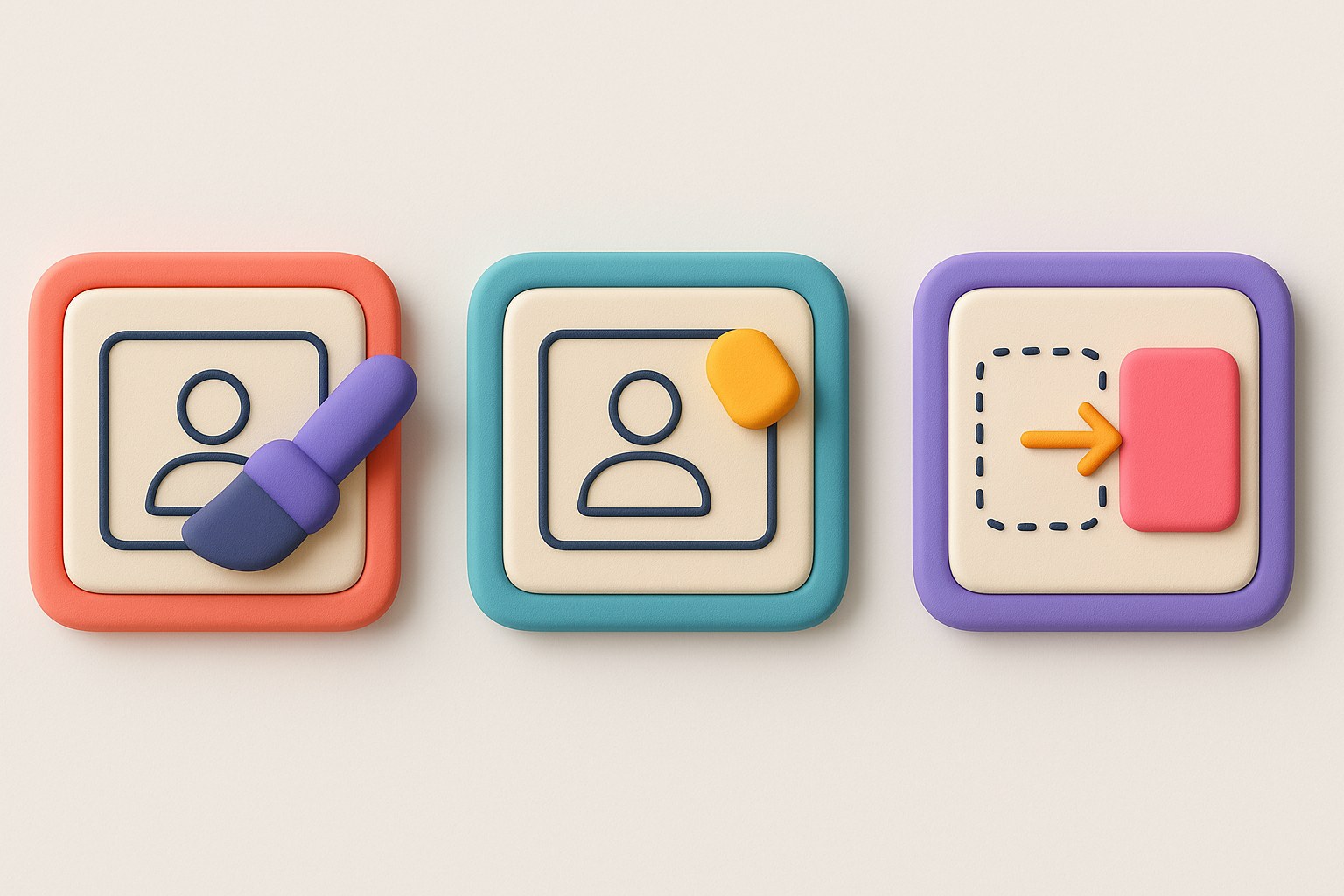
Three uses hide behind the same search, and mixing them up leads to picking the wrong tool.
Restyle
The subject stays, the finish changes completely: anime, 3D, watercolor, cinematic.
The most forgiving use: an average photo will do.
Change one detail
An outfit, an expression, an object in the way, a color. The rest of the image must not move.
The most demanding one: any drift shows.
Change the setting
The subject is cut out and placed elsewhere, keeping its lighting and pose.
The e-commerce use case by definition.
Serve as a reference
Your photo is no longer the subject but a model for style, palette or composition.
The result may share nothing with the original.
Generating is not editingAn edit fixes what is already there (a blemish, a background, a reflection) and hands back a file still recognizable as your photo. An image to image generation produces a new image that looks like your photo. The distinction is not cosmetic: it decides who owns the rights to the output file. If your need is to fix rather than transform, our guide to editing a photo with AI covers the other half of the topic.
The test nobody runs: 9 of 19 pages actually accept a photo
A results page is usually judged on its titles. We judged it on something far more mundane: does the page contain a file input, the element a browser uses to send an image? The question is dumb, the answer is instructive.
ProtocolThe 19 organic URLs for the query were opened one at a time in an automated browser, in English, with nine seconds of wait so the interfaces could finish building. On each one, we counted the file fields present in the page. No photo was ever uploaded. A page can perfectly well handle a photo inside its signed-in editor without offering that option where Google drops you: that is exactly what the test measures.
The breakdown matters, because it changes the reading. Of the 19 results, two are not tools at all: a roundup on a software blog and a product announcement from 2022. That leaves 17 tool pages. Nine accept a photo right away. Seven offer nothing but a text field. The last one, Adobe Firefly, refuses any automated rendering and therefore could not be measured, which we would rather write down than guess at.
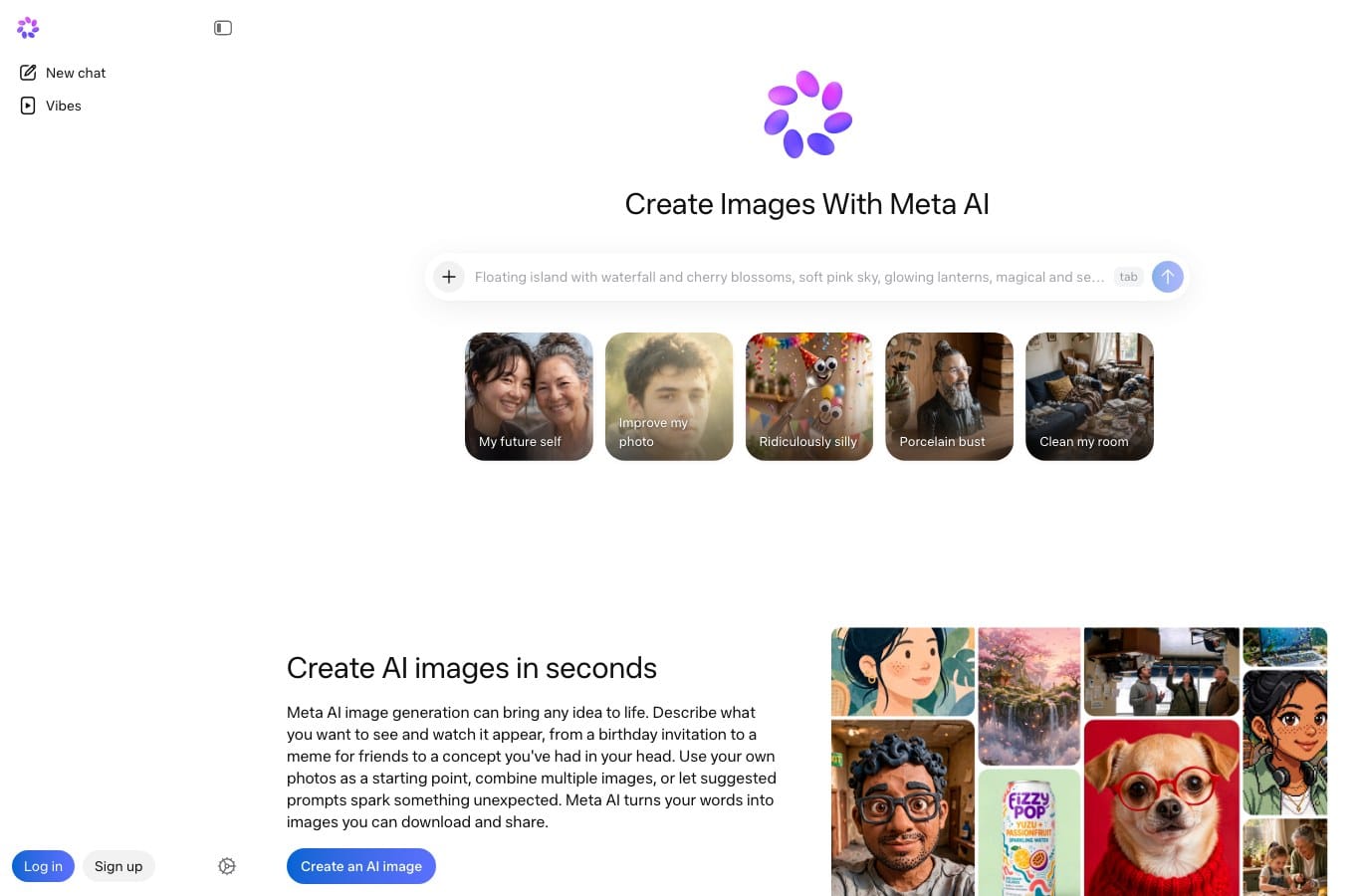
Meta AI can of course work from an image, but inside the app, once you are signed in. The page Google ranks fifth for “ai image generator from photo” opens on a box where you type a sentence. Same situation for the Nano Banana overview page at Gemini, for Leonardo, for Artlist, for Magic Studio, for DeepAI and for Gencraft. This is not a flaw in those products, it is a routing problem: the query asks for a photo, the landing page asks for a sentence.
| Position | Page | File fields | Verdict |
|---|---|---|---|
| 1 | ImgToImg AI | 1 | Immediate upload |
| 2 | EaseMate AI, image to image | 6 | Immediate upload, no account |
| 3 | ChatGPT Images | 3 | Upload after sign-in |
| 4 | NoteGPT, AI image generator | 1 | Immediate upload |
| 5 | Meta AI image generator | 0 | Text field only |
| 6 | Adobe Firefly, image to image | not measurable | The site refuses automated rendering |
| 7 | Dezgo, image2image | 1 | Immediate upload |
| 8 | Gemini, Nano Banana 2 | 0 | Overview page |
| 21 | ArtGuru, generator from photo | 1 | Immediate upload |
| 22 | Krea, edit image to image | 1 | Immediate upload |
| 23 | Leonardo AI | 0 | Text field only |
| 24 | Felo AI image | 2 | Immediate upload |
| 25 | Artlist, image to image | 0 | Marketing page |
| 26 | Magic Studio, AI art generator | 0 | Text field only |
| 27 | DeepAI, text2img | 0 | Text field only |
| 28 | Fotor, AI image generator | 3 | Immediate upload |
| 29 | Gencraft | 0 | Text field only |
| 30 | Zapier, best AI image generators | 0 | Roundup article |
| 31 | OpenAI, DALL-E 2 announcement | 0 | Product announcement |
Positions 9 through 20 are taken up by image blocks and local site blocks, not organic results: that is why the numbering jumps.
A diagnosis of your starting photo
Before picking a service, it helps to know what the photo you are about to hand over is worth. An image that is too small forces the model to invent, an image that is too large gets resized without anyone asking you, and a vertical frame run through a model that outputs squares loses the top of the head. The tool below measures those three things.
Starting photo diagnosis
Nothing leaves your browser: the photo is read locally, its dimensions and weight are measured on your device, and not a single byte is uploaded.
Would rather not pick a file? Type the dimensions by hand. They are in the image properties on your computer, or in the photo info on your phone.
1200px
1600px
0.0MBnot measured
LandscapePortraitSquare
1.9 Mpx. Between 1.5 and 8 Mpx you are in the comfort zone of most models: enough detail for the subject to survive, few enough pixels that the service will not recompress your file on upload.
In portrait, state 3:4 or 9:16 in the instruction and say what has to stay inside the frame. It is the framing square outputs crop the hardest, usually across the top of the head.
Photo ready? Nation AI accepts a file and edits it from your written instruction.
The four resolution tiers
| Measured resolution | What it changes for the generator |
|---|---|
| Under 0.5 Mpx | Below 0.5 Mpx there is almost no detail left to preserve: the model reinvents the face and the texture instead of keeping them. This is the classic case of a screenshot or a thumbnail pulled off a social network. |
| 0.5 to 1.4 Mpx | Between 0.5 and 1.5 Mpx the output holds up on screen, not in print. Expect approximate hair and hands if your photo is a wide portrait. |
| 1.5 to 7.9 Mpx | Between 1.5 and 8 Mpx you are in the comfort zone of most models: enough detail for the subject to survive, few enough pixels that the service will not recompress your file on upload. |
| 8 Mpx and up | Above 8 Mpx the service resizes your photo before processing it. Shrink it yourself to the output format you want: that way you pick the crop instead of taking whatever you get. |
The three framings
| Detected framing | What to plan for in the instruction |
|---|---|
| Landscape | In landscape, ask explicitly for a 16:9 or 3:2 output in the instruction. Models default to square and will crop the left and right edges, which usually means part of the subject. |
| Portrait | In portrait, state 3:4 or 9:16 in the instruction and say what has to stay inside the frame. It is the framing square outputs crop the hardest, usually across the top of the head. |
| Square | In square you are already in the default output format of most models. It is the safest framing for a first try, and the cheapest in credits. |
What free actually gets you, service by service
Nine pages accept a photo. The next question is what they hand back without payment. We opened the English pricing pages of the eight most cited services in this family on August 7, 2026, and wrote down what is printed there rather than what the hero section promises.
Media.io: one image and a watermark
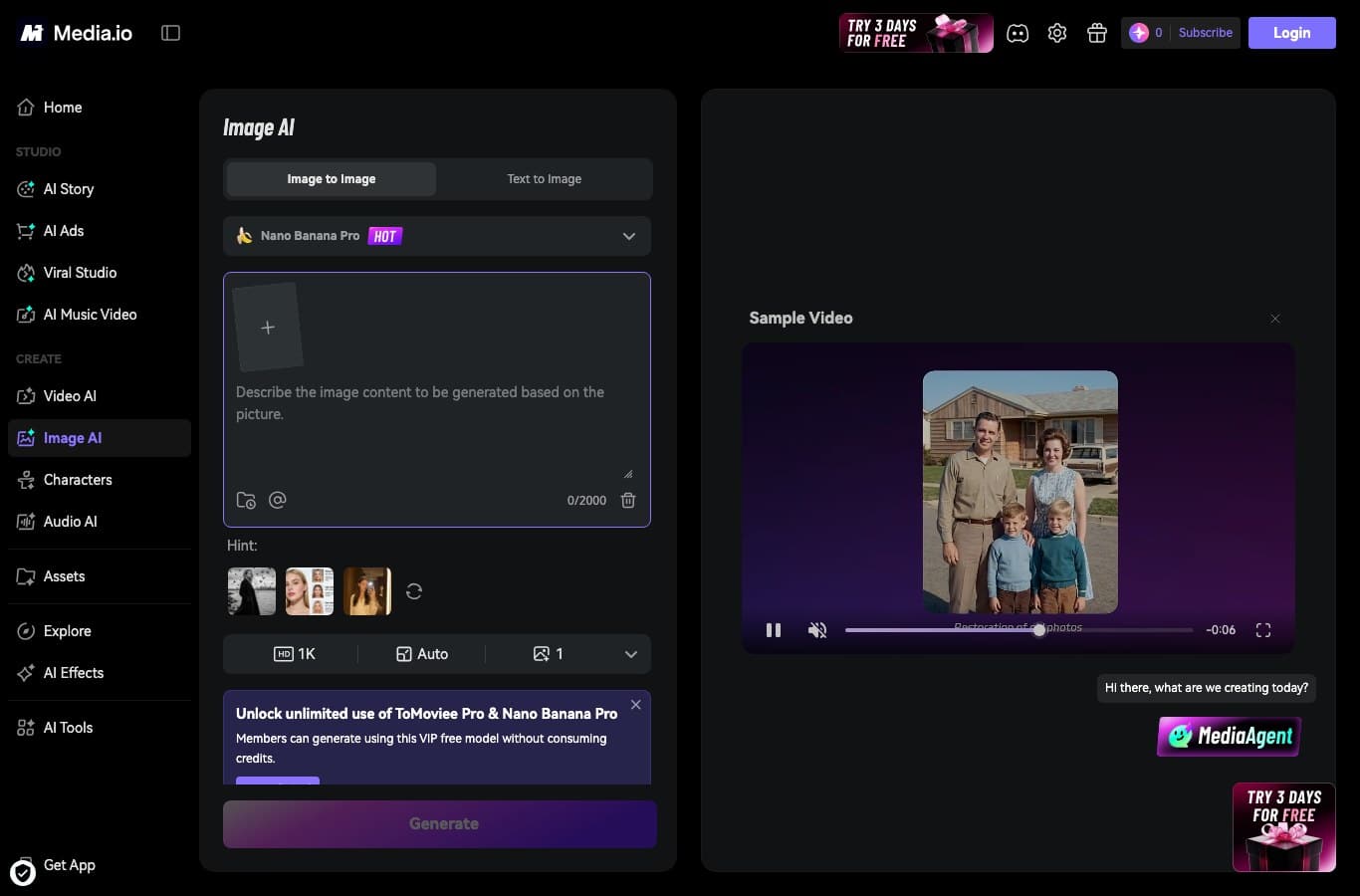
The page delivers on its promise: an “Image to Image” tab, an upload area, a choice of models. The pricing table is a good deal less generous than the landing page suggests.
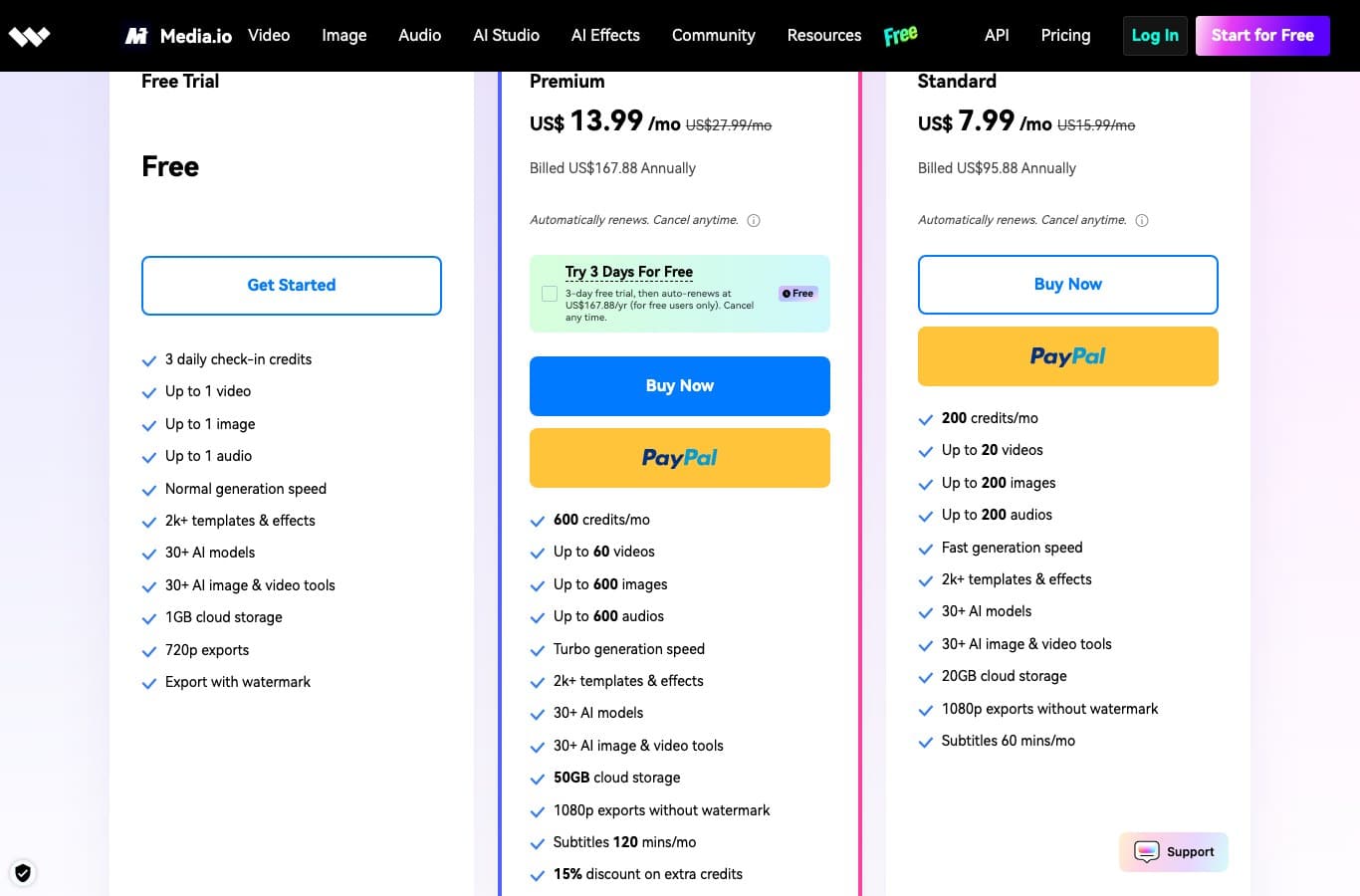
The comparison table on that same page puts the free offer at 0 monthly credits, with 3 daily check-in credits and a maximum of one generated image. The Standard plan starts at $7.99 a month billed annually, Premium at $13.99, and only from the first paid tier does the line “1080p exports without watermark” appear.
Pollo AI: 20 credits, once and for all
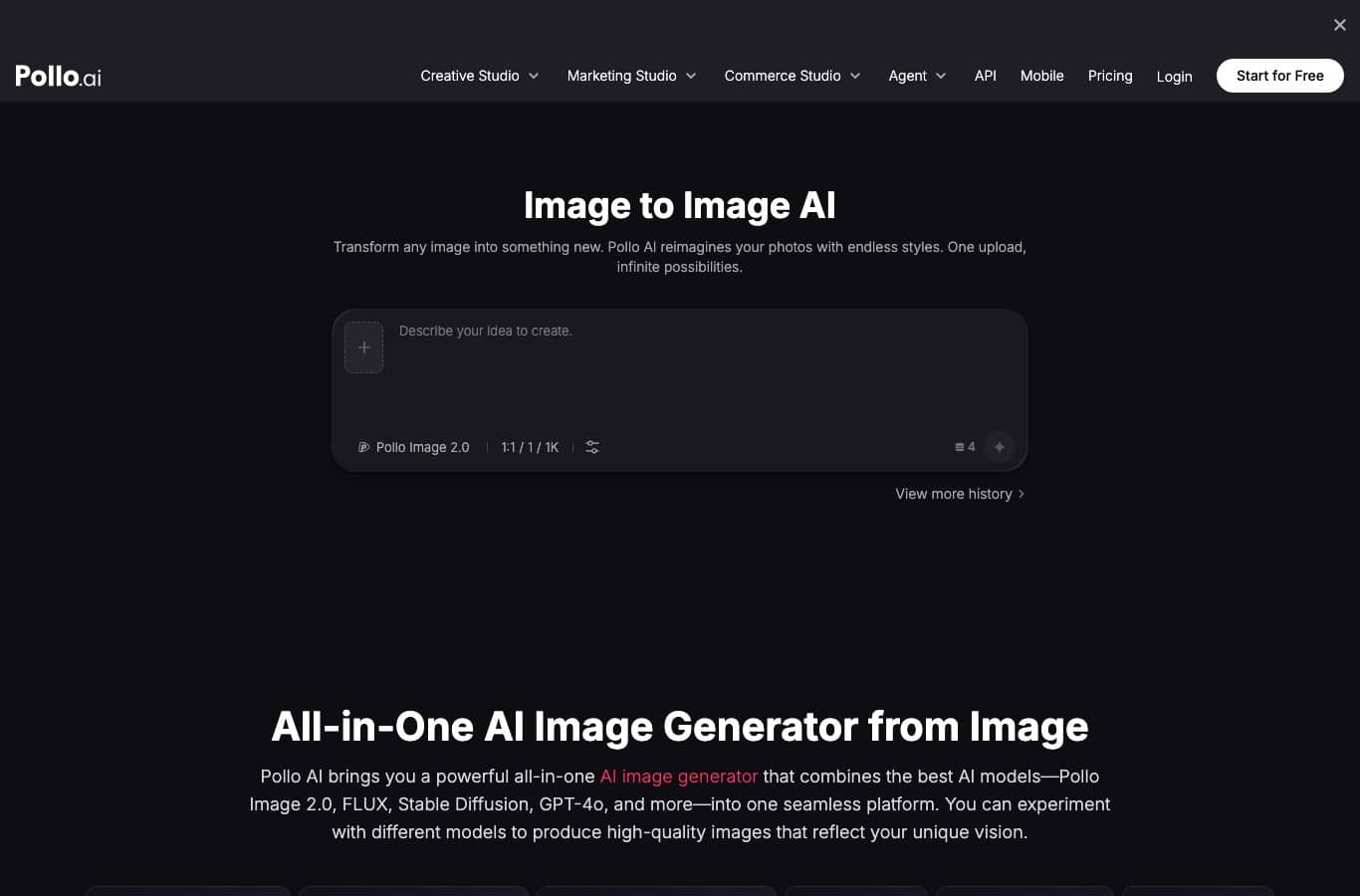
Pollo’s plan comparison is the most explicit of the group, and credit where it is due: the “Free” column is worth 20 credits, with no mention of monthly renewal. The same table gives the cost per model: 2 credits for a Pollo Image 2.0 image, 4 credits for Pollo Image 1.6, 1 credit for GPT Image 2. In plain terms, 5 to 20 images in total depending on which model you pick, and the counter never refills. The first paid tier is $10.00 a month for 300 credits.
EaseMate, second result: one try without an account, then 30 credits
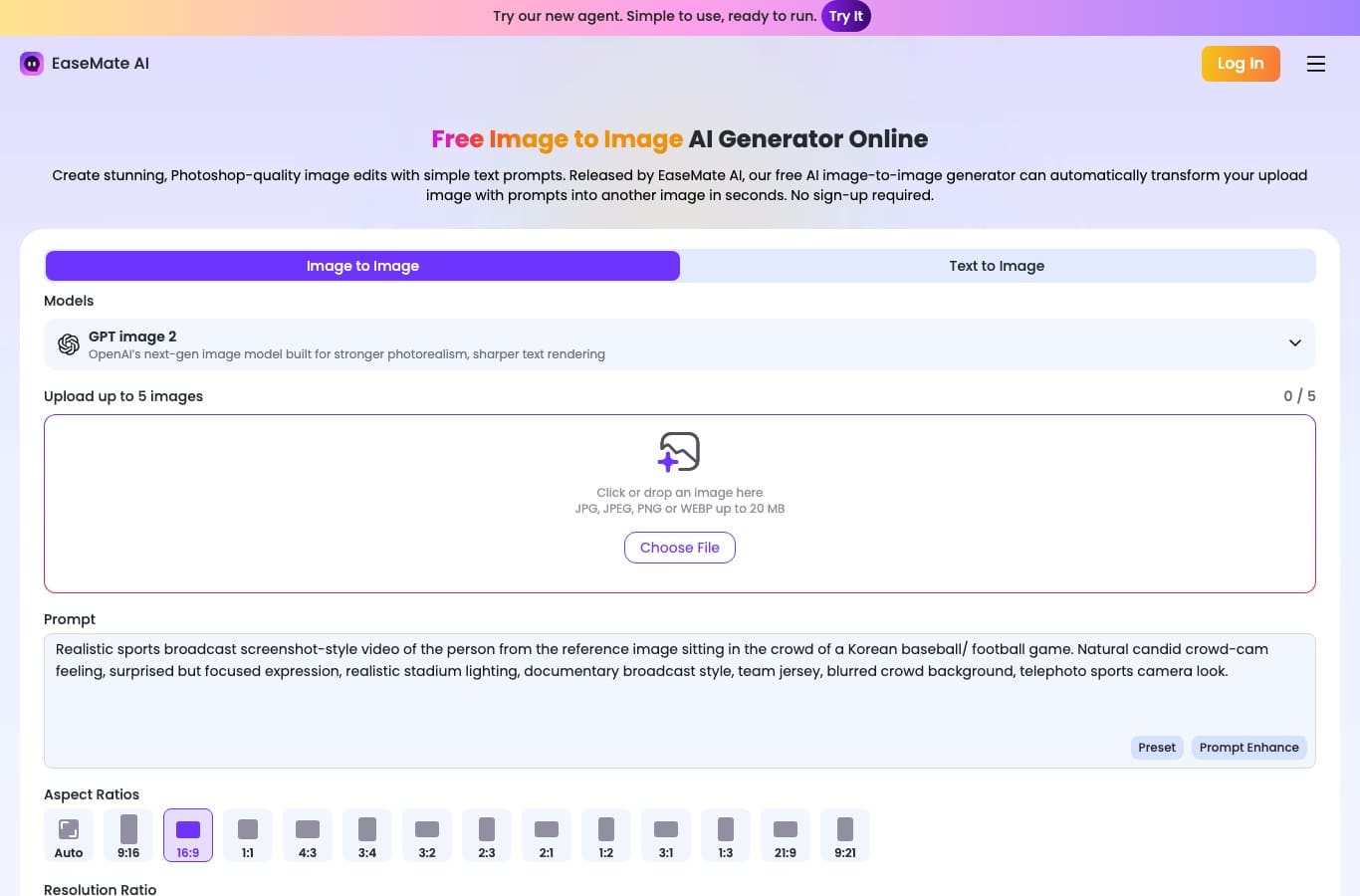
It is the only page in the group that combines a working upload with a numbered free tier commitment, in its FAQ.
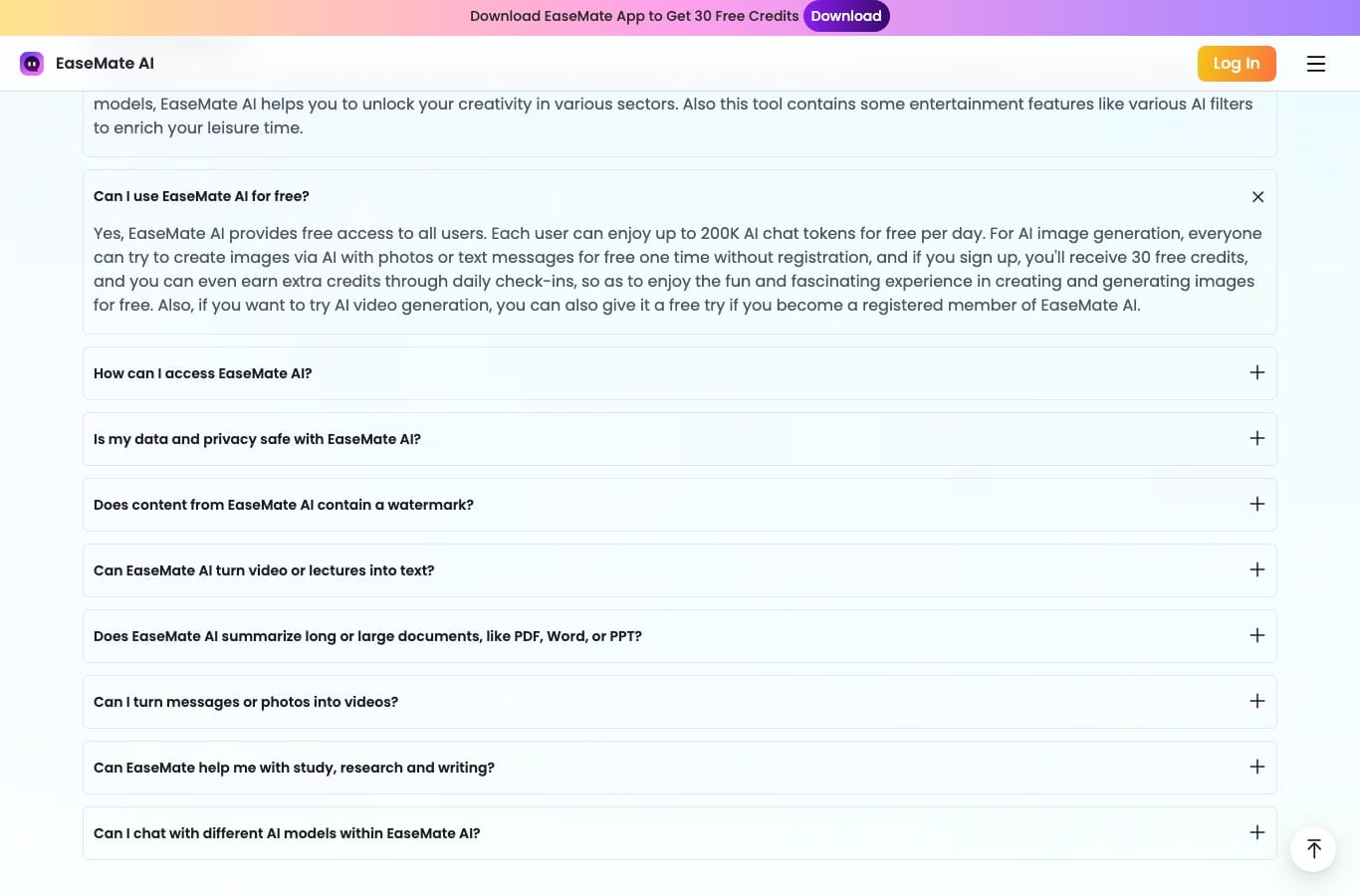
The exact sentence reads: “everyone can try to create images via AI with photos or text messages for free one time without registration, and if you sign up, you’ll receive 30 free credits” One try, then thirty credits. The same page adds, on watermarks: “No, EaseMate AI assures you that all generated content, whether documents, images, or videos, is free of watermarks.” On that specific point, EaseMate is the most generous of the group.
Raphael AI: free and unlimited, but not for everyone
Raphael describes itself as “the world’s first completely free AI image generator”, with “no sign-up, no credit card, and unlimited free generations in the basic mode”. Its pricing page, however, has no free column at all: three plans, at $10, $20 and $40 a month with the fifty percent promotion.
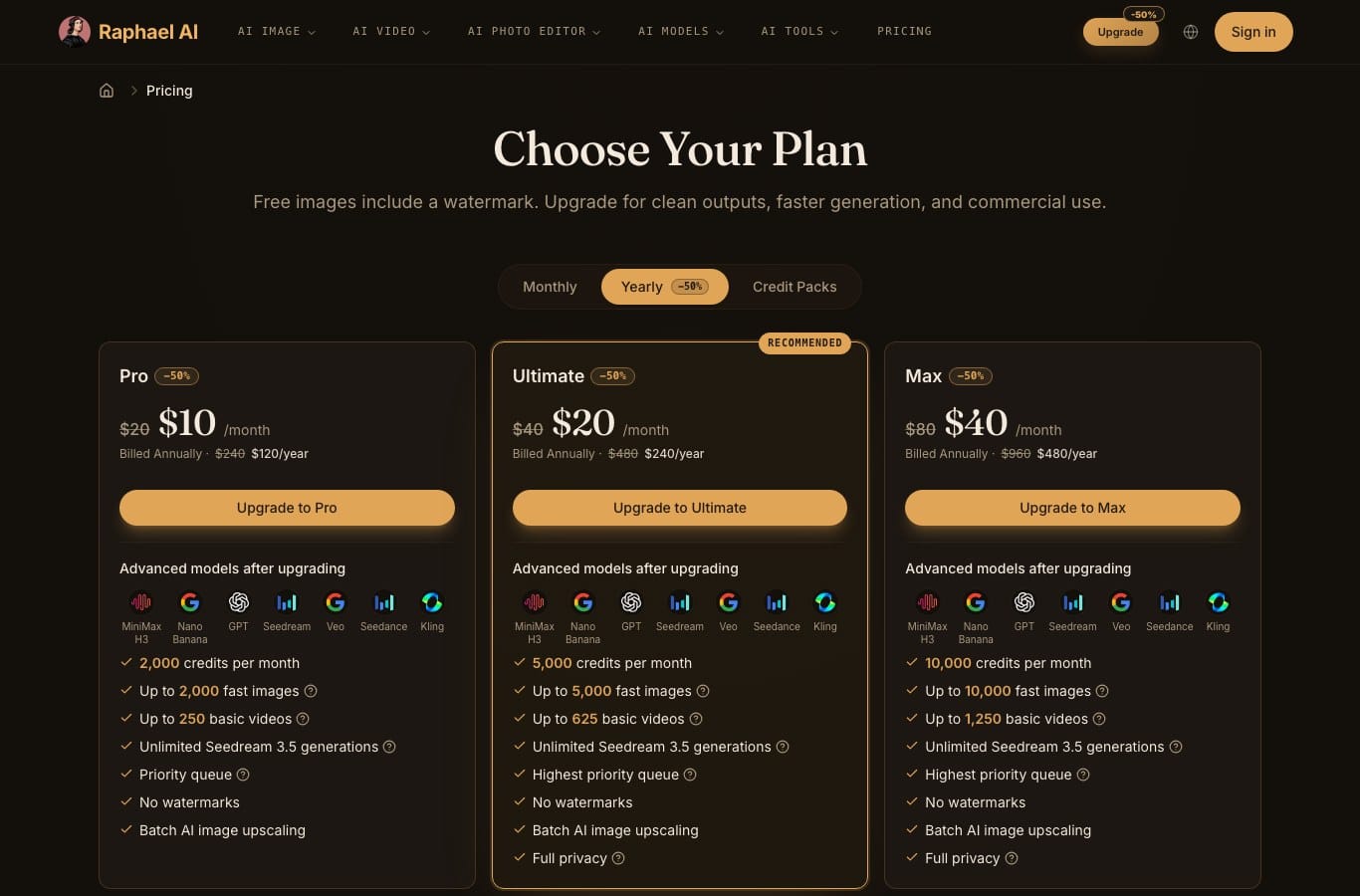
One detail only shows up when you compare the three language versions of the page: the English and Spanish pages open with a warning the French page does not display. In English, “Free images include a watermark. Upgrade for clean outputs, faster generation, and commercial use.” In Spanish, “Las imágenes gratuitas incluyen una marca de agua.” In French, in the very same spot, all you get is “Obtenez le meilleur de Raphael AI avec une génération plus rapide et une utilisation commerciale” Same table, two levels of disclosure.
Two answers in its FAQ define the free tier. On rights: “Free users may use generated images only for personal and other non-commercial purposes, unless Raphael expressly states otherwise.” On privacy, the selling point for the subscription is phrased this way: “Your images are fully private and won’t be shared in our public gallery or suggested images.” Which means that without a subscription, they are.
Craiyon: unlimited in text, billed in image
This is the most useful find of the whole measurement, and it fits in two sentences published by Craiyon itself.
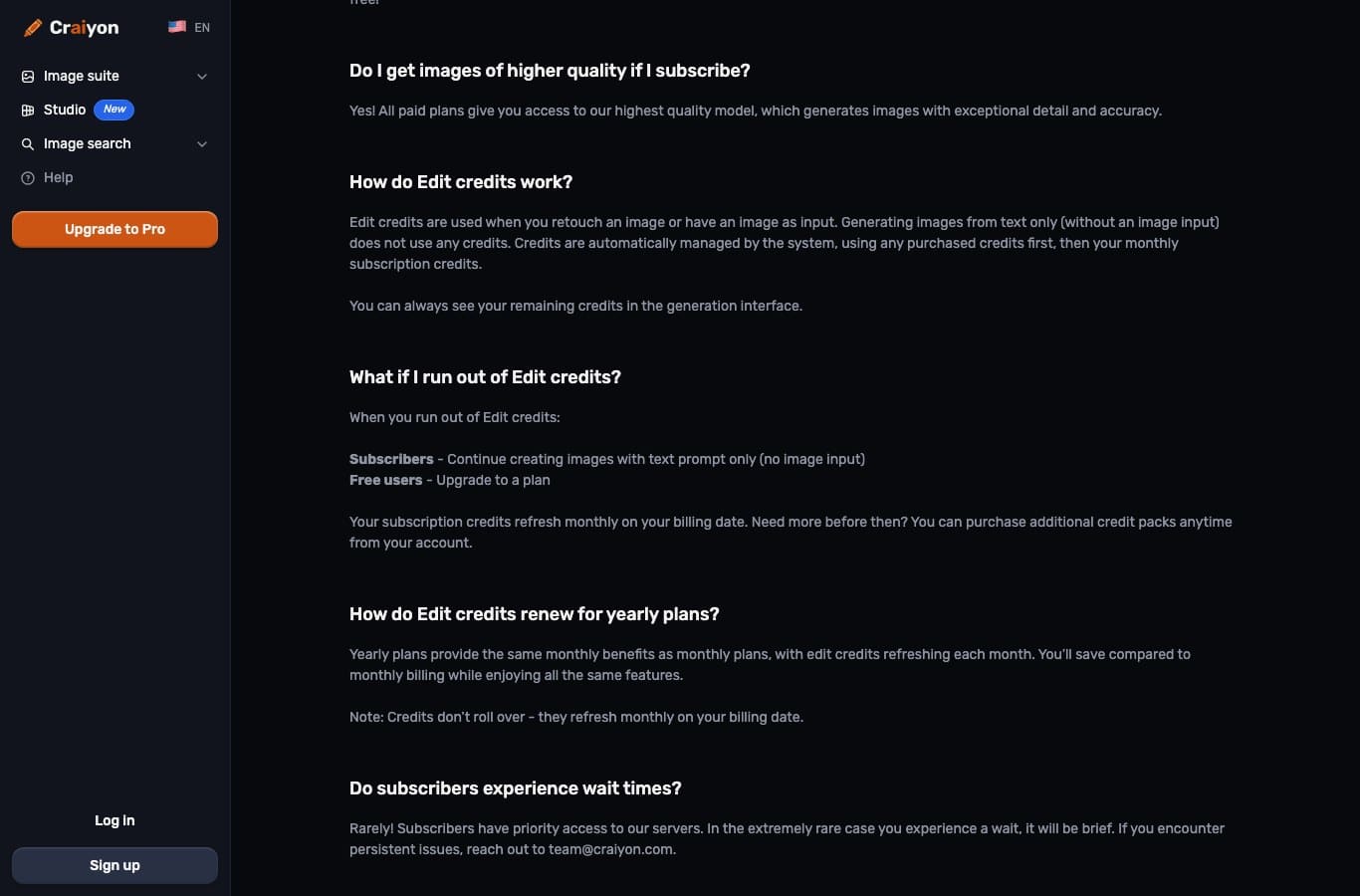
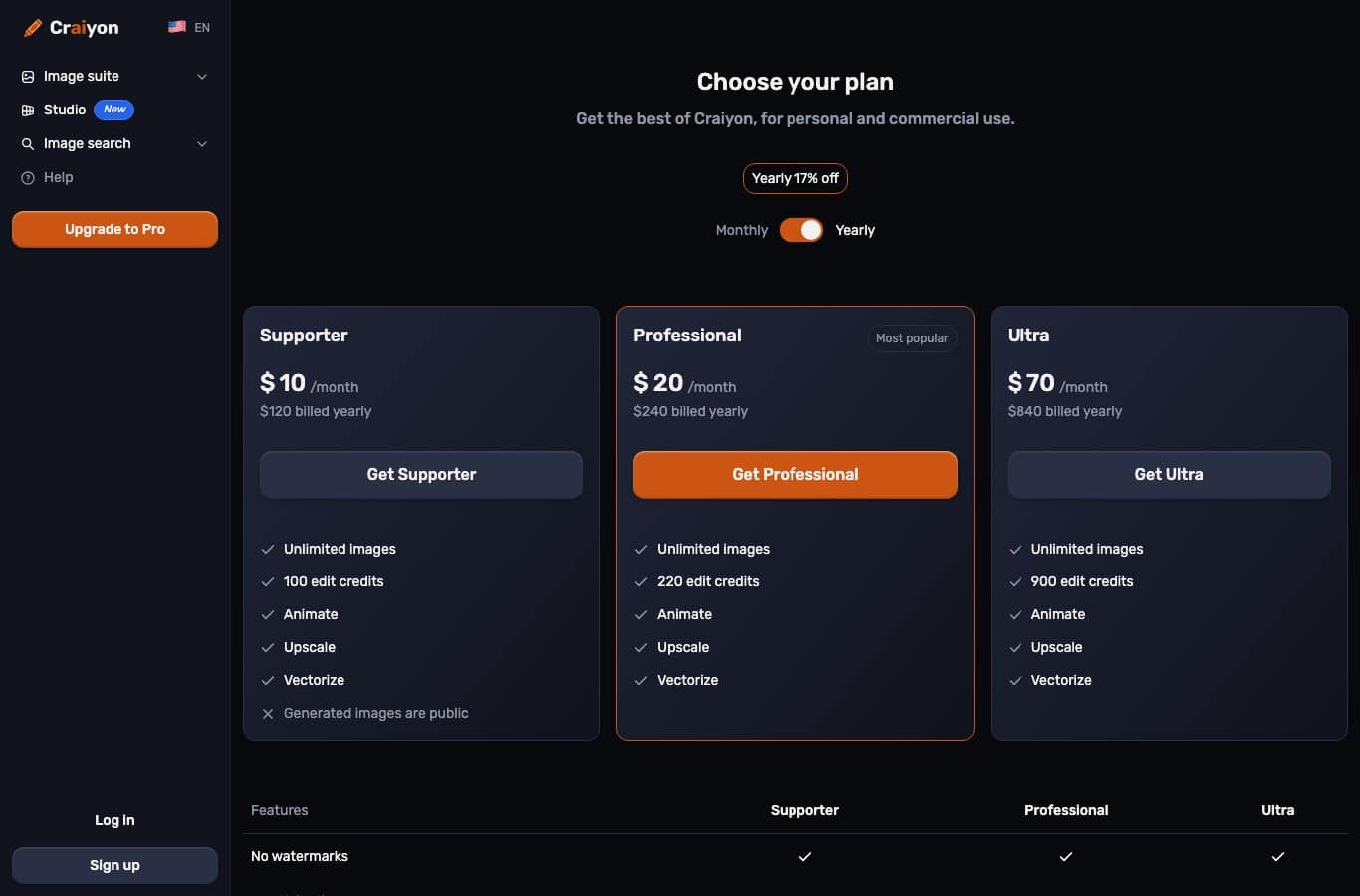
Craiyon writes: “Edit credits are used when you retouch an image or have an image as input. Generating images from text only (without an image input) does not use any credits.” And two questions further down, the answer to “What if I run out of Edit credits?” splits into two cases: subscribers keep creating images with a text prompt only, free users have to upgrade to a plan.
Craiyon’s “unlimited free” stops exactly at the feature you came forThe service has led “free AI image generator” queries for years, and it earned that for text to image. But a photo input is, in its own vocabulary, an “edit”: it consumes an edit credit, and the free account has none. Edit credits only appear from the Supporter plan onward, $10 a month billed as $120 a year, and they do not roll over from one month to the next.
The other three
- Nano Banana Pro accepts a photo, but its pricing page has no $0 plan at all, the entry tier sitting at $8.90 a month. A telling detail about the quality of its localization: the French address of that pricing page actually serves the Norwegian version.
- Pixlr offers no upload on the page that ranks, and its pricing table shows no free plan: Plus at €2.49, Premium at €9.99, Ultra at €24.99 a month. Worth noting for an American reader: Pixlr bills in euros on its English page too.
- FlexClip does accept a photo. Its free tier caps exports at 720p, and its own help center states that the house watermark is added as soon as the features or assets you use go beyond your current plan.
| Service | Free tier, in numbers | Watermark on free | First paid tier |
|---|---|---|---|
| Media.io | 0 monthly credits, 3 daily check-in credits, 1 image | Yes, and export capped at 720p | $7.99 a month billed yearly |
| Pollo AI | 20 credits total, meaning 5 to 20 images depending on the model | Not stated in the table | $10.00 a month |
| EaseMate AI | 1 try with no account, then 30 credits on sign-up | No, stated in plain words | $8.90 for the first month |
| Raphael AI | Advertised as unlimited, no free column in the table | Yes, stated at the top of the table | $10 a month billed yearly |
| Craiyon | Unlimited for text to image, zero with an image input | Yes, removed on paid plans | $10 a month billed yearly |
| Nano Banana Pro | No $0 plan in the table | Not applicable | $8.90 a month |
| Pixlr | No free plan in the table | Not applicable | €2.49 a month |
| FlexClip | 720p exports, AI credits as a limited trial | Yes, past the plan allowance | $11.99 a month billed yearly |
What you actually walk away with
Four limits pile on top of each other, and none of them is announced on the landing page. First, output resolution: 720p at Media.io and FlexClip on the free tier, which in most cases is less than the photo you started with. Then the watermark, present everywhere except at EaseMate. Then the usage right, the least visible limit and the most expensive: at Raphael, commercial use is reserved for subscribers; at Craiyon, it is open to everyone but comes with a specific string attached.
That string deserves to be quoted in full, because it rarely gets a mention: “You may use the Site in connection with any Commercial Use provided that, if you are not a Subscriber, you must credit Craiyon in text accompanying any image(s) you use commercially. In the sole event that it is not possible for text to accompany such image(s), the placement of our logo in the corner constitutes sufficient attribution.”
The fourth limit is the most insidious: your images being public. At Craiyon, the crossed-out line on the $10 a month Supporter plan reads “Generated images are public”; you need the $20 Professional plan for private images. At Raphael, privacy is likewise a paid line. If your starting photo is a portrait, the question stops being theoretical.
Where your photo goes, and who keeps what
That is the fundamental difference between text to image and image to image. In the first case you hand over an idea. In the second you hand over a file, often a face, sometimes someone else’s. So we read the privacy policies and terms of use of the five services that genuinely accept a photo on their page.
Media.io: seven days, and you keep the copyright
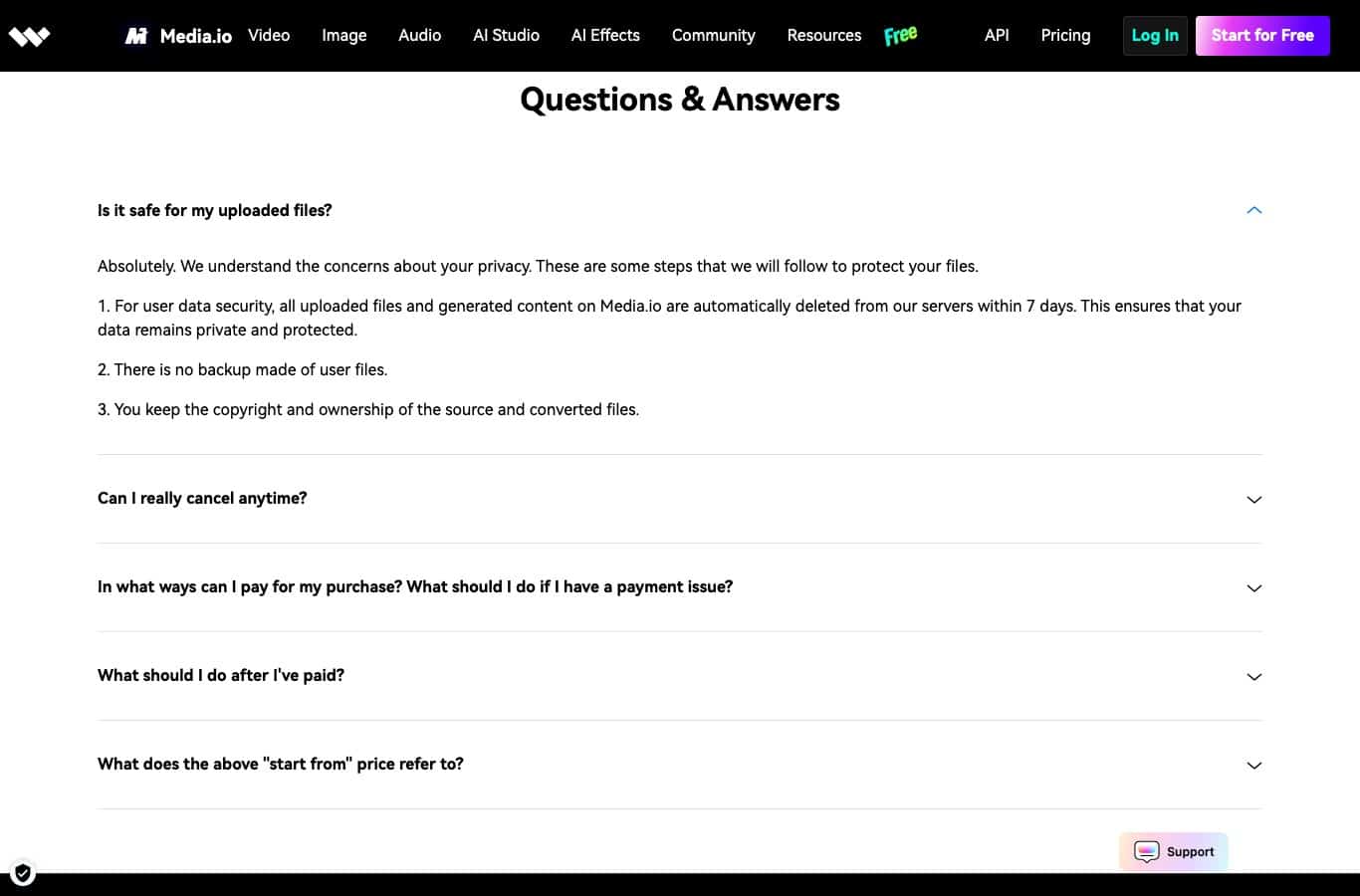
The commitment comes with a number, which is rare: “all uploaded files and generated content on Media.io are automatically deleted from our servers within 7 days.” Then “There is no backup made of user files” and “You keep the copyright and ownership of the source and converted files.” It is the most favorable contract in the group.
Pollo AI: the named list of processors
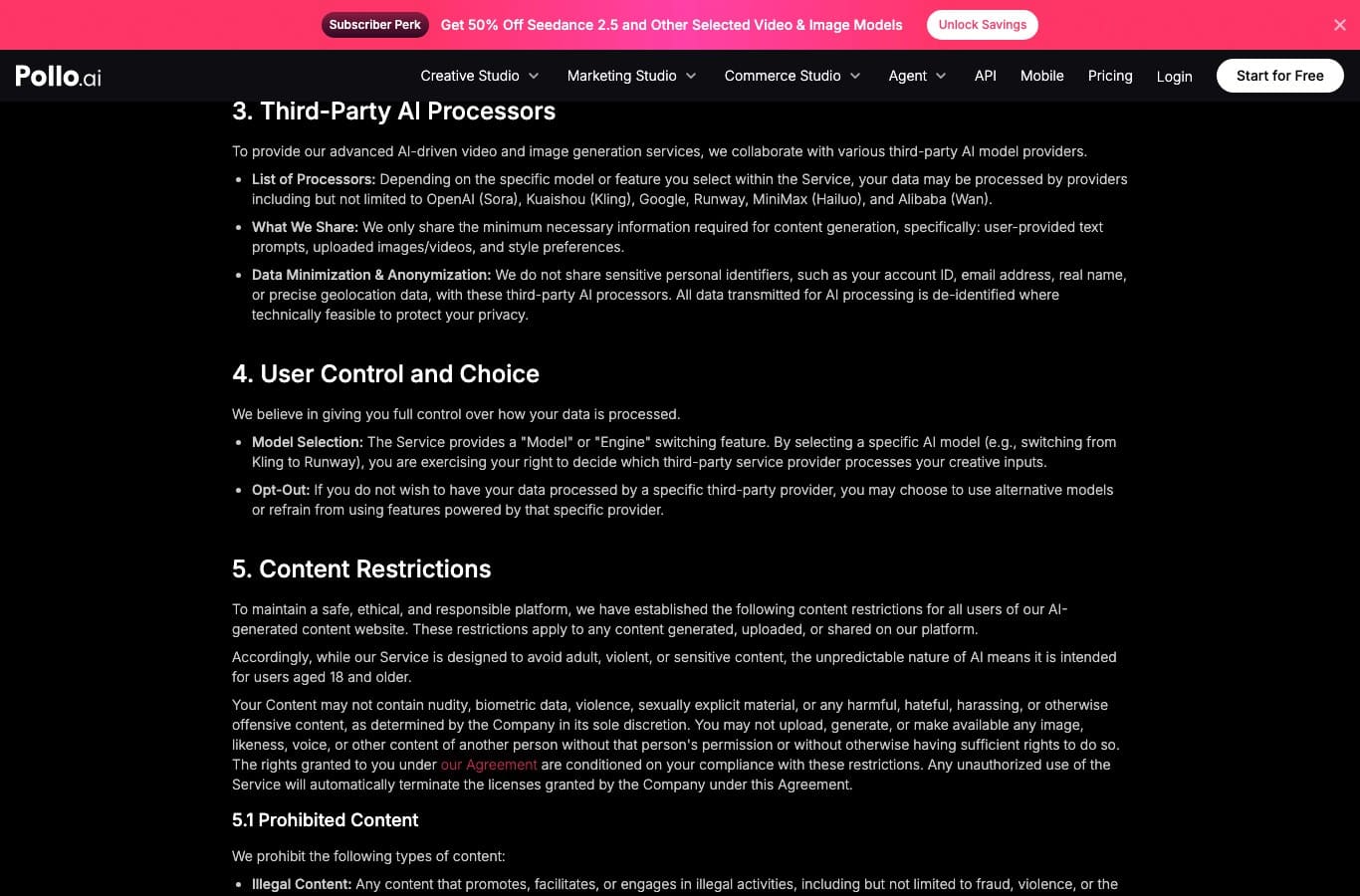
Pollo is the only one in the group to publish the list: “Depending on the specific model or feature you select within the Service, your data may be processed by providers including but not limited to OpenAI (Sora), Kuaishou (Kling), Google, Runway, MiniMax (Hailuo), and Alibaba (Wan).” And it spells out what leaves: “We only share the minimum necessary information required for content generation, specifically: user-provided text prompts, uploaded images/videos, and style preferences.”
The flip side of that transparency is a concrete option, which Pollo puts this way: “If you do not wish to have your data processed by a specific third-party provider, you may choose to use alternative models or refrain from using features powered by that specific provider.” Choosing the model is therefore also choosing the country where the processing happens.
EaseMate: immediate deletion, and a page that exists in English only
EaseMate’s privacy policy is only reachable at easemate.ai/privacy and exists in English only, including from the localized versions of the site. Its content is clear on the essentials though: “We will not use your uploaded images or videos for marketing, advertising, training or any unrelated purposes,” and “Immediately after processing is completed and the final result is returned to us, the third-party platform will permanently delete your original uploaded images and videos” The text also confirms in passing that processing is handed off to a third-party AI platform, which it does not name.
Craiyon: a perpetual and irrevocable license
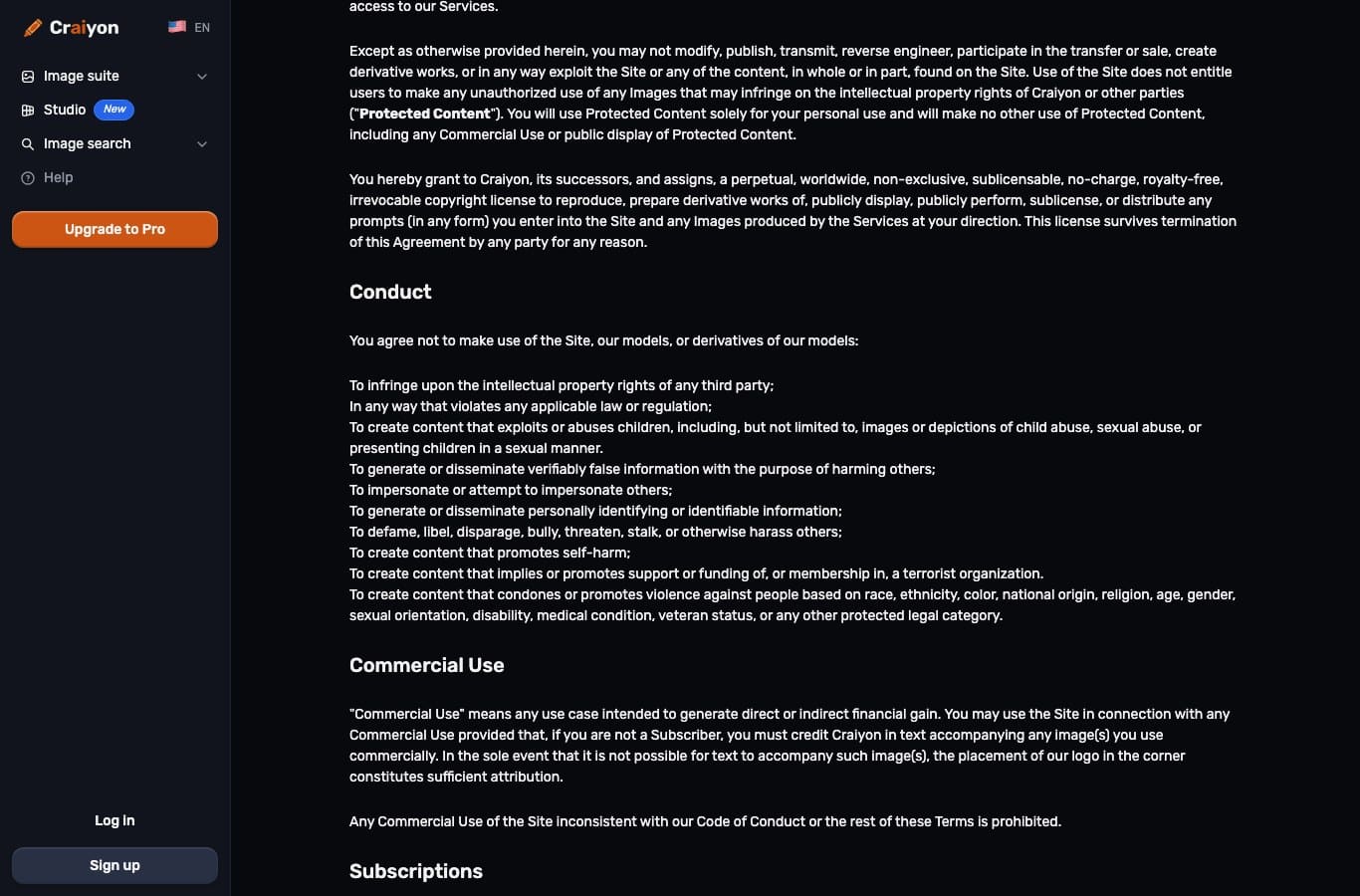
The paragraph is explicit: “You hereby grant to Craiyon, its successors, and assigns, a perpetual, worldwide, non-exclusive, sublicensable, no-charge, royalty-free, irrevocable copyright license to reproduce, prepare derivative works of, publicly display, publicly perform, sublicense, or distribute any prompts (in any form) you enter into the Site and any Images produced by the Services at your direction. This license survives termination of this Agreement by any party for any reason.”
| Service | Stated retention period | Processors named | What the service reserves |
|---|---|---|---|
| Media.io | 7 days, with no backup | No | Nothing, you keep the copyright |
| Pollo AI | “Shortly after” generation | Yes, six providers cited | Receives prompts, uploaded images and style preferences |
| EaseMate AI | Immediate deletion after processing | No, “a third-party platform” | Explicitly rules out training |
| Craiyon | No number given | No | Perpetual, irrevocable license over prompts and images |
| Raphael AI | No number given | No | Publication in a public gallery on the free plan |
The photo you upload is not always yours
An image to image job starts with an upload, and that upload is a legal act when the photo shows a person. In the United States there is no single federal rule on the point: the right of publicity is a matter of state law and its scope varies from one state to the next, which makes the rule that binds you everywhere the one written in the terms of the service you are using.
The services know it and put it in writing. Pollo is the bluntest: “You may not upload, generate, or make available any image, likeness, voice, or other content of another person without that person’s permission or without otherwise having sufficient rights to do so.” The stated penalty is automatic termination of the licenses granted, meaning the loss of the account and of any credits already paid for.
Three reflexes before you hit “Upload”Do not send someone else’s photo without their agreement, children included. Steer clear of ID documents, license plates and background faces, which show up in vacation shots more often than you would think. And if the final image is headed for professional use, check the “commercial use” line of the plan before generating, not after: on three of the services measured, it is reserved for subscribers. This is general information and does not replace legal advice.
The instruction that keeps the subject
An image to image generator obeys two opposing forces: follow your text, and stay faithful to your photo. A vague instruction leaves it to arbitrate on its own, and it arbitrates in favor of the text. Hence faces that change, logos that warp and clothes that lose their color. Five elements are enough to take back control.
- What must not move. Name it first and name it plainly: the face, the pose, the color of the sweater, the text on the label. Anything you do not name is treated as negotiable.
- What changes, and nothing else. One transformation per attempt. Two requests in the same instruction almost always produce a failed compromise on both.
- The style you want, with a material reference. “Ink and wash illustration” beats “nice drawing.” Models understand techniques, not adjectives of taste.
- The output framing. Reuse the format detected by the diagnosis above. With no instruction, the output is square and your portrait gets cropped.
- What you refuse. The negative form is the most profitable one: no smoothed skin, no de-aging, no added text, no invented logo.
Vague instruction
Turn this photo into anime style.
Instruction that holds
Keep the face, the hairstyle and the position of the hands identical. Change only the finish to an ink anime illustration, flat colors, crisp outlines. Output in 3:4. No smoothed skin, no de-aging, no added text.
If the exercise interests you, our library of image prompts holds a hundred or so copy-ready templates, including a whole section on editing. And for a portrait meant for a professional profile, the topic has rules of its own, laid out in our guide to the AI-generated headshot.
And on the Nation AI side
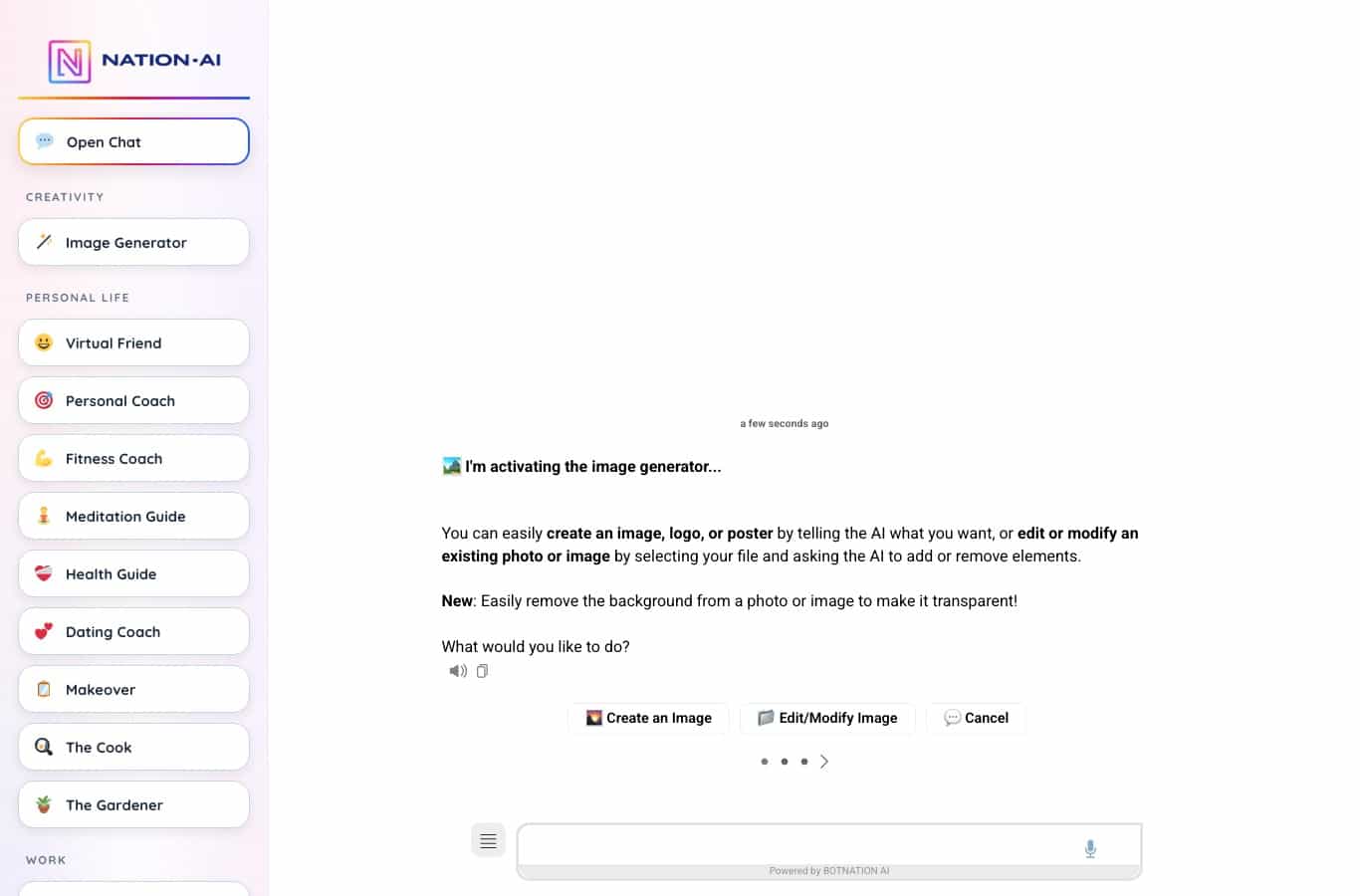
Let us be straightforward about it: the Nation AI image generator is one of the services that accepts a file as input. It explicitly offers both routes, creating an image and editing an existing photo, with background removal added recently. The instruction is written in plain language and the trial runs without an account.
What it does not do is worth saying too: it does not return a vector file, and it has no unlimited free plan. Image generation is bundled into the full subscription, at 50 images a month. To see where free stops on another corner of image generation, our study of AI logo creation applies the same method, and the prompt generator helps write the instruction before you spend a credit.
Try it with your own photo
Upload your image, describe the transformation, adjust. No install, straight in the browser.
Frequently asked questions
Is there a genuinely free AI image generator from a photo?
Yes, but with a low ceiling in every case measured on August 7, 2026. EaseMate offers one try with no account and then 30 credits, watermark free. Pollo gives 20 credits once and for all, meaning 5 to 20 images. Media.io caps free use at one image, in 720p and watermarked. None of the services tested offers unlimited, watermark-free use for an image input.
Can you generate an image from a photo without signing up?
Yes on two of the pages tested. EaseMate displays “No registration required” and accepts up to five images in JPG, JPEG, PNG or WEBP up to 20 MB. Media.io lets you upload before signing in but asks for an account to retrieve the result. Everywhere else, the upload works but the download requires an account.
What is the best AI image generator from a photo?
The answer depends on what you plan to do with the image. For a quick try, EaseMate is the fastest, with no account and no watermark. For professional use the question becomes contractual: Media.io is the only one in the group that writes down that you keep the copyright on both the source file and the converted one. And for a photo of a person, the retention period matters more than the quality of the model.
Does Google have an AI image generator from a photo?
Yes, through Gemini and its Nano Banana 2 model, but not on the page Google ranks eighth for this query: that one is an overview page with no upload field. The upload happens inside the Gemini app, once you are signed in to a Google account.
What is the difference between generating an image from a photo and editing a photo?
An edit fixes an existing file and hands it back still recognizable as your photo. An image to image generation builds a new image inspired by yours. That changes the result, but it also changes the rights regime: the output file of a generation is governed by the service’s terms, not only by yours. Pure editing is covered in our article on editing a photo with AI.
What happens to my photo after the generation?
It depends entirely on the service, and the spread is wide. Media.io announces deletion within 7 days with no backup. EaseMate announces immediate deletion after processing and rules out training. Pollo passes the image to the provider of the model you picked, which it names. Craiyon takes a perpetual, irrevocable license over the image produced. Raphael publishes images from free accounts in an open gallery.
Do you need a very large starting photo?
No, and a photo that is too large is actually counterproductive: above 8 million pixels, most services resize it before processing, with a crop you do not choose. The comfort zone sits between 1.5 and 8 Mpx. The diagnosis higher up in this article measures your file locally, without sending anything.
What about uncensored generators?
They are a family of their own, with their own rules and their own risks, especially when the starting image shows a real person. We devote a separate article to uncensored AI image generators. Useful reminder: the absence of a technical filter removes neither a person’s rights over their own likeness nor the responsibility of whoever publishes the result.
Can I sell the image made from my photo?
Not everywhere, and not for free everywhere. Raphael reserves commercial use for subscribers. Craiyon allows it for everyone, but requires non-subscribers to credit it in the text accompanying the image, or to place its logo in a corner. Media.io is the clearest in your favor. Check the line before you generate: it is not negotiable afterward.
What to take away
The “AI image generator from photo” query runs into a routing problem before it runs into a pricing problem. Seven tool pages in the English top offer no upload field where Google drops you, and you have to open an editor or create an account to get there. Of the nine that accept a photo right away, the free tier is counted in single units: one image, twenty credits, thirty credits, one try.
The real tipping point, though, is neither the quota nor the watermark. It is the line, written into the terms of use, that decides what becomes of your file. Between a service that promises deletion within seven days and leaves you the copyright, and a service that takes a perpetual and irrevocable license over what you produce, the difference shows up nowhere in the interface. You have to read it, and it takes five minutes.
One photo, one instruction, one result
The Nation AI image generator takes your file and transforms it on request, with nothing to install.
Sources and method. Measurements taken August 7, 2026 on the publishers’ English pages, in an automated browser, without sending any photo to a third-party service. Pricing pages and terms of use for Media.io, Pollo AI, EaseMate AI, Craiyon, Raphael AI, Nano Banana Pro, Pixlr and FlexClip. Privacy policies for Media.io, Pollo AI and EaseMate AI. On the legal side, the right of publicity in the United States is state law and varies by state, so the operative rule quoted here is the one written in the services’ own terms. Pricing tables show promotional discounts that can change from one day to the next: the amounts quoted are those of August 7, 2026.